How to View Playlist Info
2 min
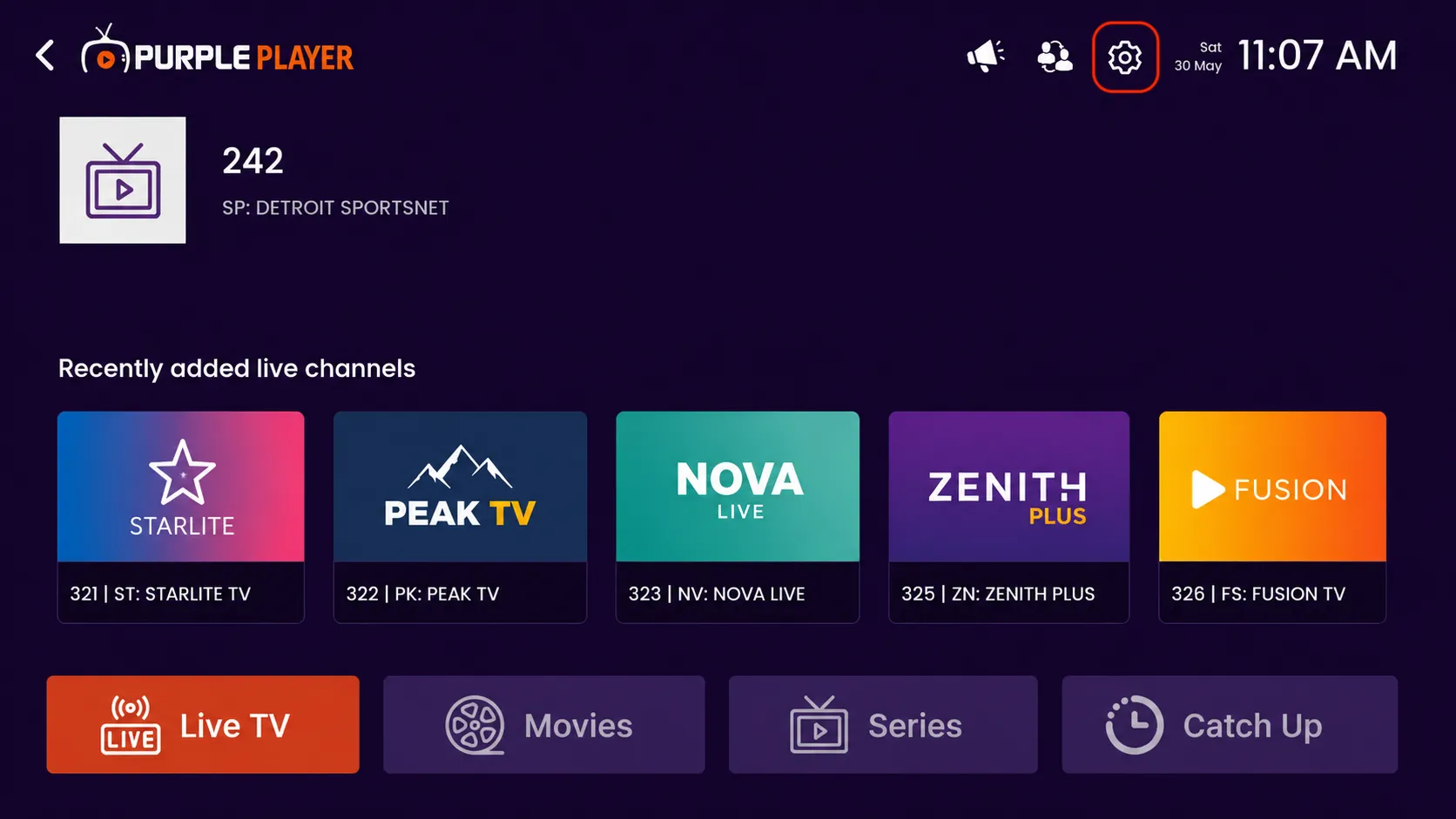
Step 1: Open Settings
Click on the highlighted settings icon from the top-right corner of the home screen to access the app settings and customization options.
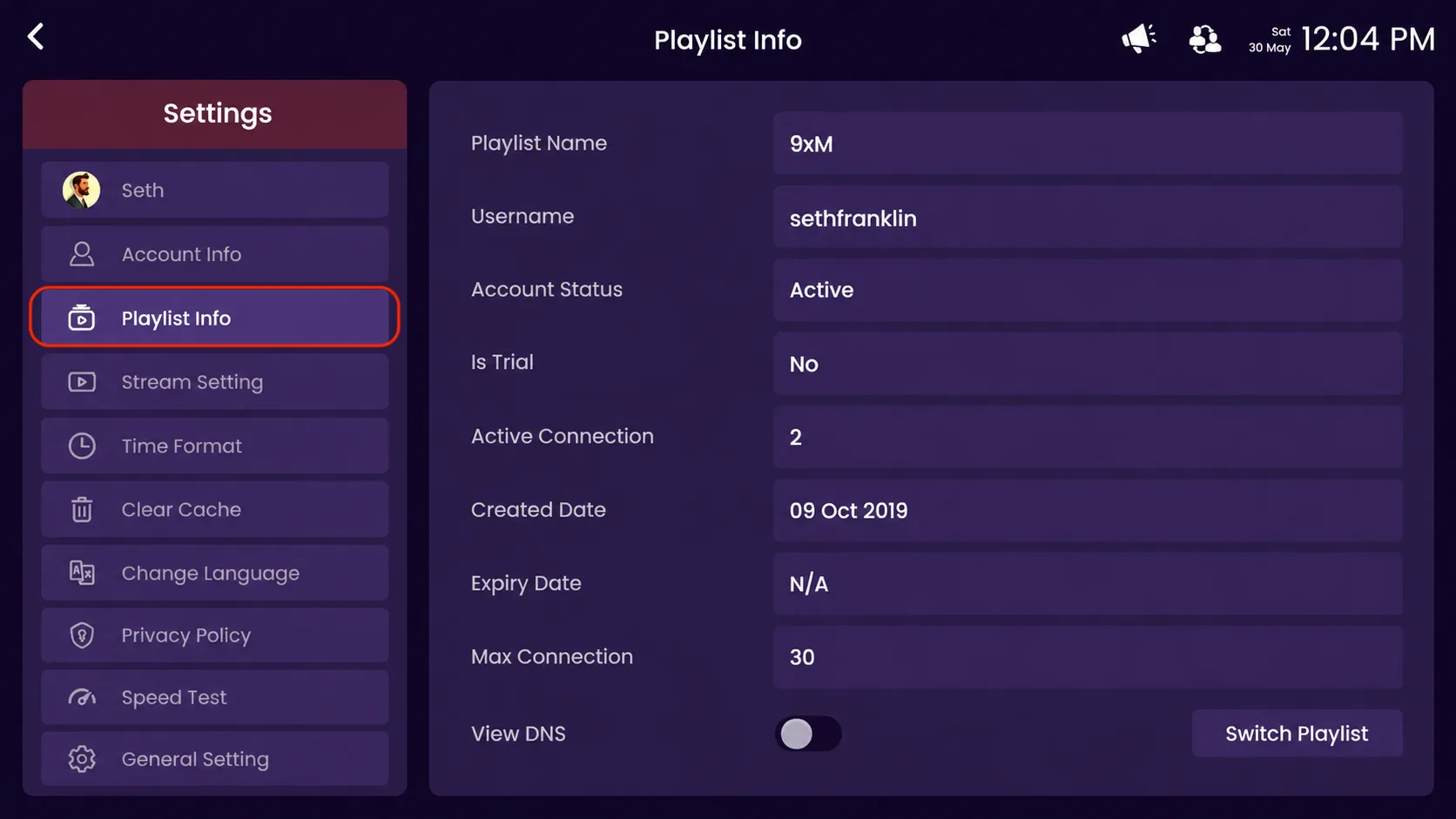
Step 2: Click on Playlist Info
Click on the highlighted playlist info option from the settings menu to view your playlist details.
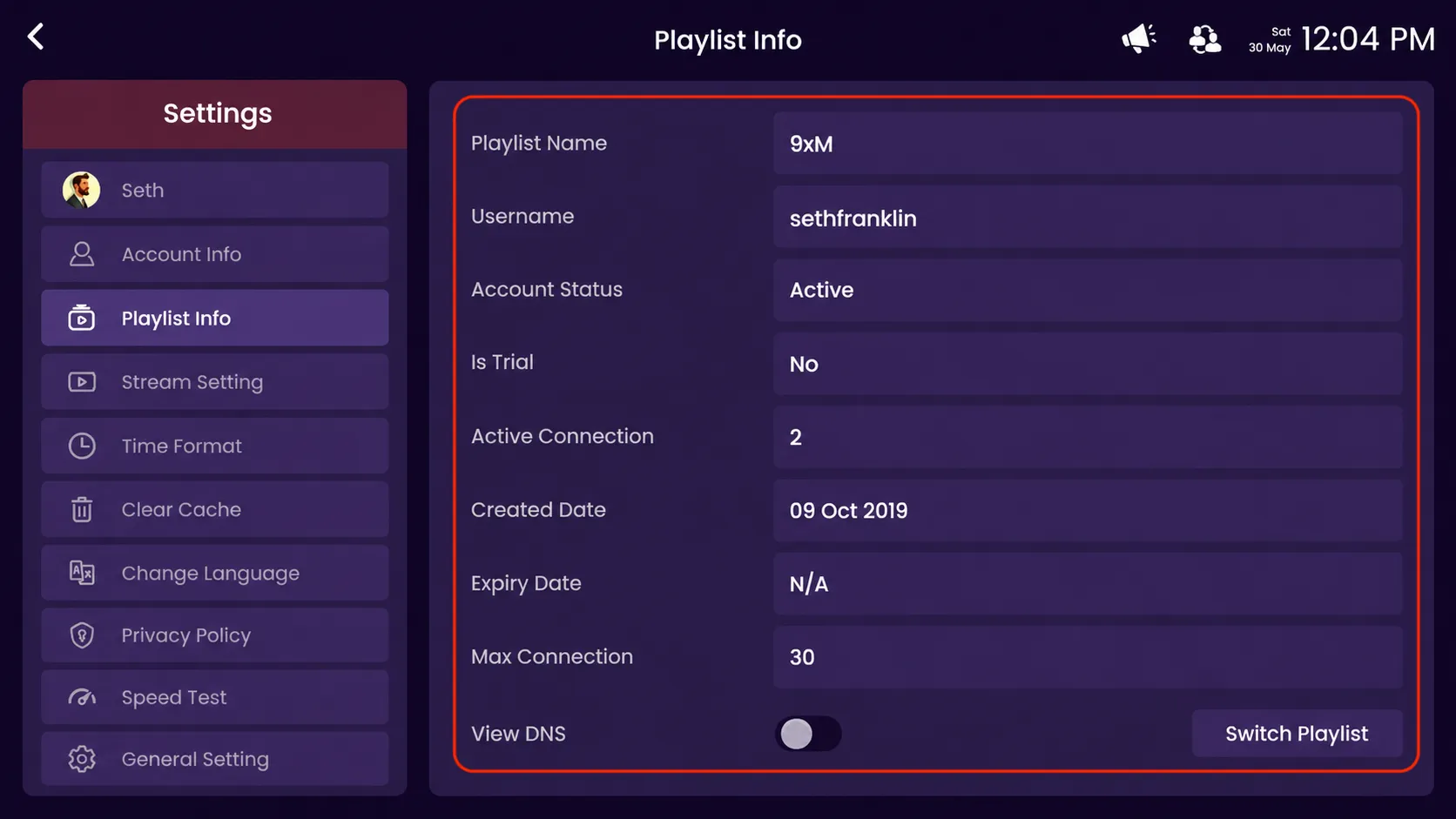
Step 3: View Playlist Details
- Playlist Name – Displays the name of your added playlist.
- Username – Shows the username linked with the playlist.
- Account Status – Check whether your playlist account is active or inactive.
- Is Trial – Indicates if the playlist is a trial account or a full subscription.
- Active Connection – Displays the number of currently active connections.
- Created Date – Shows the date when the playlist was created.
- Expiry Date – Displays the playlist expiration date.
- Max Connection – Shows the maximum number of allowed connections.
- View DNS – Enable this option to view the DNS/server details.
- Switch Playlist – Quickly switch between different added playlists.