How to Access Account Info
2 min
Step 1: Open Settings
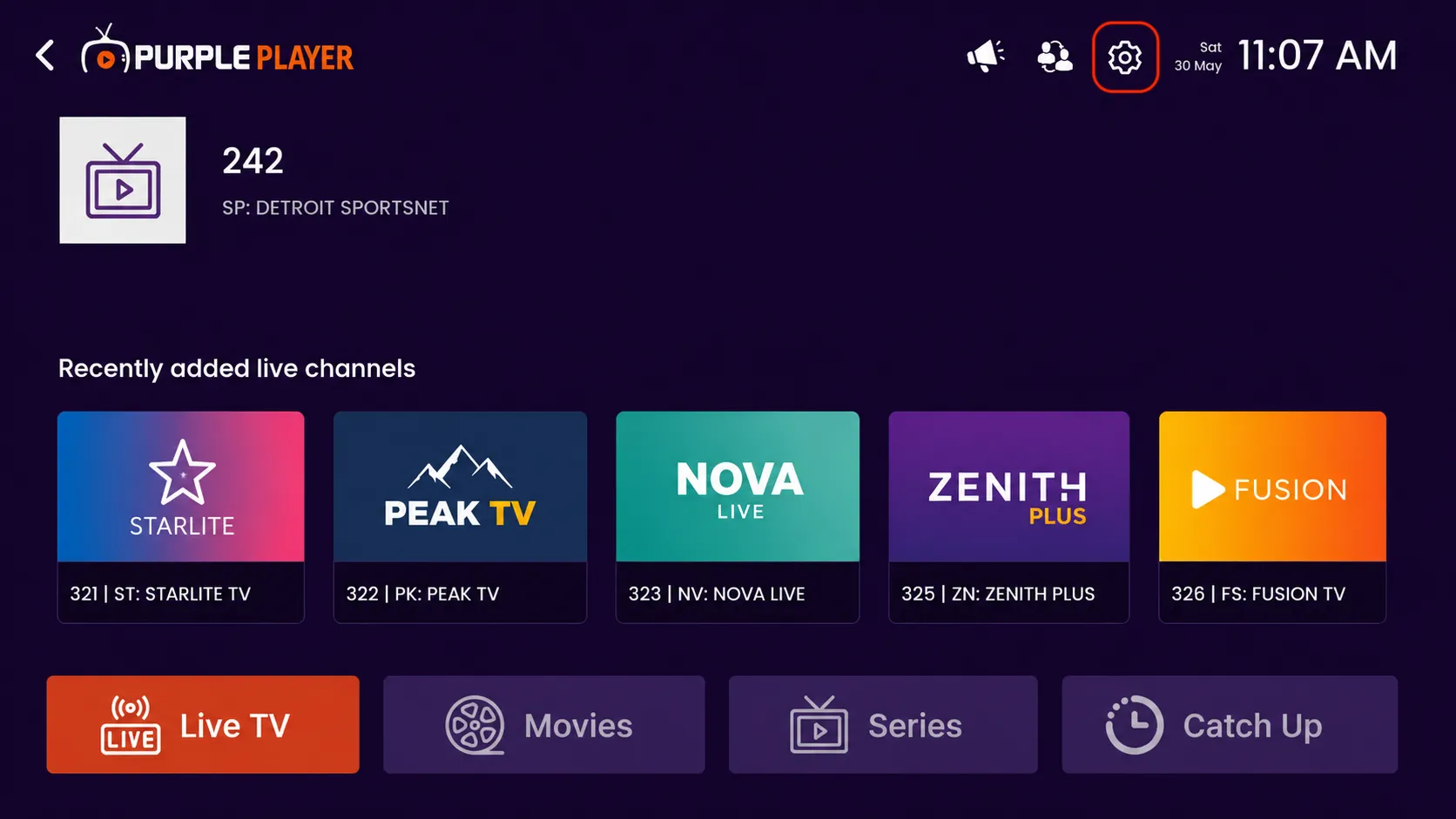
Click on the highlighted settings icon from the top-right corner of the home screen to access the app settings and customization options.
Step 2: Click on Account Info
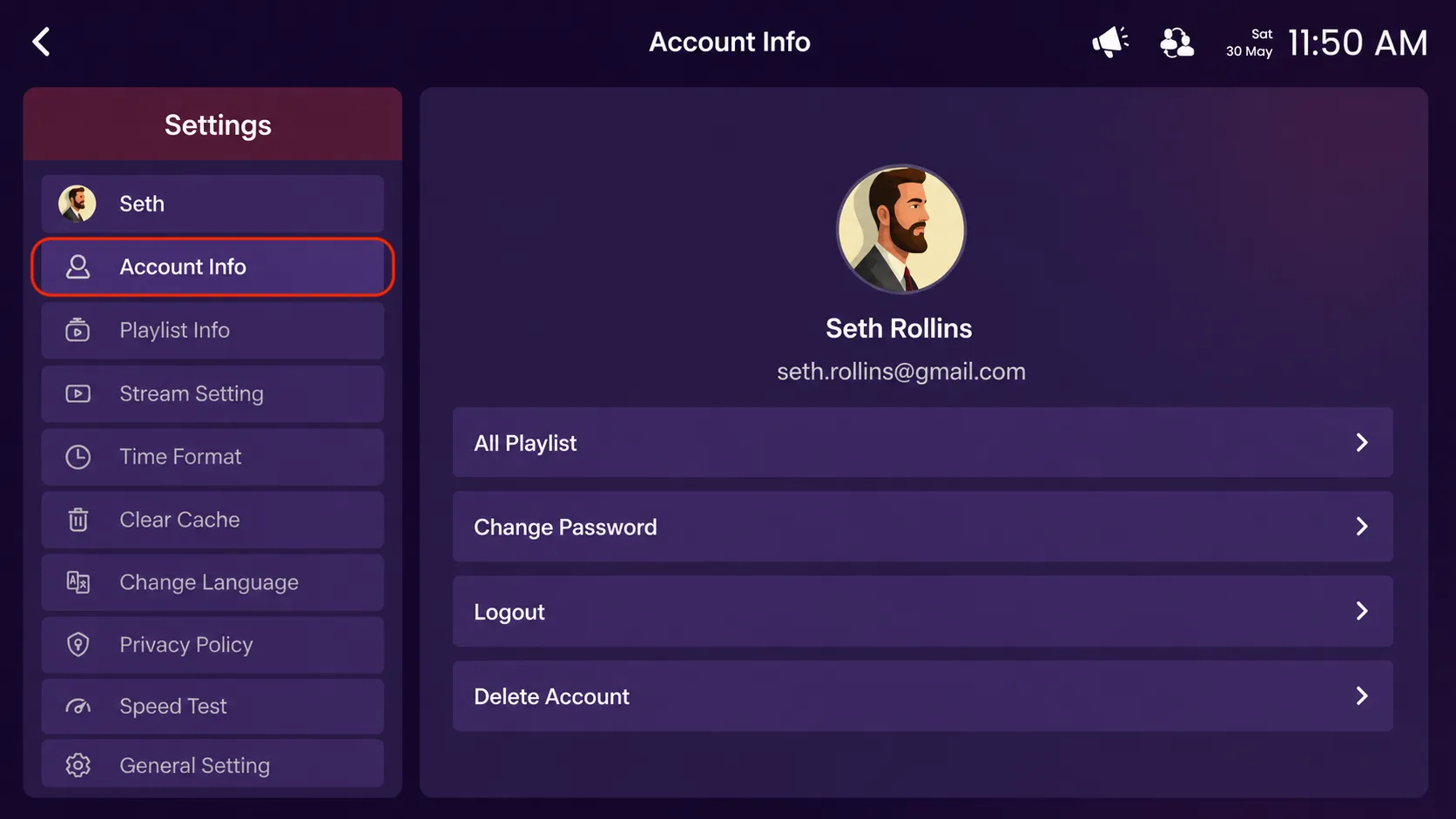
Click on the highlighted Account Info option to view your account details.
Step 3: Manage Account Options
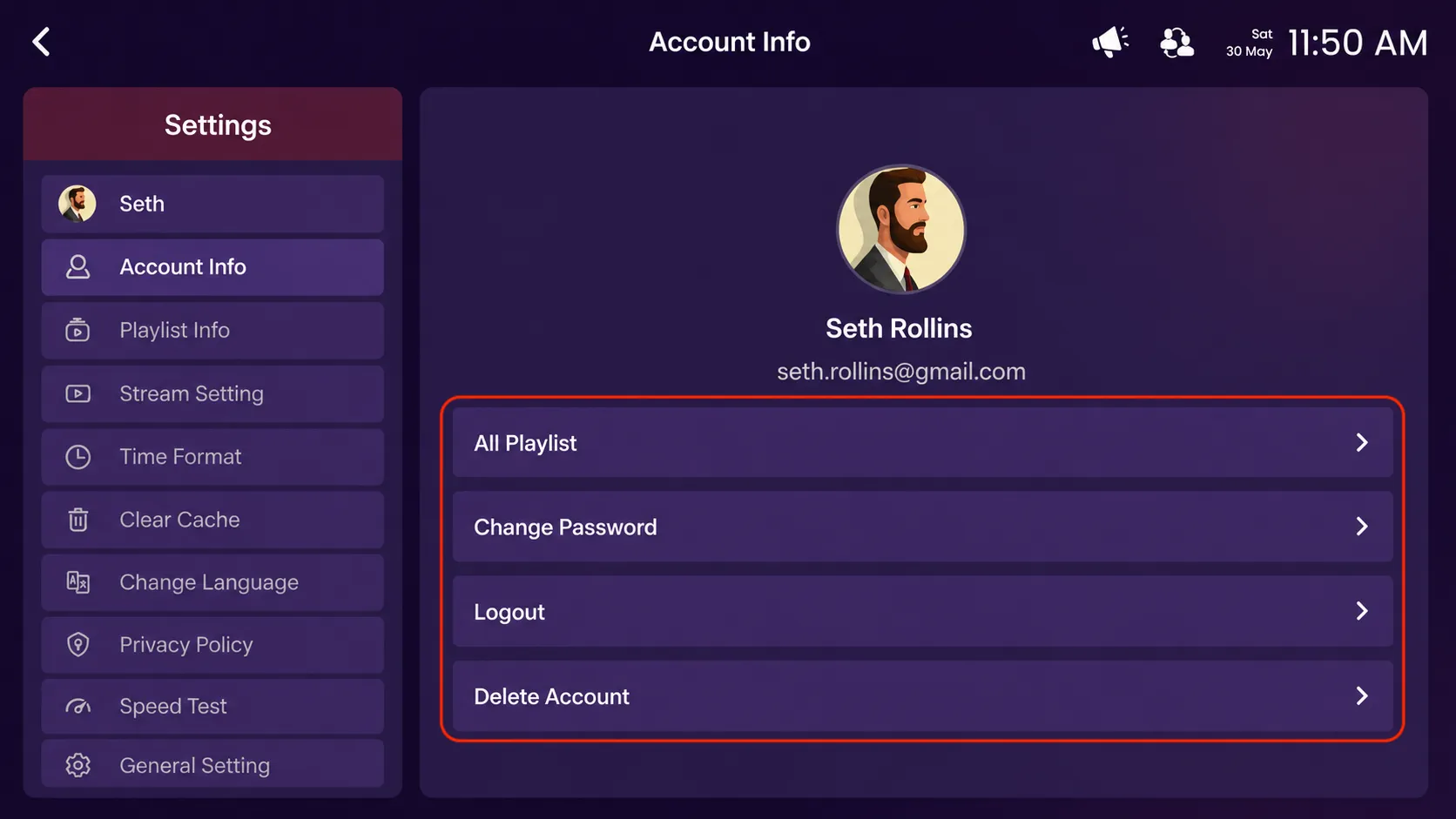
- All Playlists – View and manage all playlists added to your account.
- Change Password – Update your account password for better security.
- Logout – Sign out from your current account safely.
- Delete Account – Permanently remove your account and account data.