How to Change Stream Setting
2 min
Step 1: Open Settings
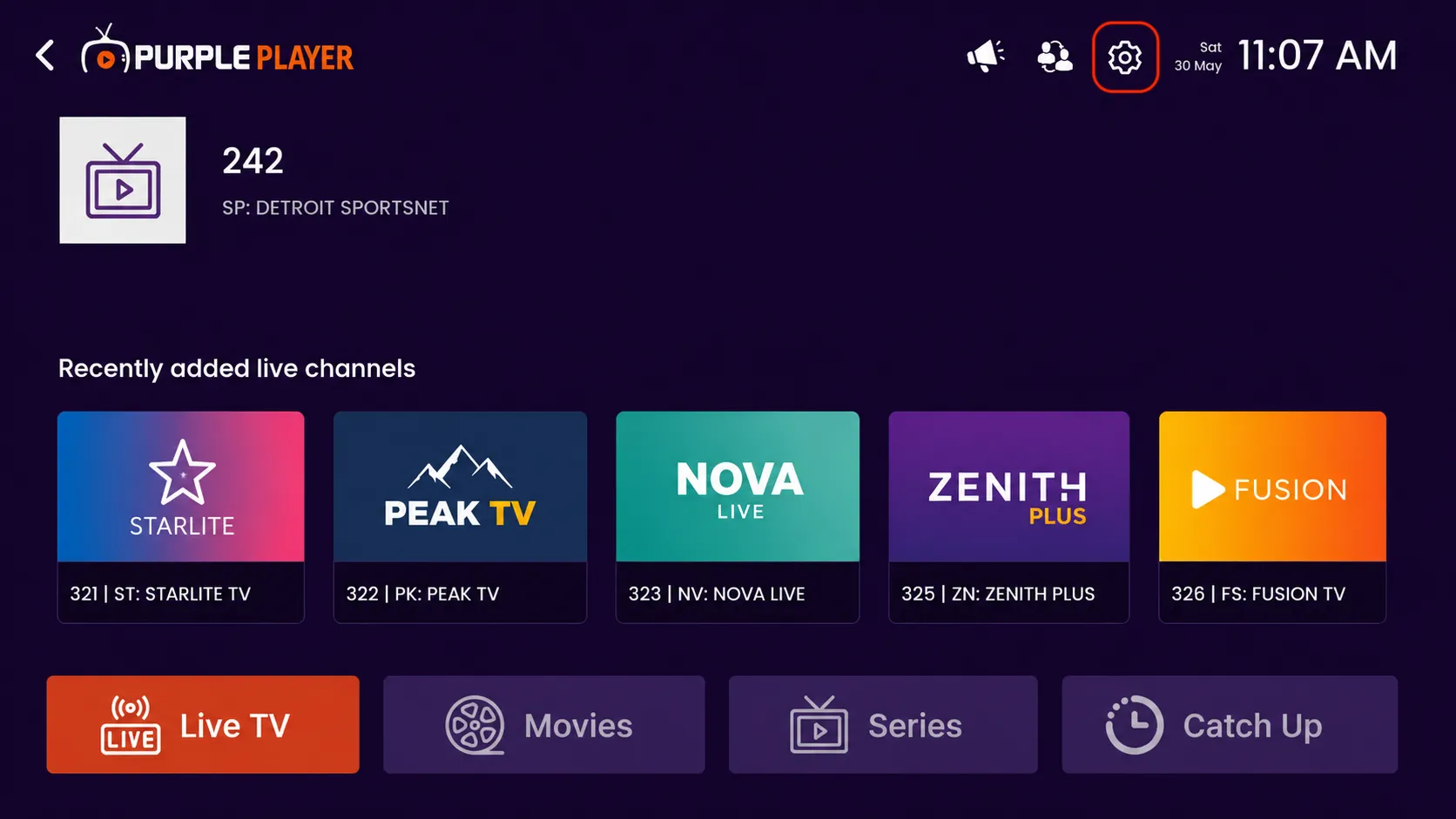
Click on the highlighted settings icon from the top-right corner of the home screen to access the app settings and customization options.
Step 2: Click on Stream Settings
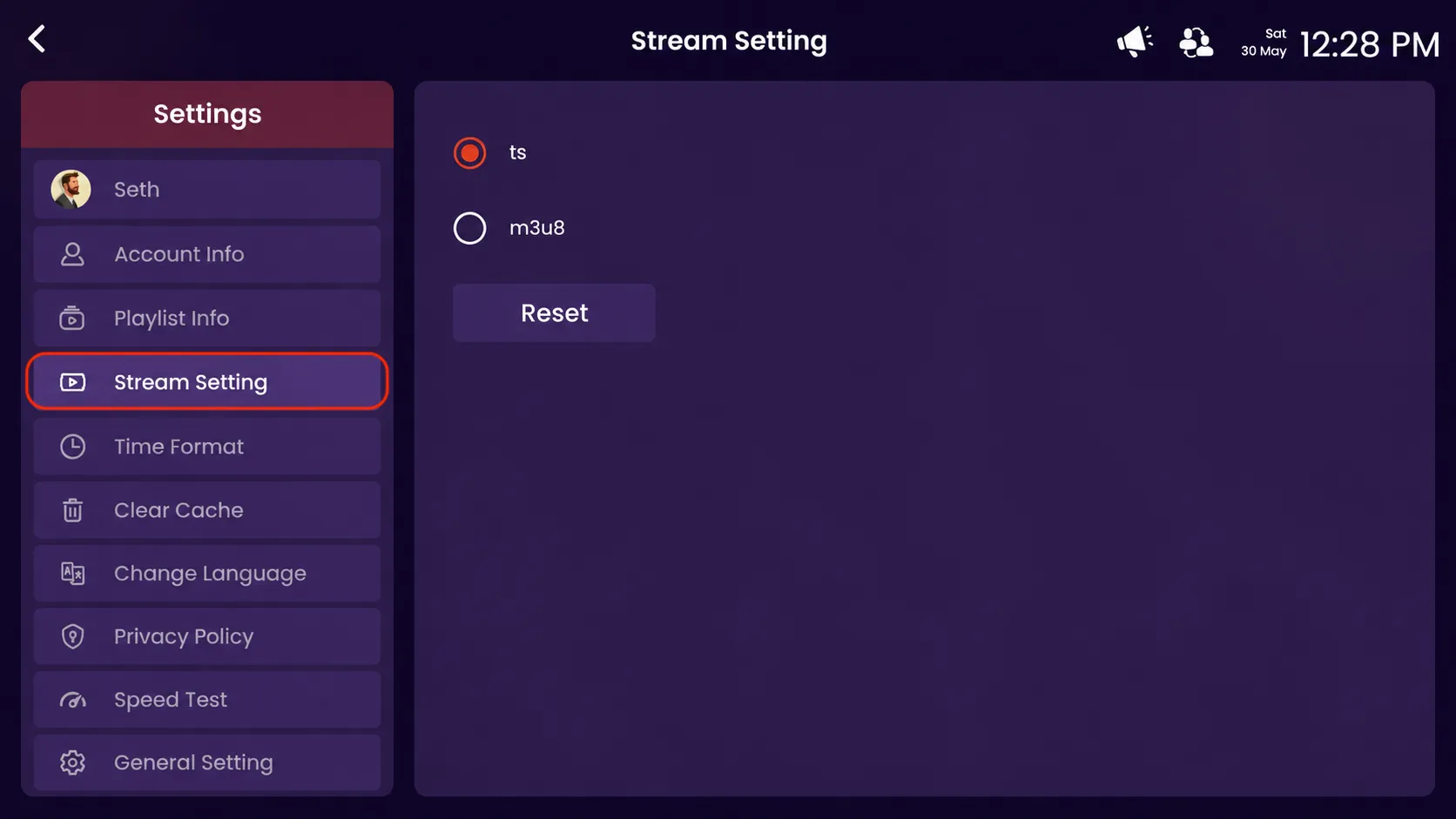
Click on the highlighted stream setting option to manage and change your stream format preferences.
Step 3: Select Stream Format
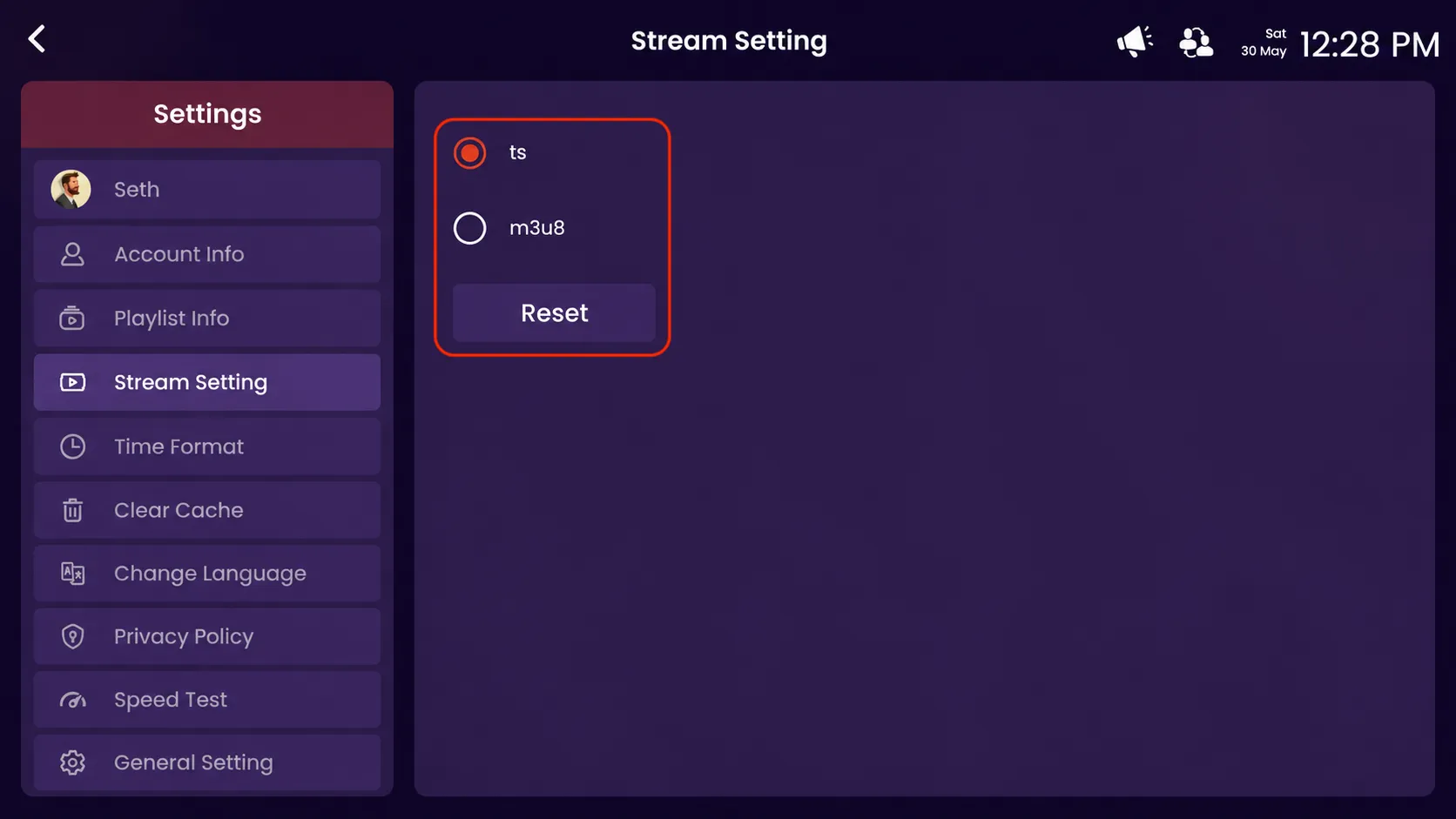
- TS – Select the TS format for stable and smooth streaming performance.
- M3U8 – Select M3U8 format for adaptive streaming compatibility.
- Reset – Click Reset to restore the default stream setting configuration.