How to Change Time Format
2 min
Step 1: Open Settings
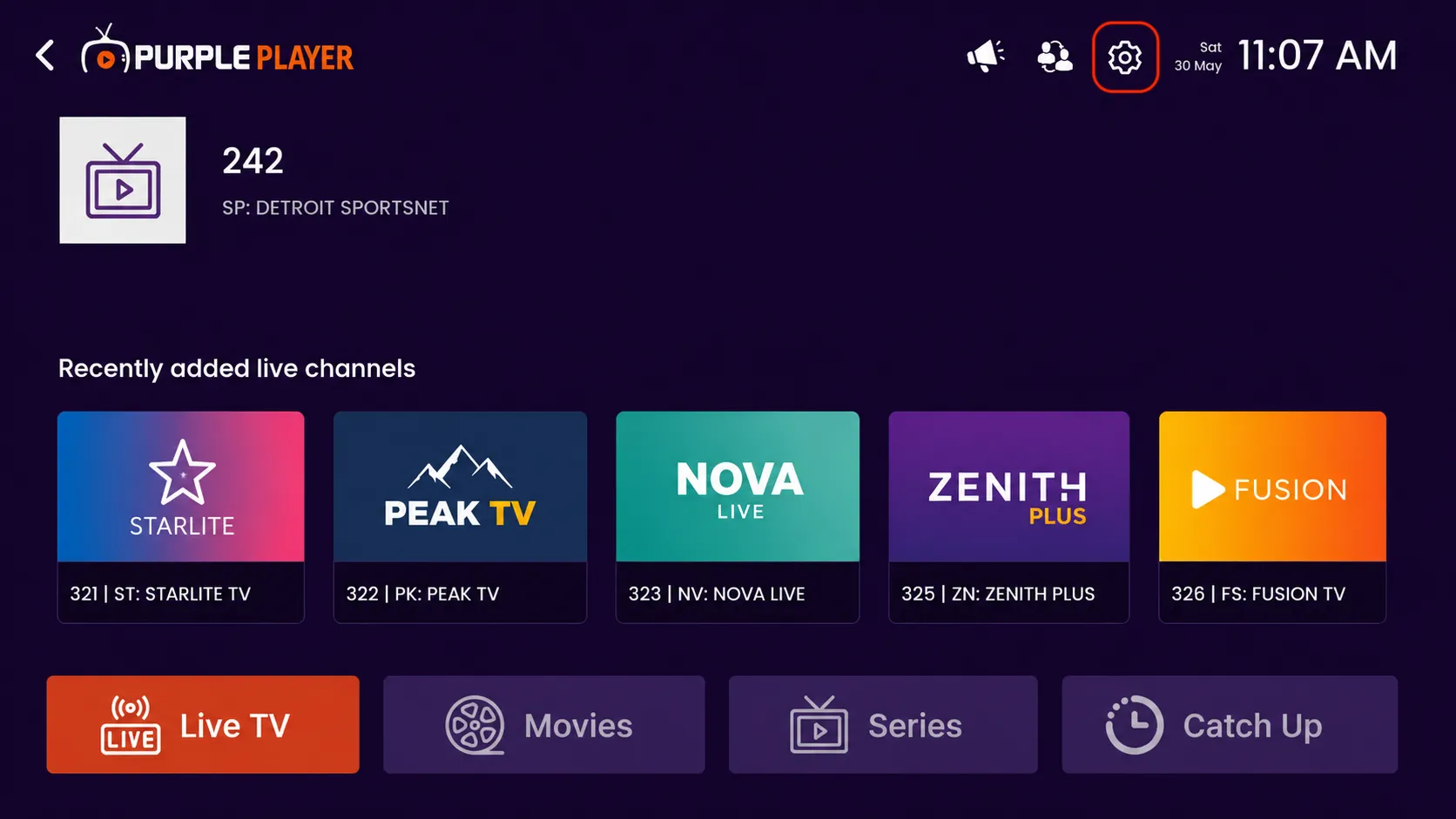
Click on the highlighted settings icon from the top-right corner of the home screen to access the app settings and customization options.
Step 2: Click on Time Format
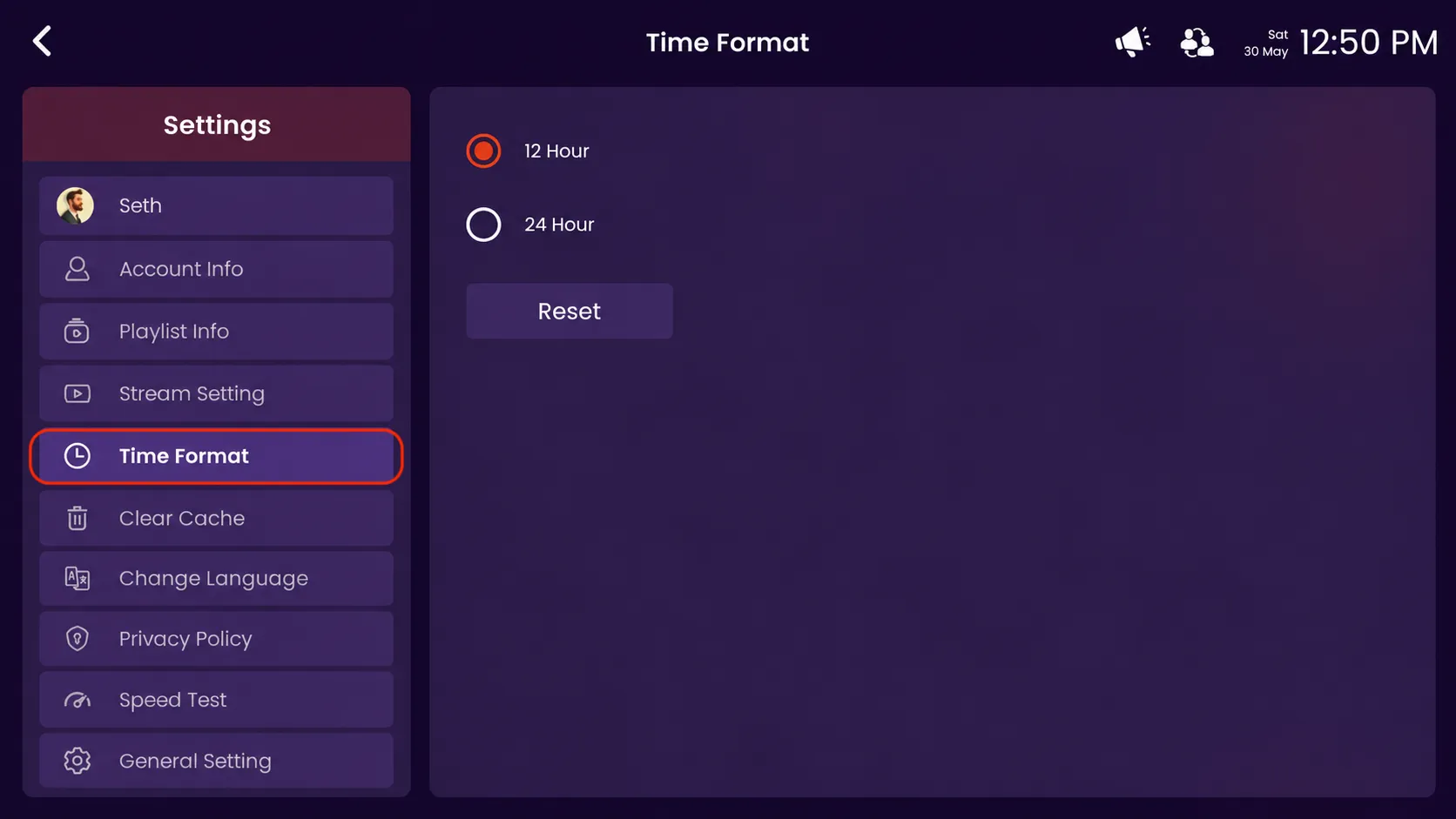
Click on the highlighted time format option to change and manage the clock display format.
Step 3: Select Time Format
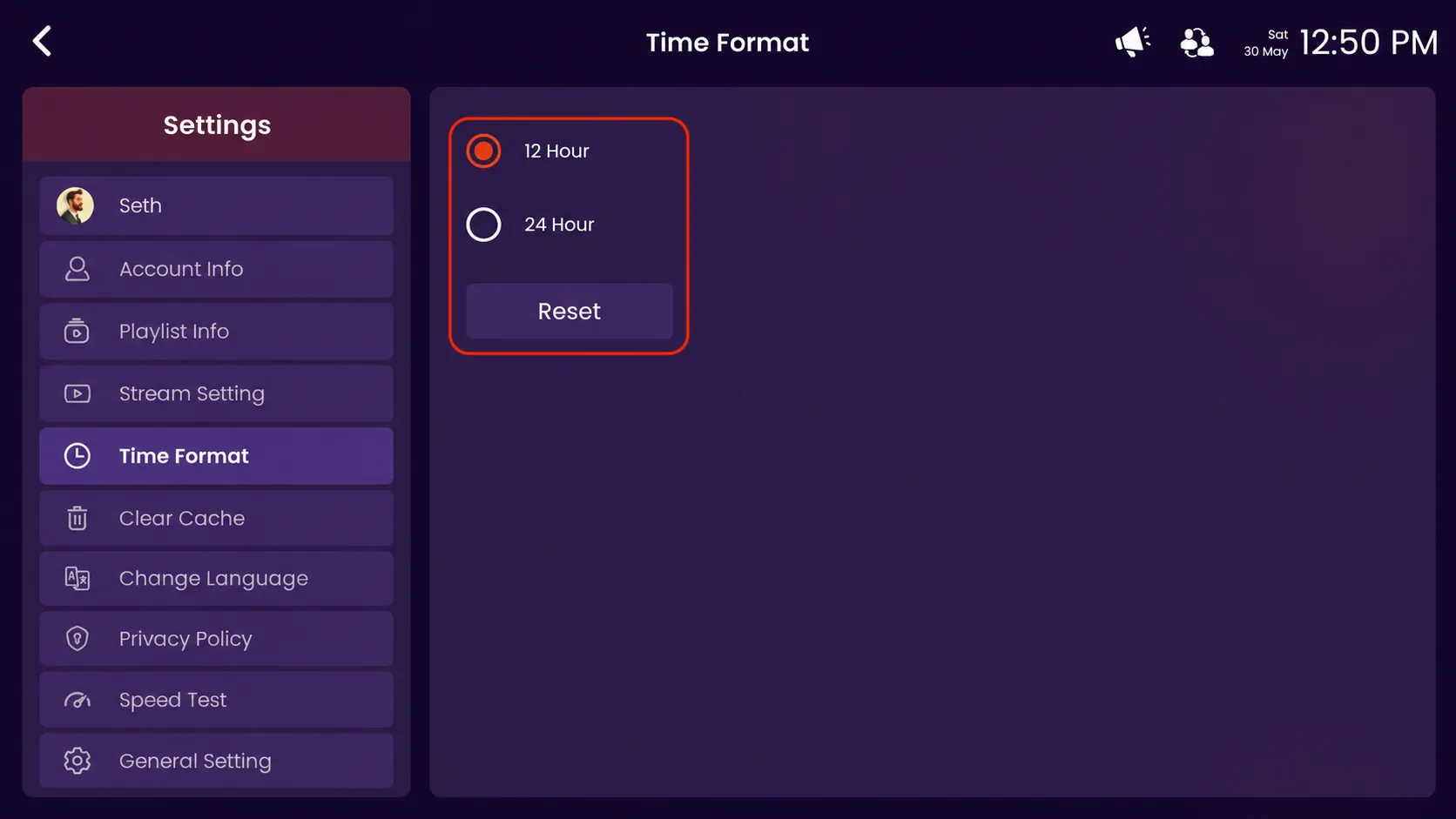
- 12 Hour – Select this option to display time in 12 Hour format (AM/PM).
- 24 Hour – Select this option to display time in 24 Hour format.
- Reset – Click Reset to restore the default time format setting.