How to Clear Cache
2 min
Step 1: Open Settings
Click on the highlighted settings icon from the top-right corner of the home screen to access the app settings and customization options.

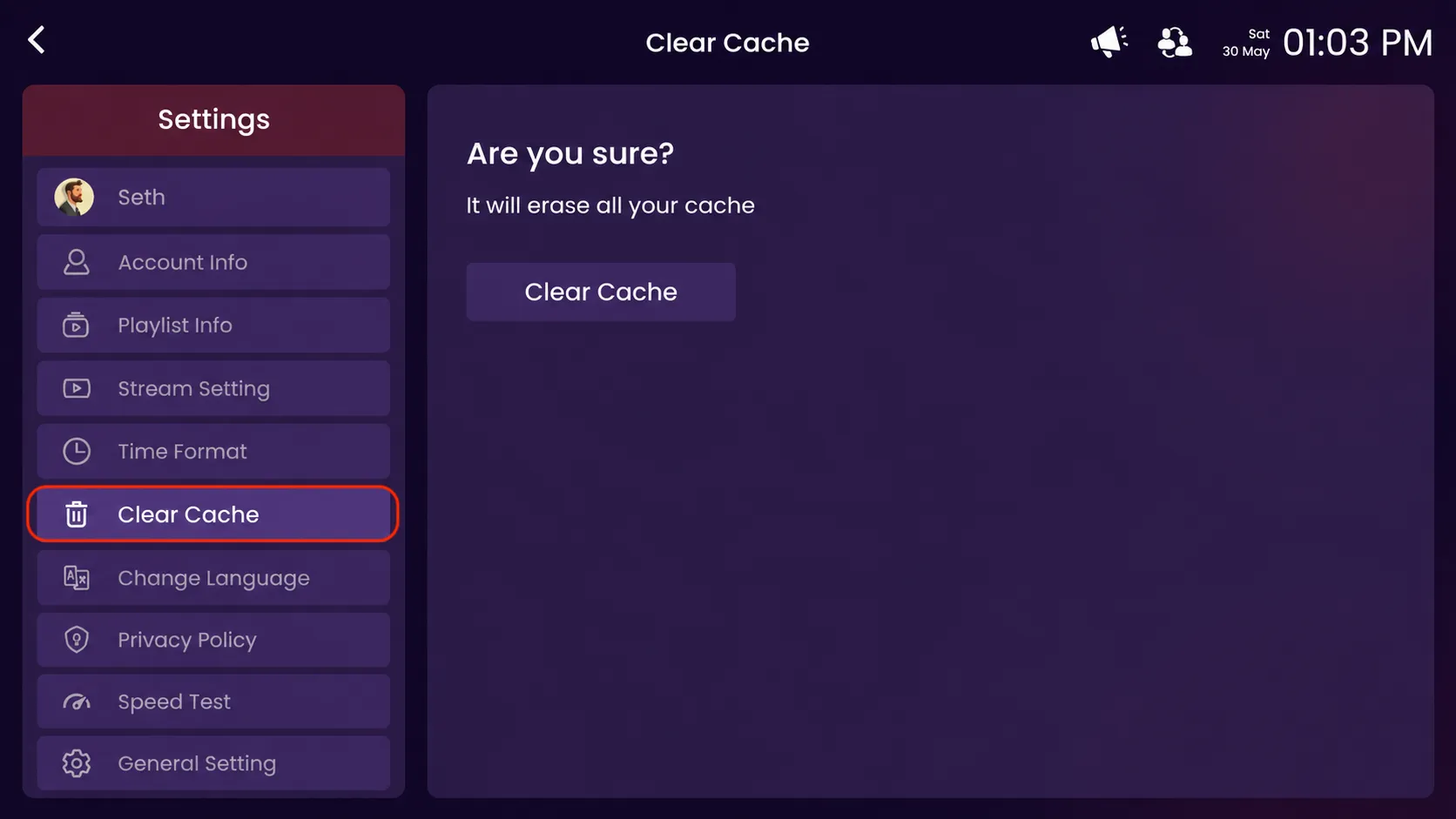
Step 2: Click on Clear Cache
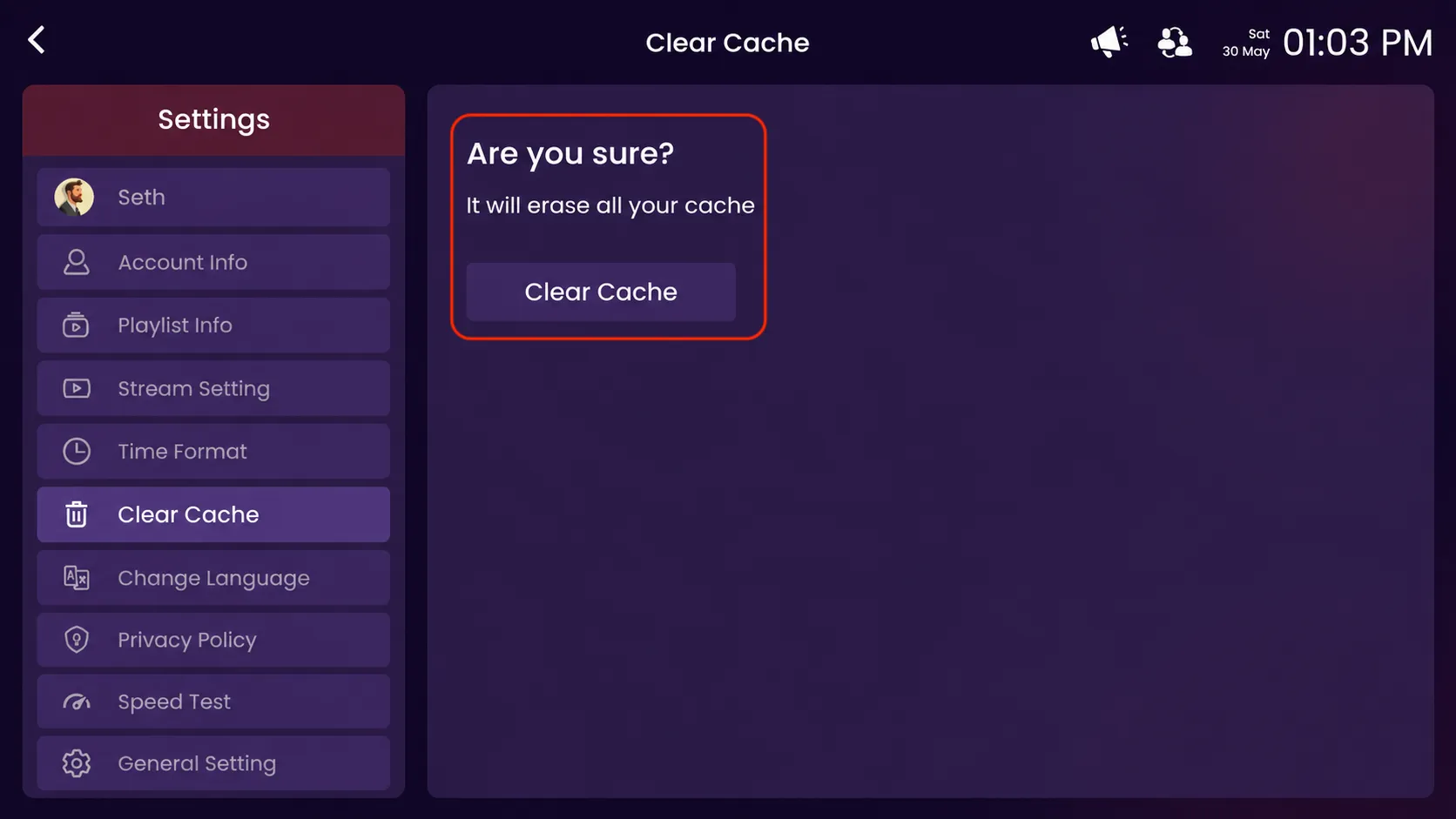
Click on the highlighted Clear Cache option in the settings.
Step 3: Confirm Clear Cache
Click on the highlighted Clear Cache button to confirm and remove all temporary cached data from the app. This helps refresh the application and improve performance.