
How to Log in or Register
4 min
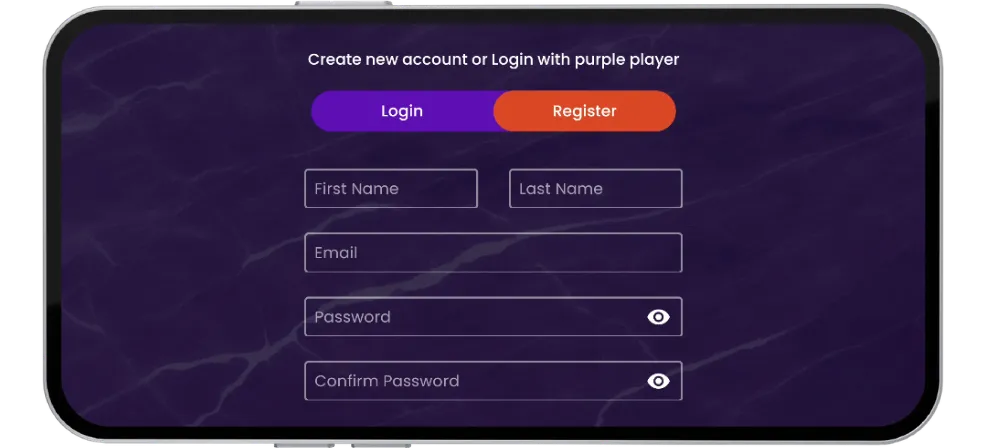
Step 1: Create a New Account
Select the Register tab and enter your First Name, Last Name, Email, Password, and Confirm Password in the respective fields.
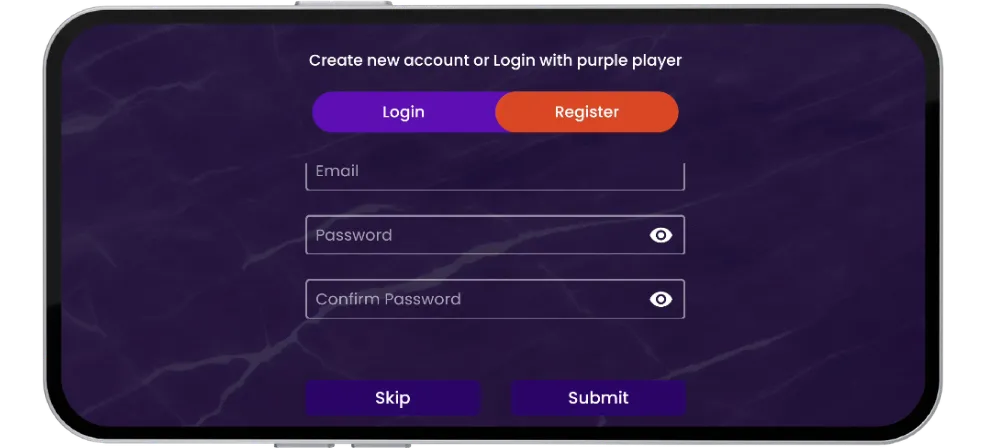
Step 2: Submit Registration Details
Verify your entered details and tap Submit to create your account. Alternatively, tap Skip to continue without registering.
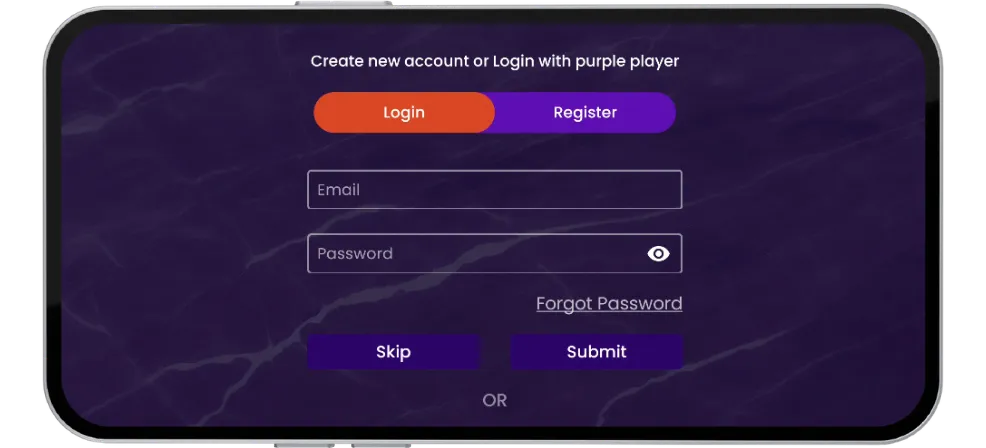
Step 3: Log in to Your Account
Select the Login tab, enter your registered email address and password, and tap Submit to log in. Tap Forgot Password if you need to recover your password.
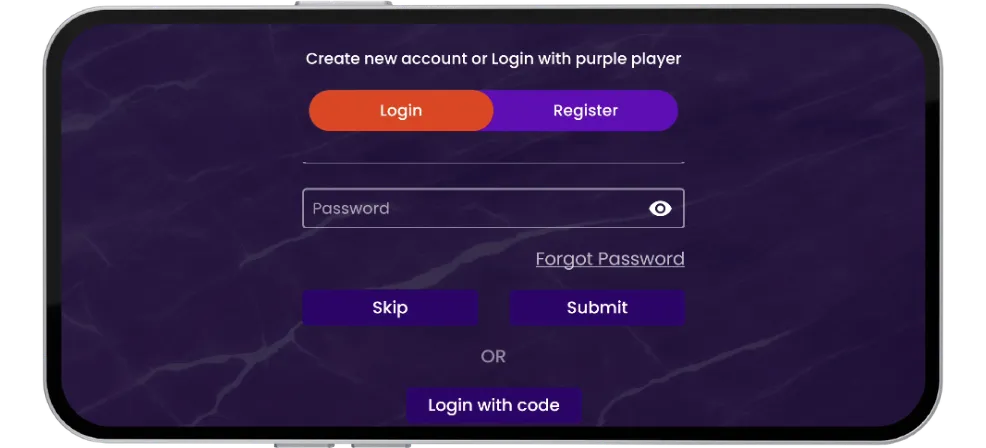
Step 4: Select Login with Code
Tap Login with code at the bottom of the Login screen to access the code-based login option.
Step 5: Enter Login Code
Enter your valid login code in the available field and tap Submit to continue.