
How to Add a Playlist
4 min
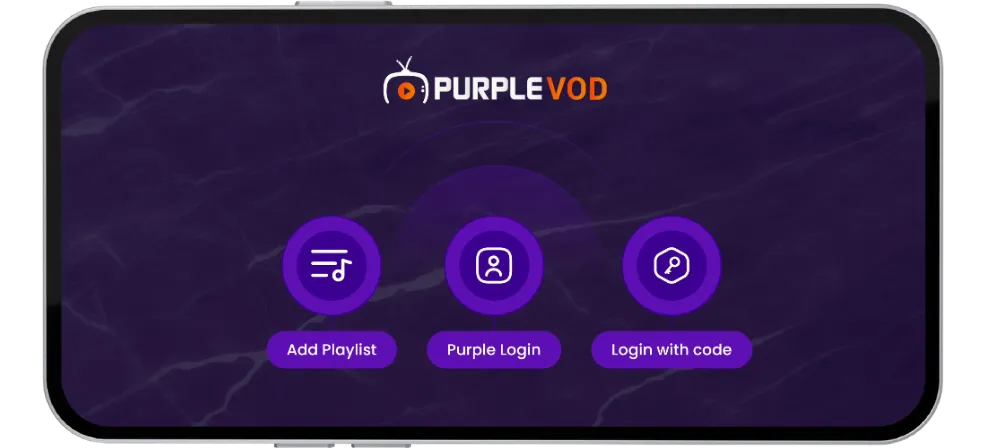
Step 1: Access Playlist Options
On the Purple VOD welcome screen, select Add Playlist to add a new playlist. You can also access Purple Login or Login with code from this screen.
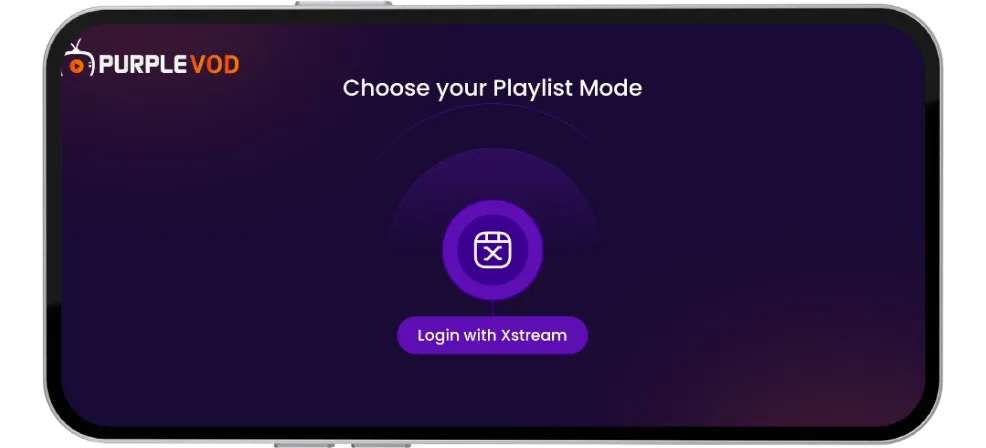
Step 2: Choose Playlist Mode
On the Choose your Playlist Mode screen, select Login with Xstream.
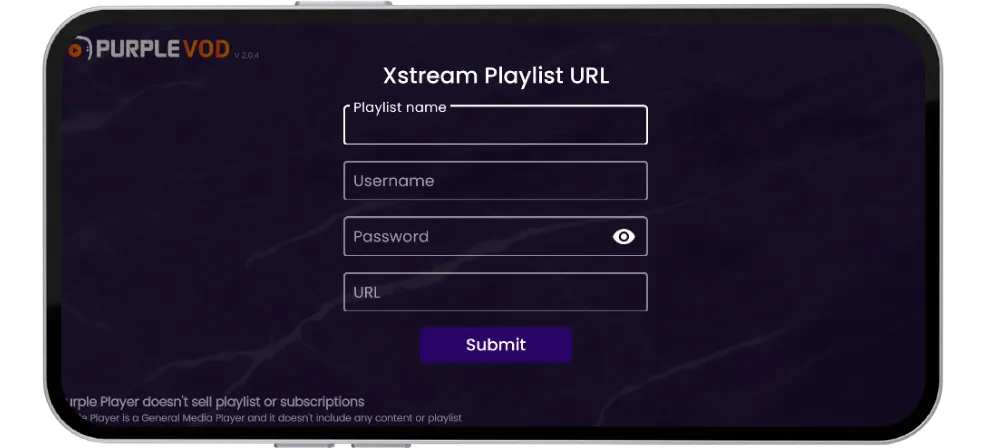
Step 3: Enter Xstream Playlist Details
Enter the following playlist information:
- Playlist Name
- User Name
- Password
- URL
Verify the entered details and tap Submit to add your playlist.
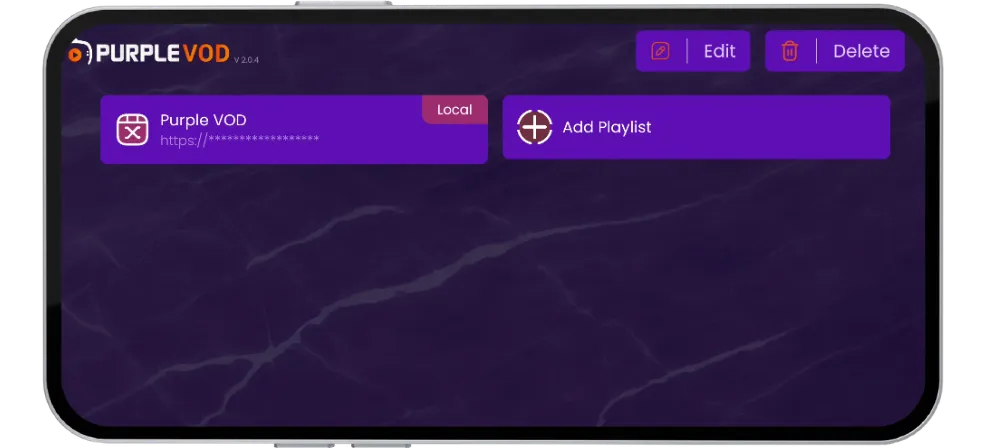
Step 4: Select Your Playlist
Select your saved playlist to access its content. Tap Add Playlist to add another playlist.
Step 5: Fetch Playlist Data
Wait while Purple VOD fetches the available content from your selected playlist.