How to Sort Series
2 min
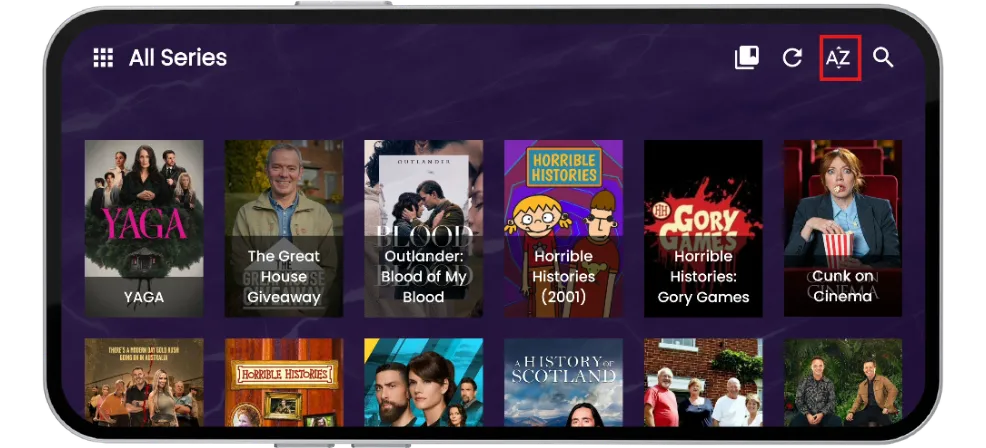
Step 1: Access Sort Options
Tap the A–Z (Sort) icon in the top-right corner of the Series screen to access the available sorting options.
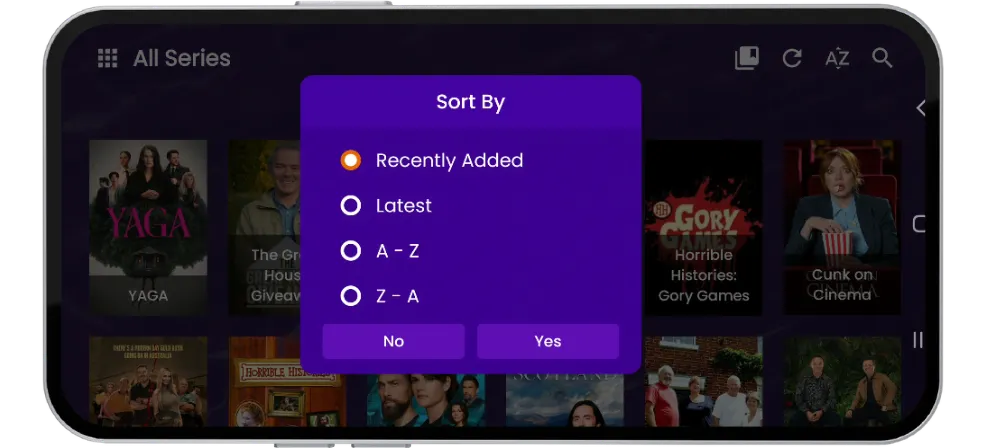
Step 2: Select Sorting Preference
Choose your preferred sorting option:
- Recently Added: Display recently added series.
- Latest: Display the latest series.
- A–Z: Sort series in alphabetical order.
- Z–A: Sort series in reverse alphabetical order.
Tap Yes to apply the selected sorting option or No to cancel.