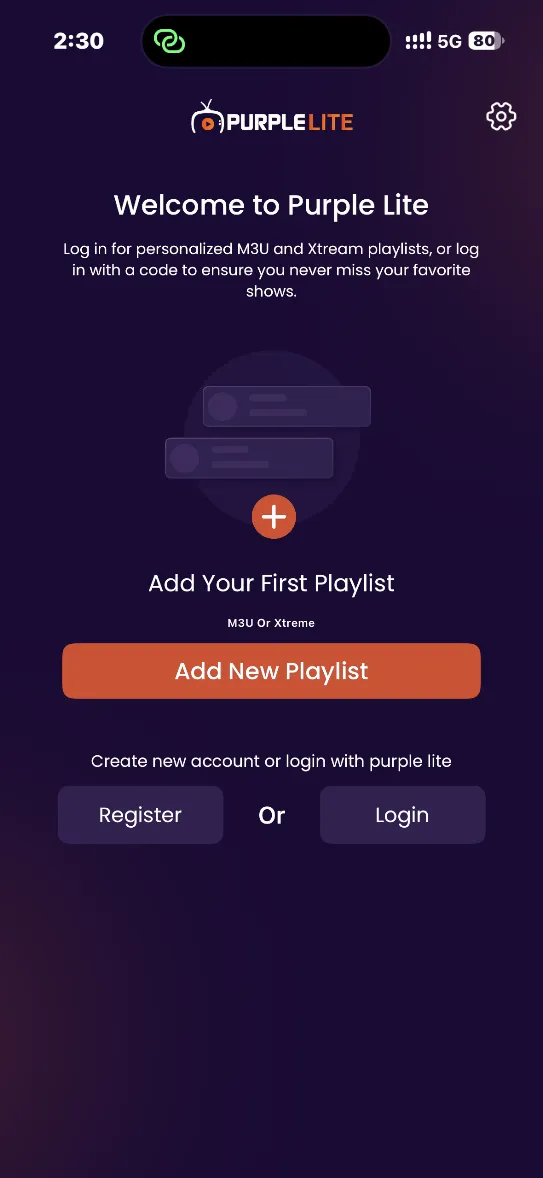
How to Login/Register as a User
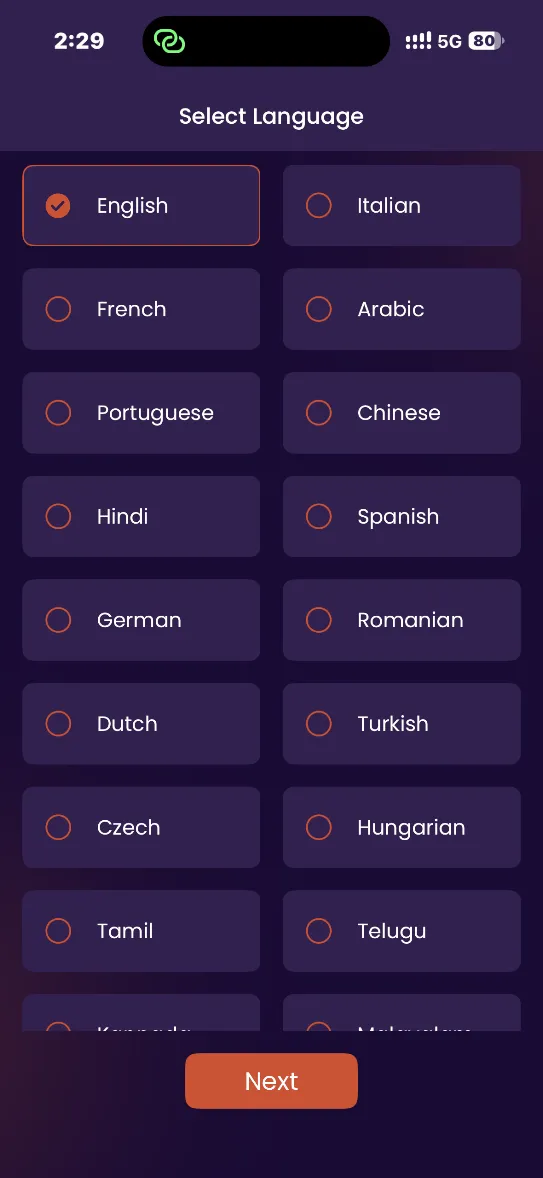
Step 1: Select Language
After installing the Purple Lite app on your iOS device, open it and select your preferred language from the available options.
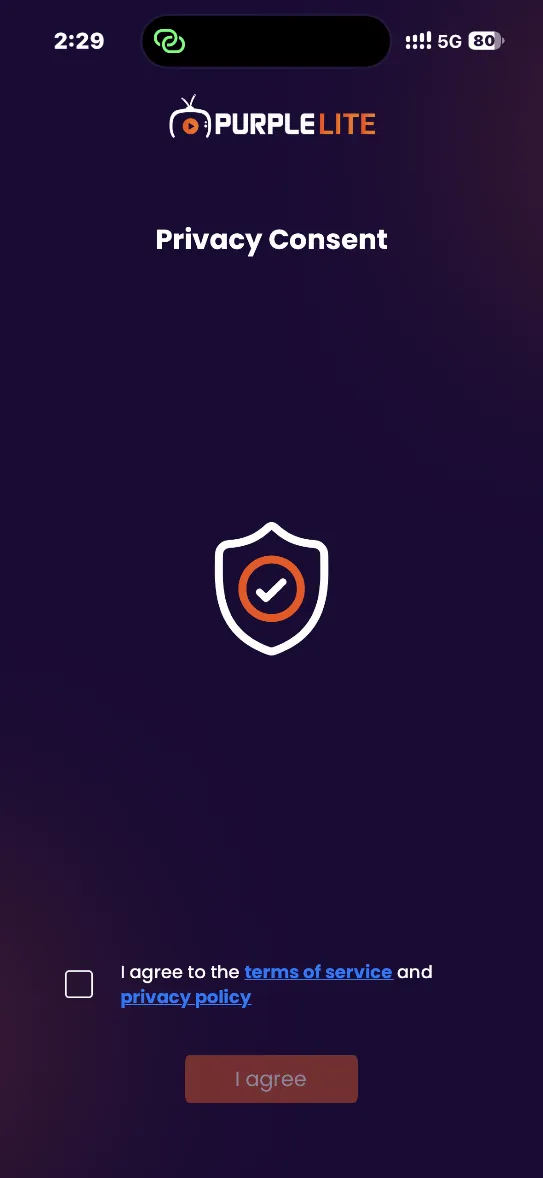
Step 2: Privacy Consent
On the Privacy Consent screen, tick the checkbox to accept the Terms of Service and Privacy Policy.
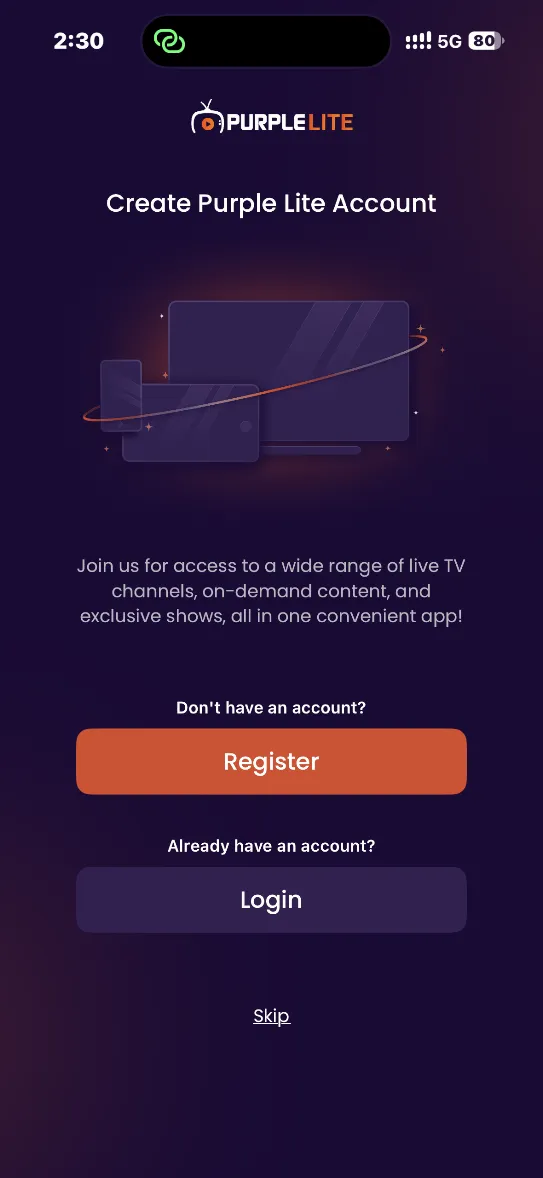
Step 3: Create a Purple Lite Account
After accepting the privacy consent, you will be directed to the Create Purple Lite Account screen. Tap Register to create a new account, or select Login if you already have an account.
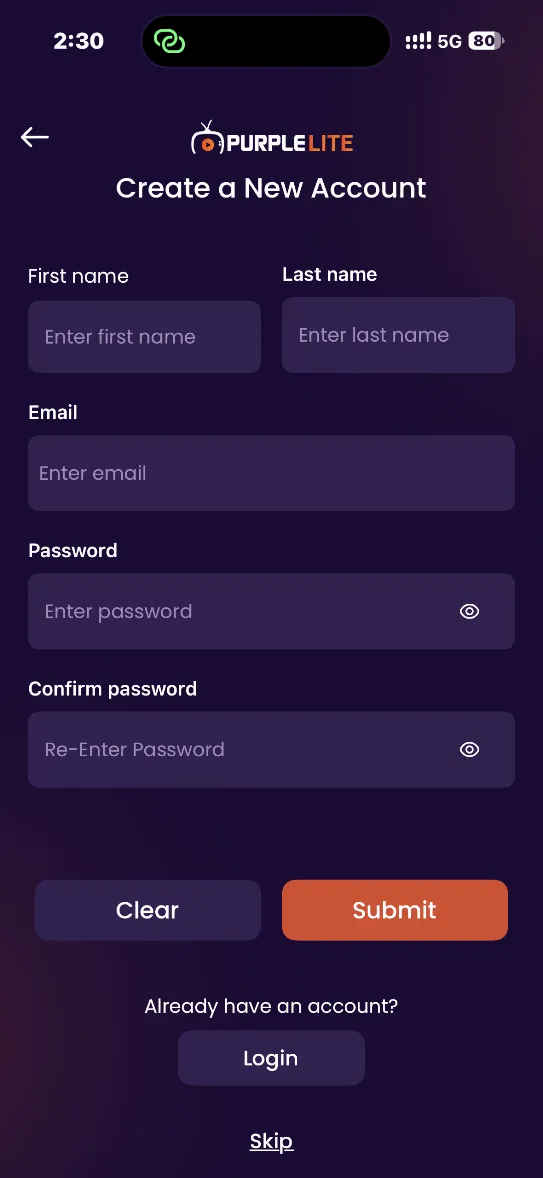
Step 4: Create a New Account
On the Create a New Account screen, enter your First Name, Last Name, Email, Password, and Confirm Password in the respective fields.
After entering all required details, tap Submit to register your Purple Lite account.
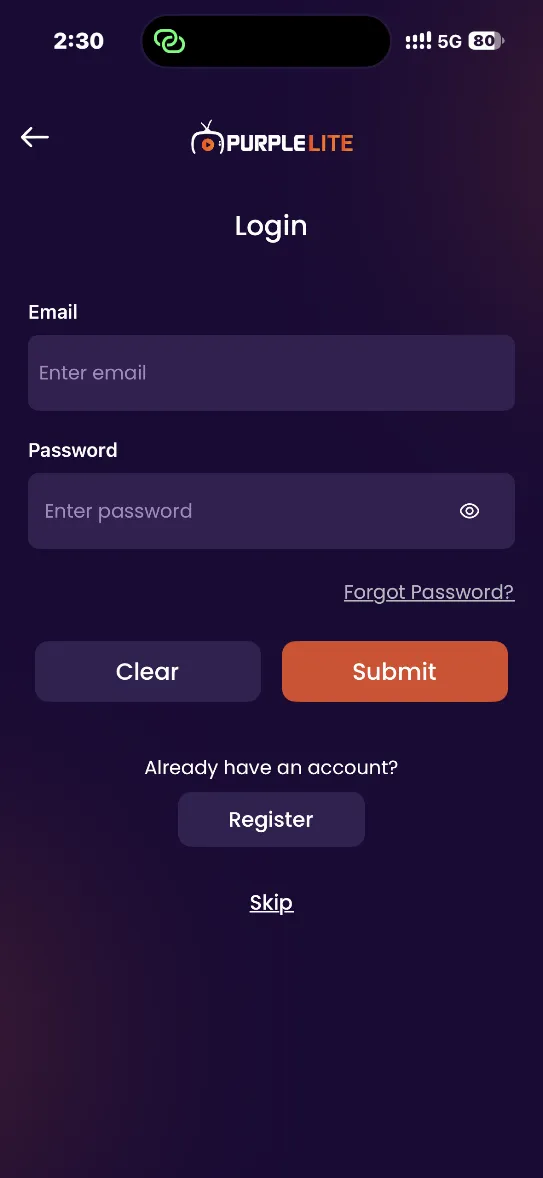
Step 5: Log in to Your Account
On the login screen, enter your registered email and password in the respective fields.
After entering your login credentials, tap the Submit button to sign in to your Purple Lite account.
Step 6: Welcome to Purple Lite
After completing the registration or login process, you can access the Welcome to Purple Lite screen.