
How to download invoice
4 min
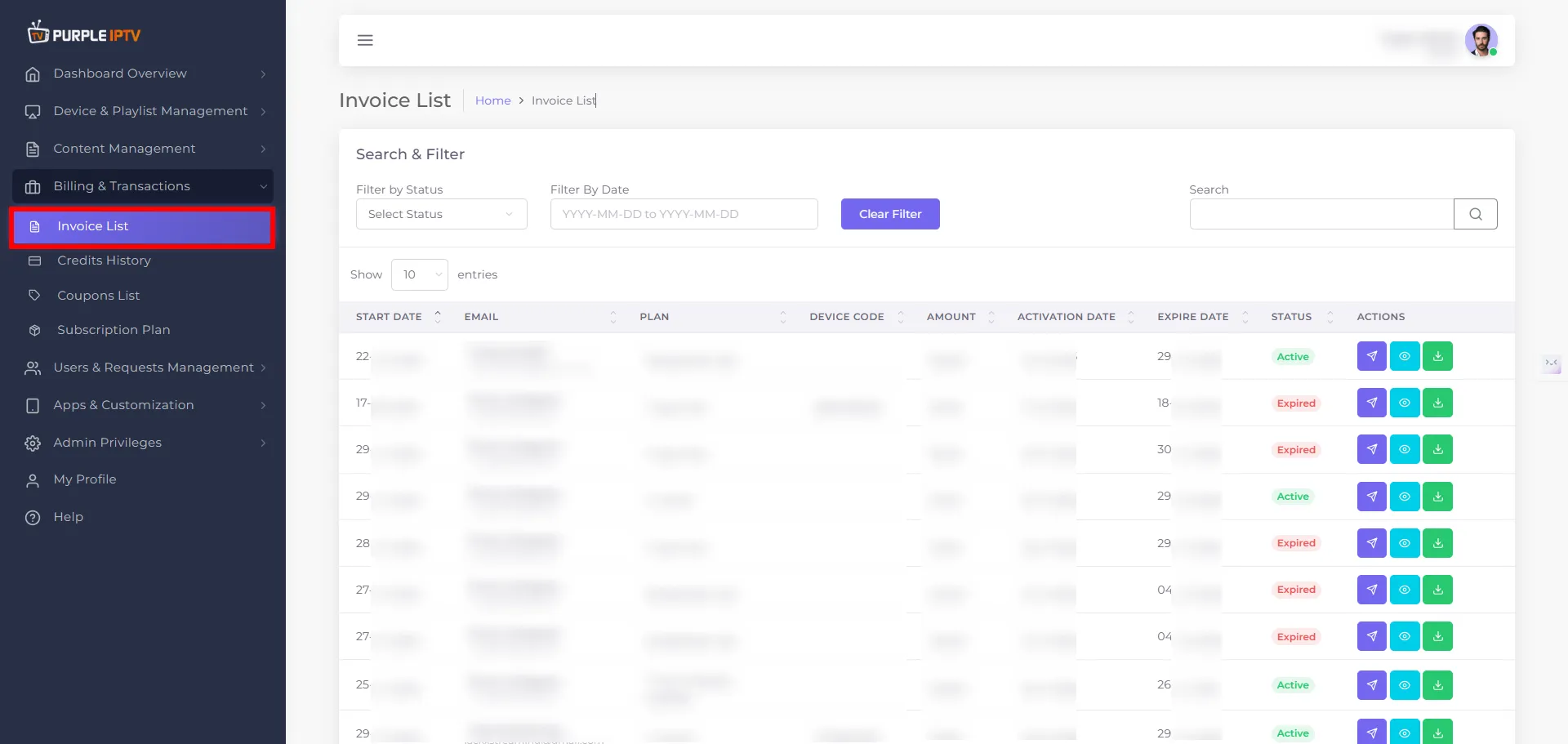
Step: 1 Go to the Billing & Transactions → Invoice List
After successfully Login into Purple Admin Panel, Click on "Billing & Transactions → Invoice List section", as seen in the below image.
Step: 2 Preview Invoice
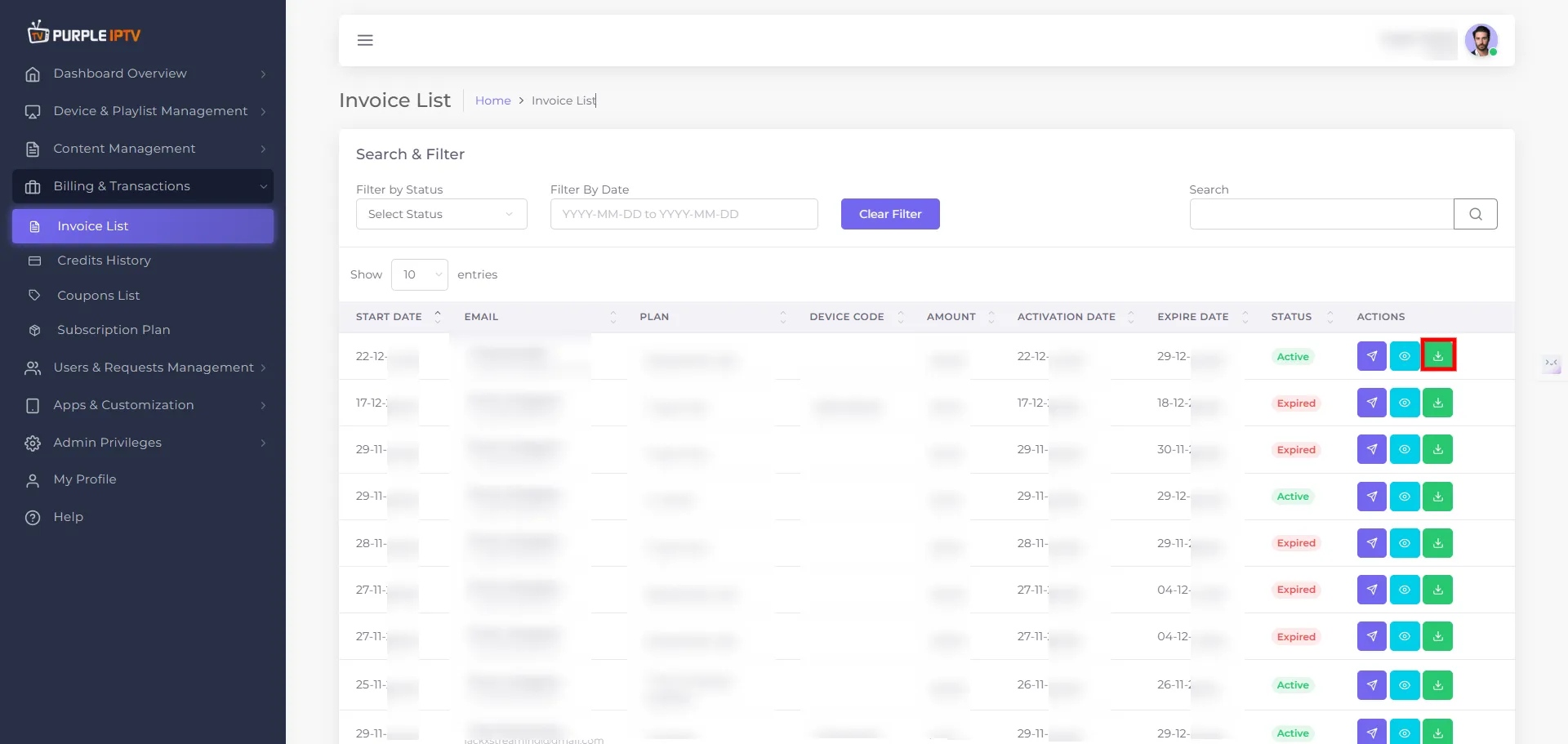
Click on "Downlaod Invoice" icon, as seen in the below image.
Step: 3 Invoice Download Started
After clicking on Downlaod Invoice, icon the invoice will begin start downlaoding.
Note: Purple Smart TV Products and services do not provide any content or playlists.