How to delete DNS
4 min
Step: 1 Go to the Content Management → DNS List
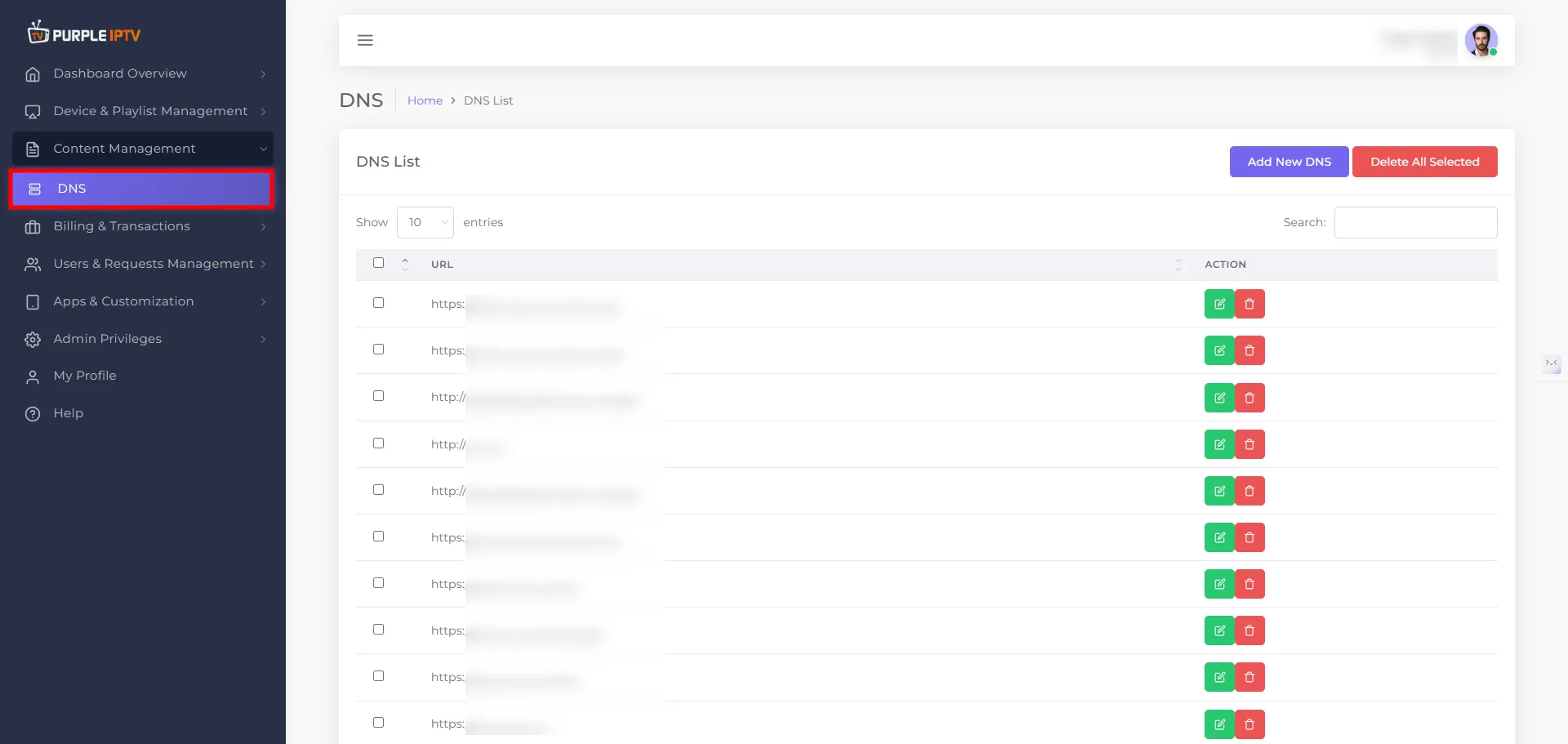
After successfully Login into Purple Admin Panel, Click on "Content Management → DNS List", as seen in the below image.
Step: 2 Delete Icon
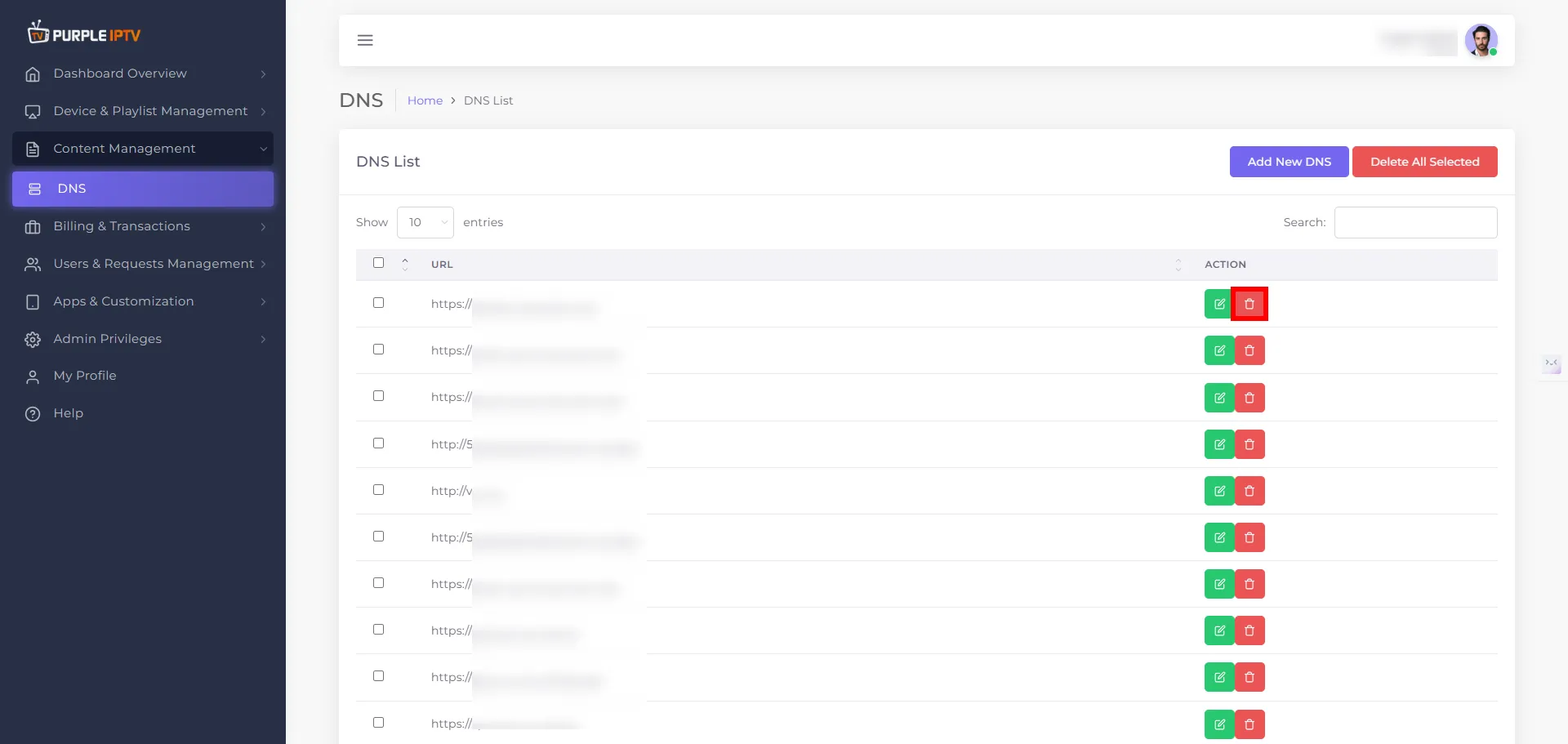
Click on the DELETE icon🗑️, as shown in the image below, marked in red.
Step: 3 Delete DNS
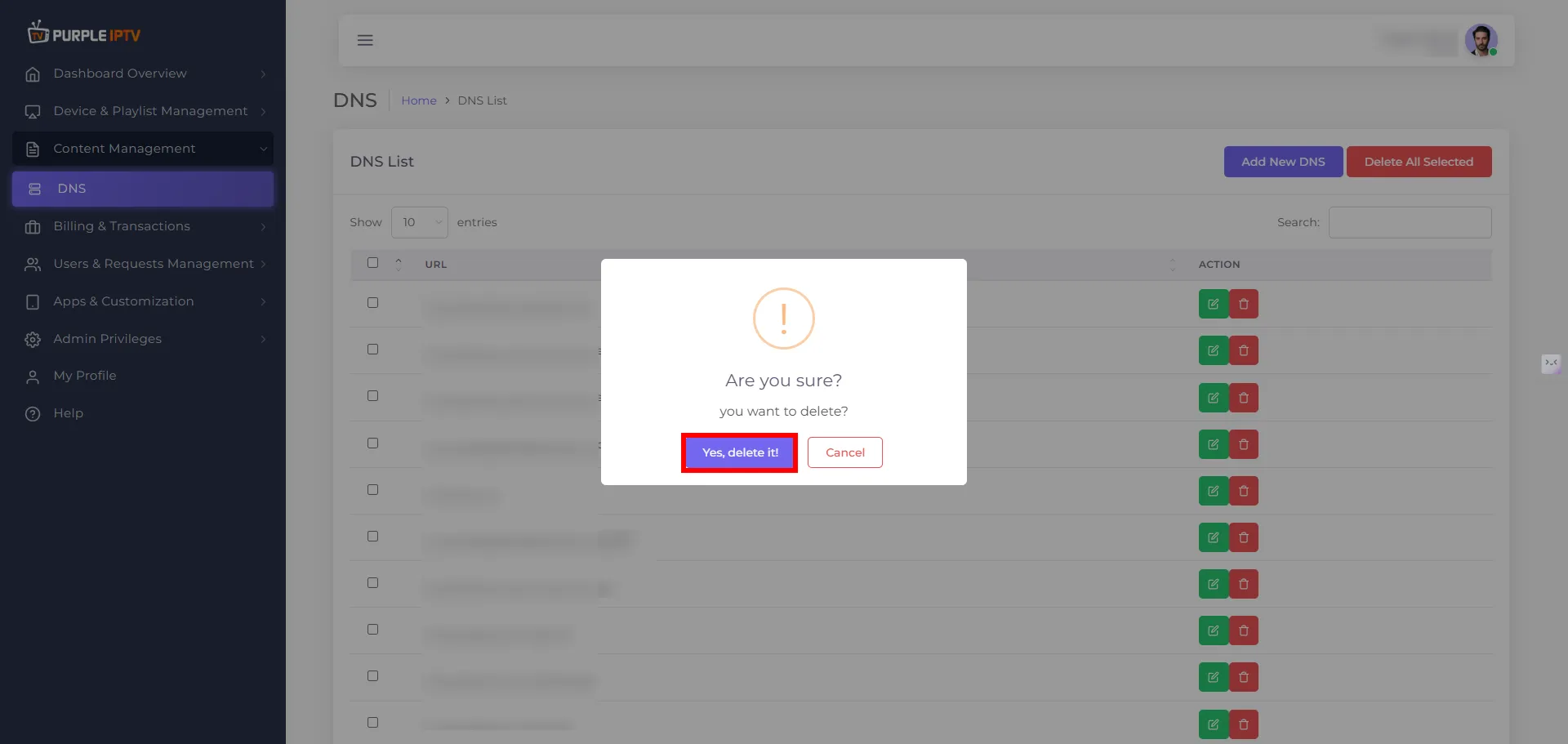
A prompt will ask, "Are you sure you want to delete the device?" Click "Yes, delete it."