How to delete device
5 min
Summary
The Device Code History page provides a searchable, paginated list of all generated device codes, including their creation time, expiration time, and current status. Use it to verify codes for support requests, audit past activity, and ensure that only valid codes are being used.
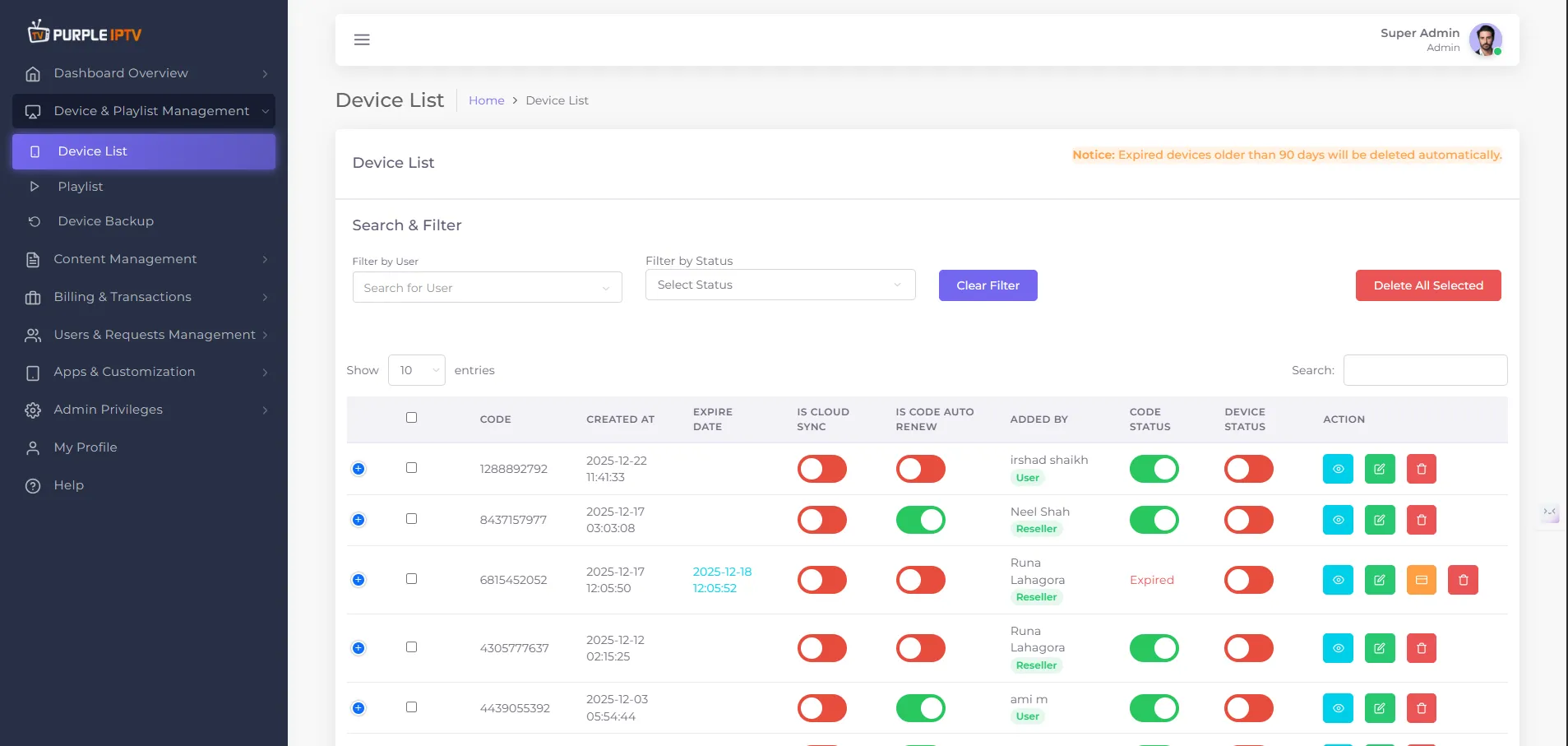
Step: 1 Go to Device
Go to my 'Devices List' tab under the Dashboard section.
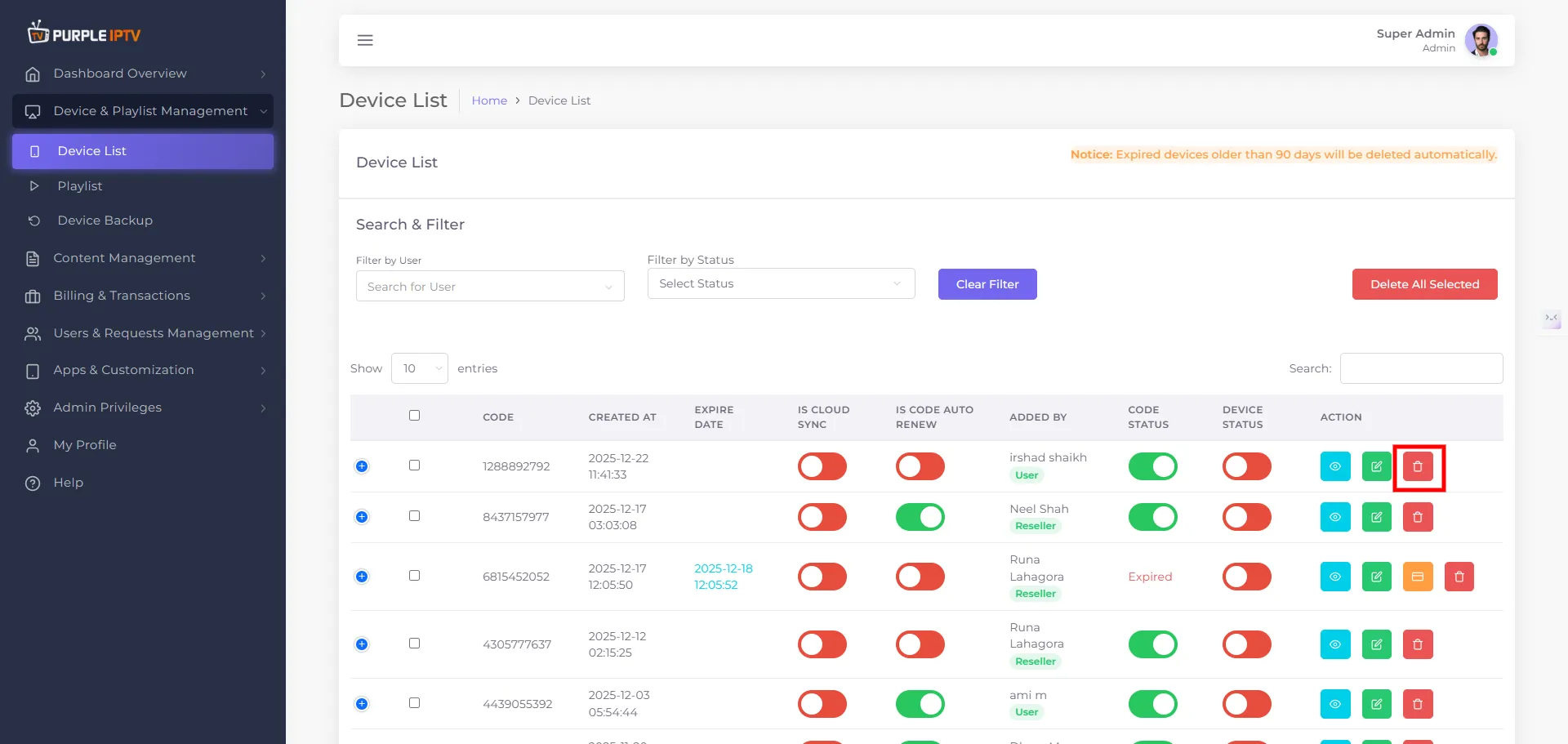
Step: 2 Delete Icon
Click on the DELETE icon🗑️, as shown in the image below, marked in red.
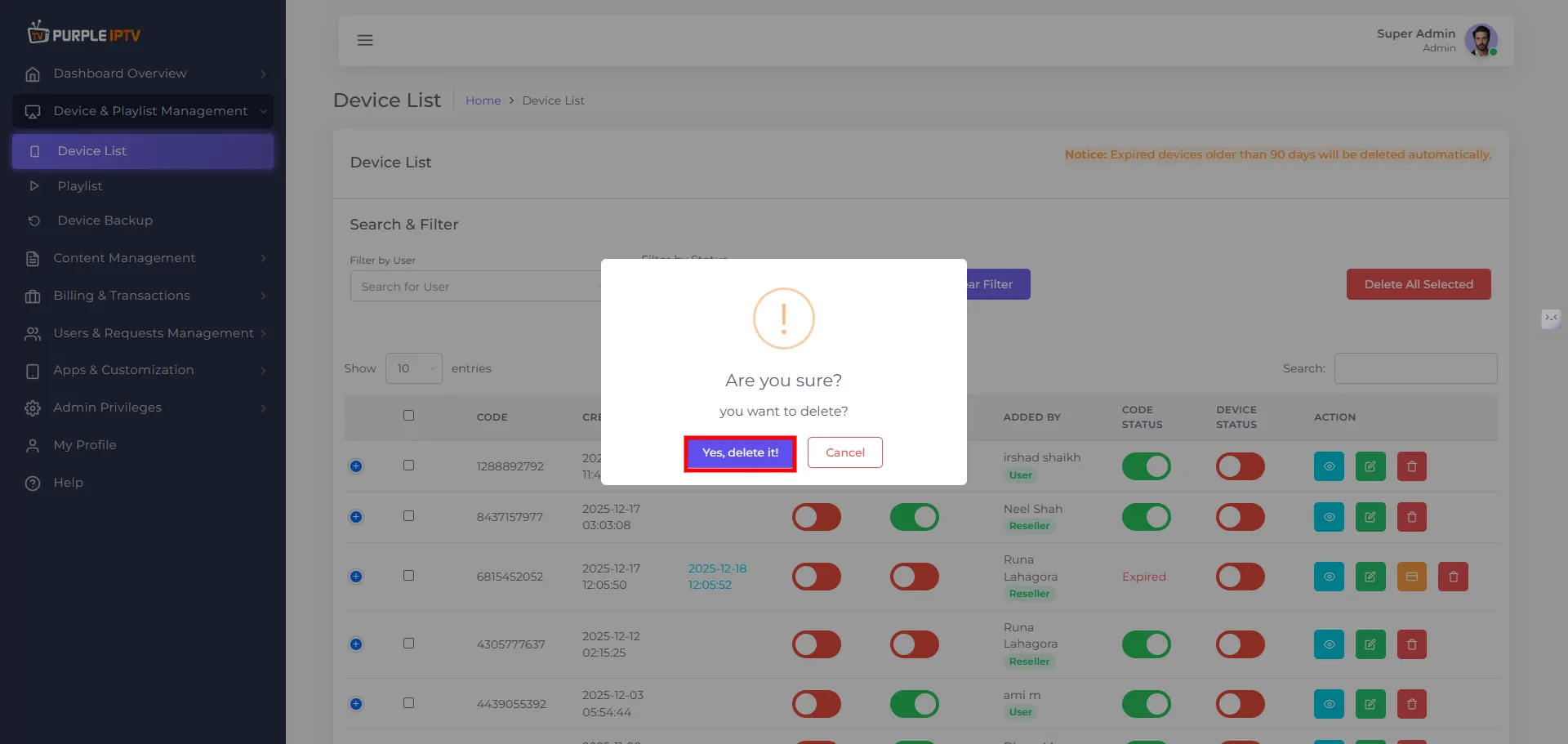
Step: 3 Delete Device
A prompt will ask, "Are you sure you want to delete the device?" Click "Yes, delete it."