
Invoice List
The Billing & Transactions → Invoice List section of your IPTV panel is where admins can view, search, and manage all customer invoices and subscription payments. It gives a detailed history of transactions so you can easily track who paid for what, when, and for which plan or device.
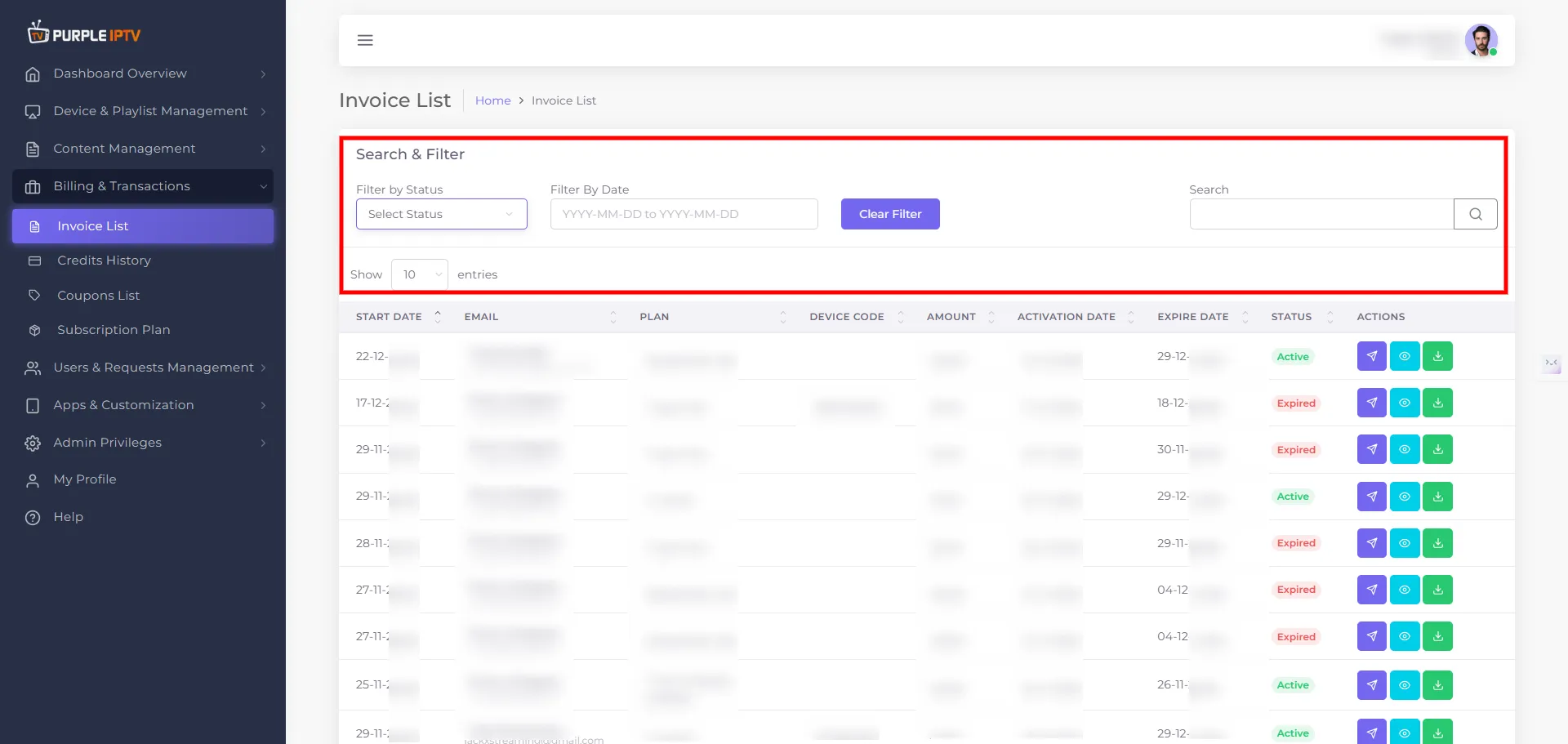
1. Location in the Panel
In the left-side menu, this section is under:
- Billing & Transactions
- Invoice List
- Credits History
- Coupons List
- Subscription Plan
The Invoice List page shows a breadcrumb like -
- Home → Invoice List
So users always know where they are in the panel.
2. Search & Filter Capabilities
At the top of the Invoice List, there is a Search & Filter area that allows you to quickly narrow down records:
- Filter by Status
- Dropdown - Select Status
- Options available - Active, Expired
- Filter by Date
- Ability to select a date range (e.g. start/end date using a calendar widget)
- Free-text Search
- A search box to look up invoices by email, name, plan, device code, etc.
These controls help admins quickly find specific subscriptions or customers in a large data set.
3. Invoice Table – What Each Column Shows
The main content is a paginated table of invoices. Each row represents one invoice / subscription transaction. Columns include:
- Start Date
- Date when the subscription or plan was activated.
- Example values:
- 22-12-2025
- 17-07-2025
- Email / Customer Name
- Customer name (as a header-like label) and their email address below.
- Examples -
- John Doe – [email protected]
- Jane Smith – [email protected]
- Plan
- Name of the subscription plan purchased or assigned.
- Examples -
- WeeklyPlan-QA
- 1-Day-Free
- 1-month
- 1-Day-Free [sub reseller]
- 6 Month [Reseller]
- Device Code
- Shows an associated device code if applicable (for specific registrations).
- Examples:
- 12345695
- Some plans may not show a device code (e.g., when not required).
- Amount
- The billed amount for that invoice.
- Examples -
- \$0.00 for free or test plans (WeeklyPlan-QA, free trials)
- \$0.10 for low-cost daily plans
- \$1.50 for a 1-month plan
- \$6.00 for a 6 Month [Reseller] plan
- Activation Date
- The actual date when the service became active.
- Often matches the start date, but shown explicitly:
- Expire Date
- The date when the plan or subscription ends.
- Examples -
- Note: Some special or reseller entries may have long validity (e.g. 26-11-2125).
- Status
- Current state of the subscription tied to that invoice:
- Active
- Expired
This status works together with the Filter by Status control for quick monitoring of active vs expired subscriptions.