K
⭕
Purple Suite of Apps
💼
Purple Panel
Purple IPTV Dashboard Overview
Device and Playlist Management
Content Management
Billing & Transactions
🟣
Purple Admin Panel
🍎
Purple Apps for Apple
🟣
Purple Easy IPTV
🟣
Purple Playlist Player
🟣
Purple Player for macOS
📱
Purple Android Apps
🟣
Purple Video Player
🟣
IPTV Smart Player
🟣
Purple Lite Player
🟣
Purple Player (Android Phone)
🟣
Purple VOD Player
🟣
Purple Simple Player
🟠
Purple Remote for TV
🟠
Purple Tools for Android
🟠
Purple DNS
🛡️
Purple DNS - Cyber Security Solution
🛡️
Purple DNS - Cyber Security Solution
🔌
DNS Connection
🔃
Refresh Data
➕
Add DNS
🛡️
DNS Status
🔎
Search
🛡️
Premium DNS
⚖️
Legal Policy
Privacy Policy
📺
Purple Tv Apps
🟣
Purple Player (Samsung TV)
🟣
Purple Launcher (Android TV)
🟣
Purple Easy Player
🖥️
Purple Desktop Apps
🟣
Purple Player for macOS
🟣
Purple Player for Windows
🟣
Purple Web Player
🟣
Purple Web Player
⚖️
Legal Policy
Third Party Integrations
DMCA Policy
Disclaimer
Terms and Conditions
Privacy Policy
Copyright Complaints
📝
Purple Cast Policy
Docs powered by
Archbee
Purple Tv Apps
...
General Settings
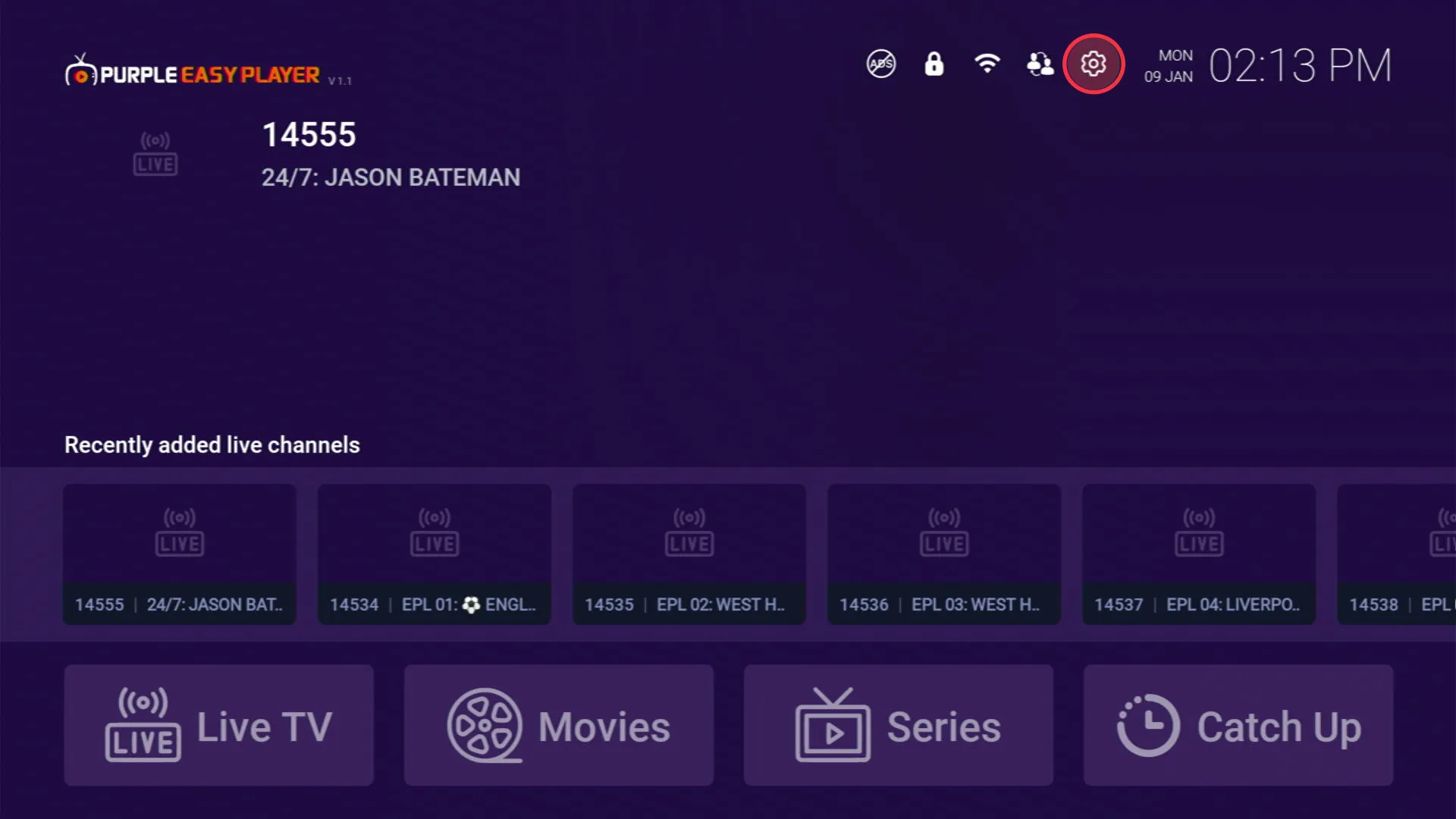
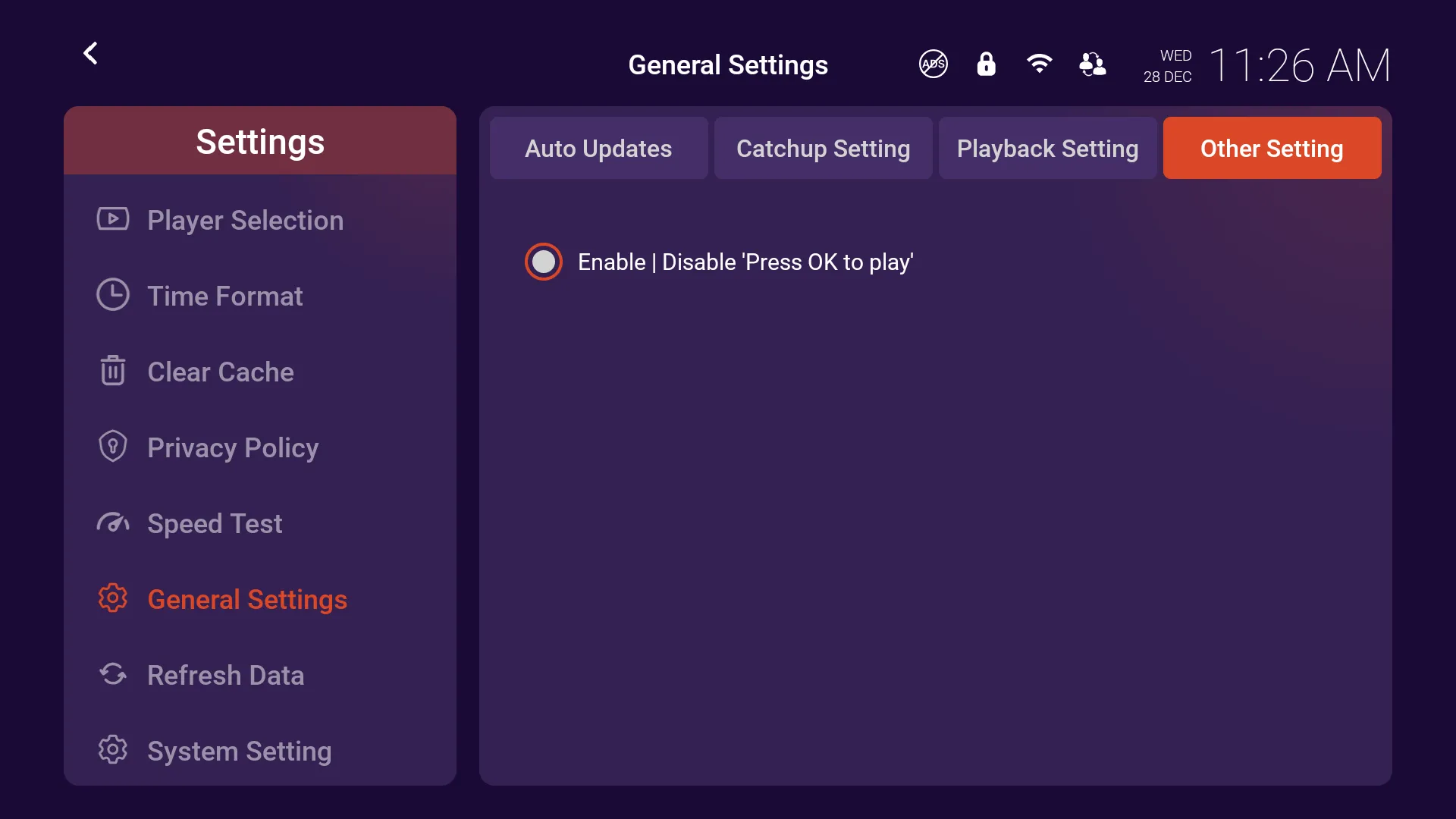
How to use Other Setting in Purple Easy Player
2 min
step 1 settings click on the 'settings' on home page step 2 other setting users can choose to enable/ disable press ok to play
PREVIOUS
How to use Playback Setting in Purple Easy Player
NEXT
How to Refresh Data in Purple Easy Player
Docs powered by
Archbee
Docs powered by
Archbee