How to Use Movies
2 min
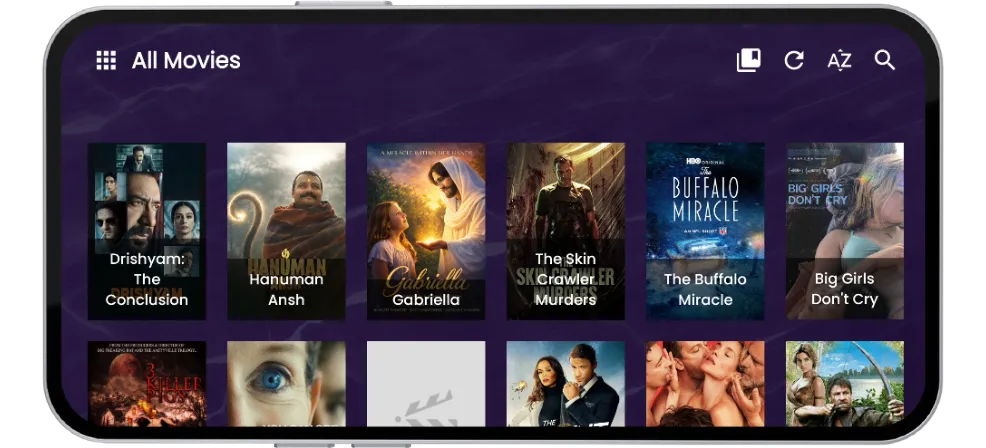
Step 1: Browse Available Movies
Select Movies from the Home dashboard to access the All Movies screen. Browse the available movie collection and select your preferred movie.
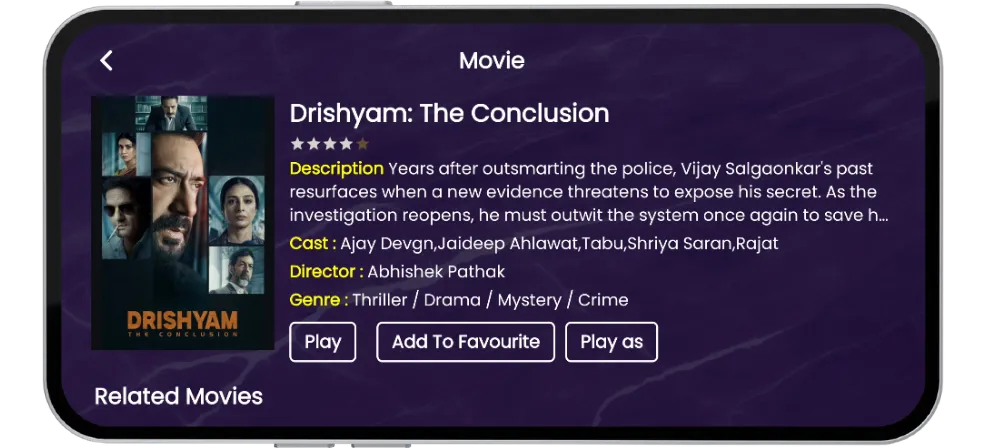
Step 2: View Movie Details
On the Movie Details screen, view the movie title, rating, description, cast, director, genre, and related movies.
Use the available options:
- Play: Start watching the selected movie.
- Add to Favourites: Save the movie to your favorites.
- Play as: Access alternative playback options.
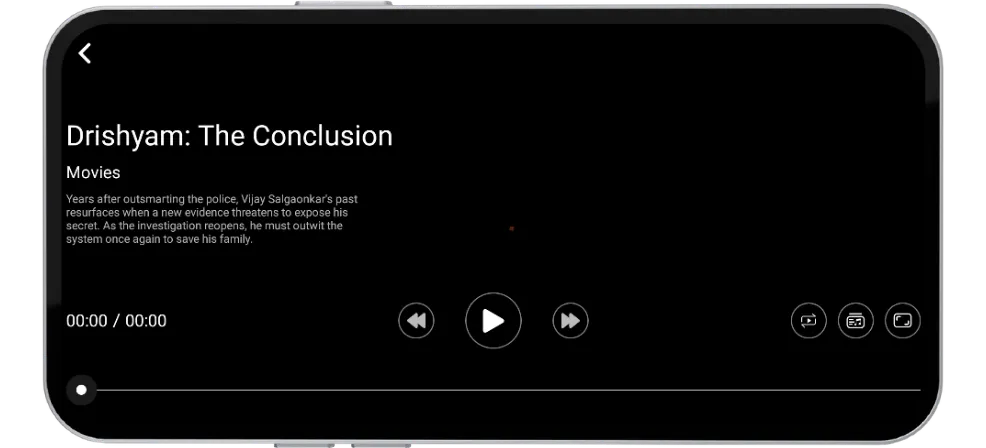
Step 3: Watch Movies
Tap Play to start watching the selected movie. Use the available video player controls to play, pause, rewind, fast-forward, and adjust the playback position.