How to Use Catch Up TV
3 min
Step 1: Access Catch Up TV
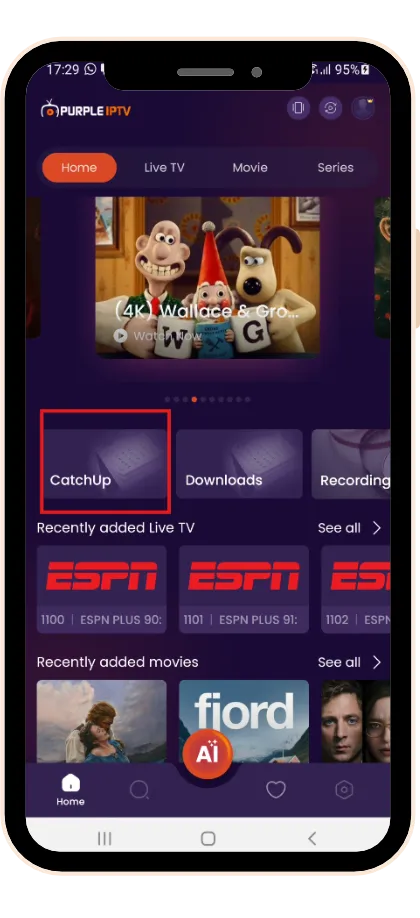
Tap the CatchUp option on the Home screen to access the Catch Up TV section.
Step 2: Browse Catch Up Channels
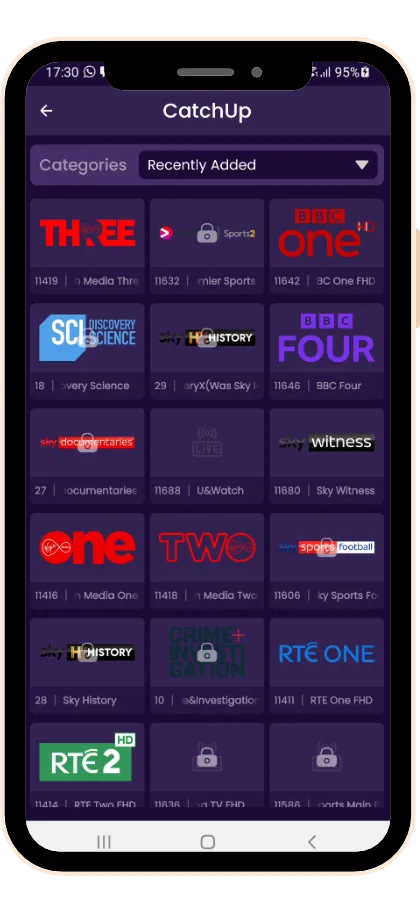
Browse available Catch Up TV channels in Grid View. Tap the Categories dropdown menu to filter channels by your preferred category. Select your desired channel to view its program schedule.
Step 3: View Program Schedule and Select a Program
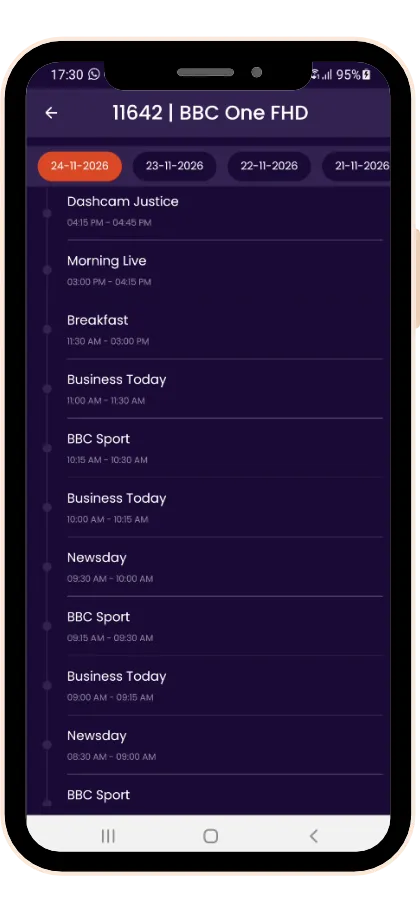
Select your preferred date from the available dates at the top of the screen. Browse previously aired programs along with their titles and broadcast times. Tap your desired program to watch it, subject to Catch Up availability.