How to edit playlist
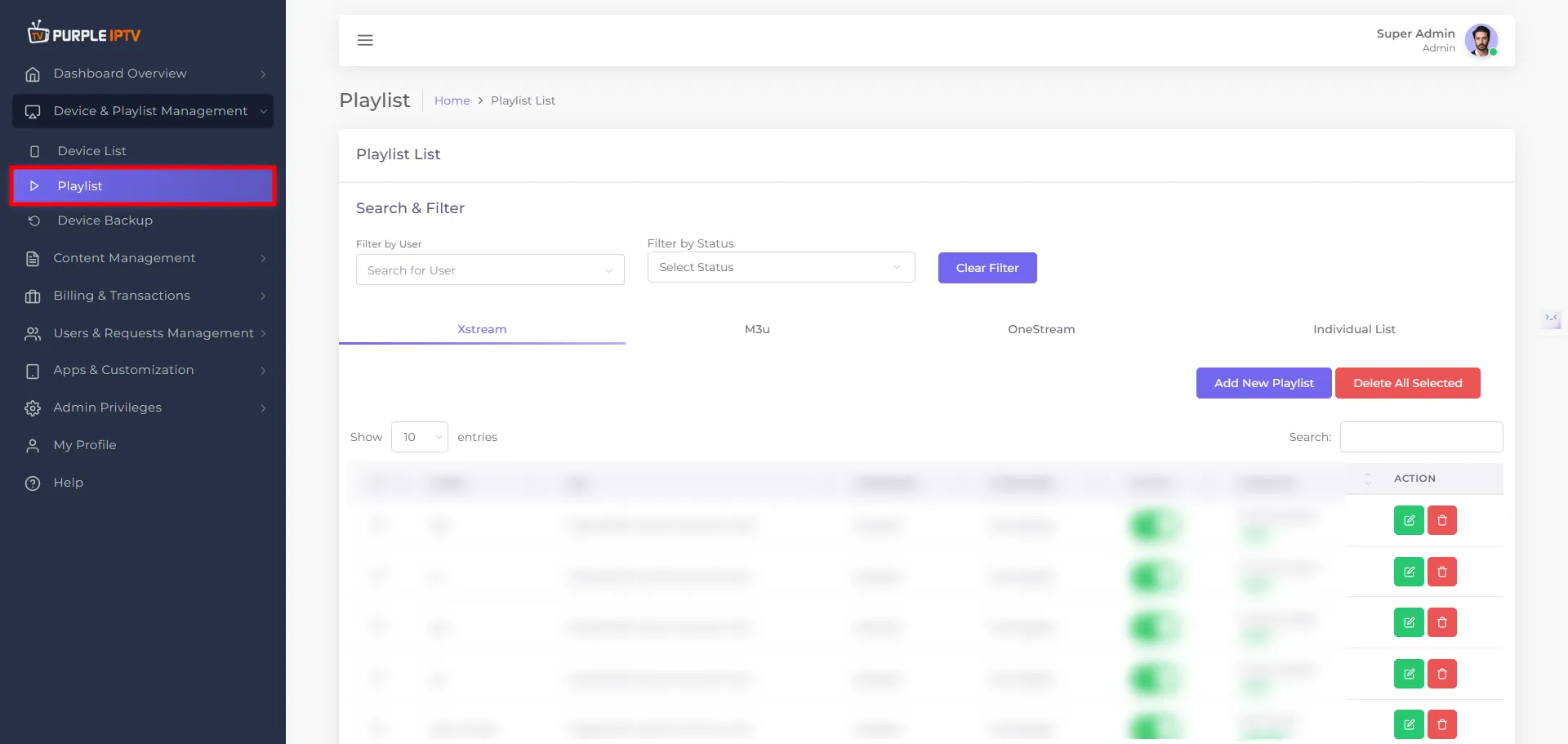
Step: 1 Go to Device
Go to my 'Devices List' tab under the Dashboard section.
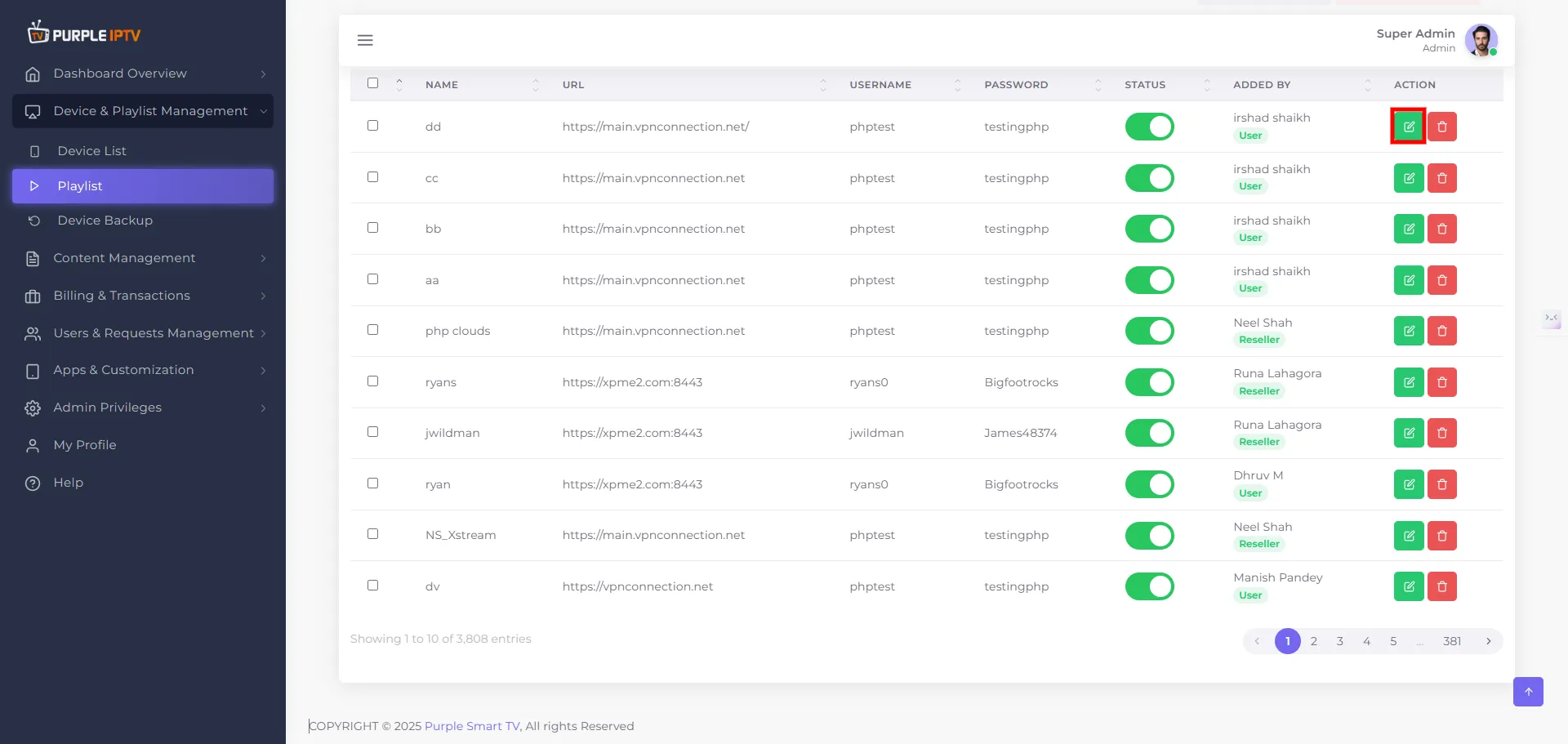
Step: 2 Edit Icon
Click on the EDIT icon ✏️, as shown in the image below, marked in red.
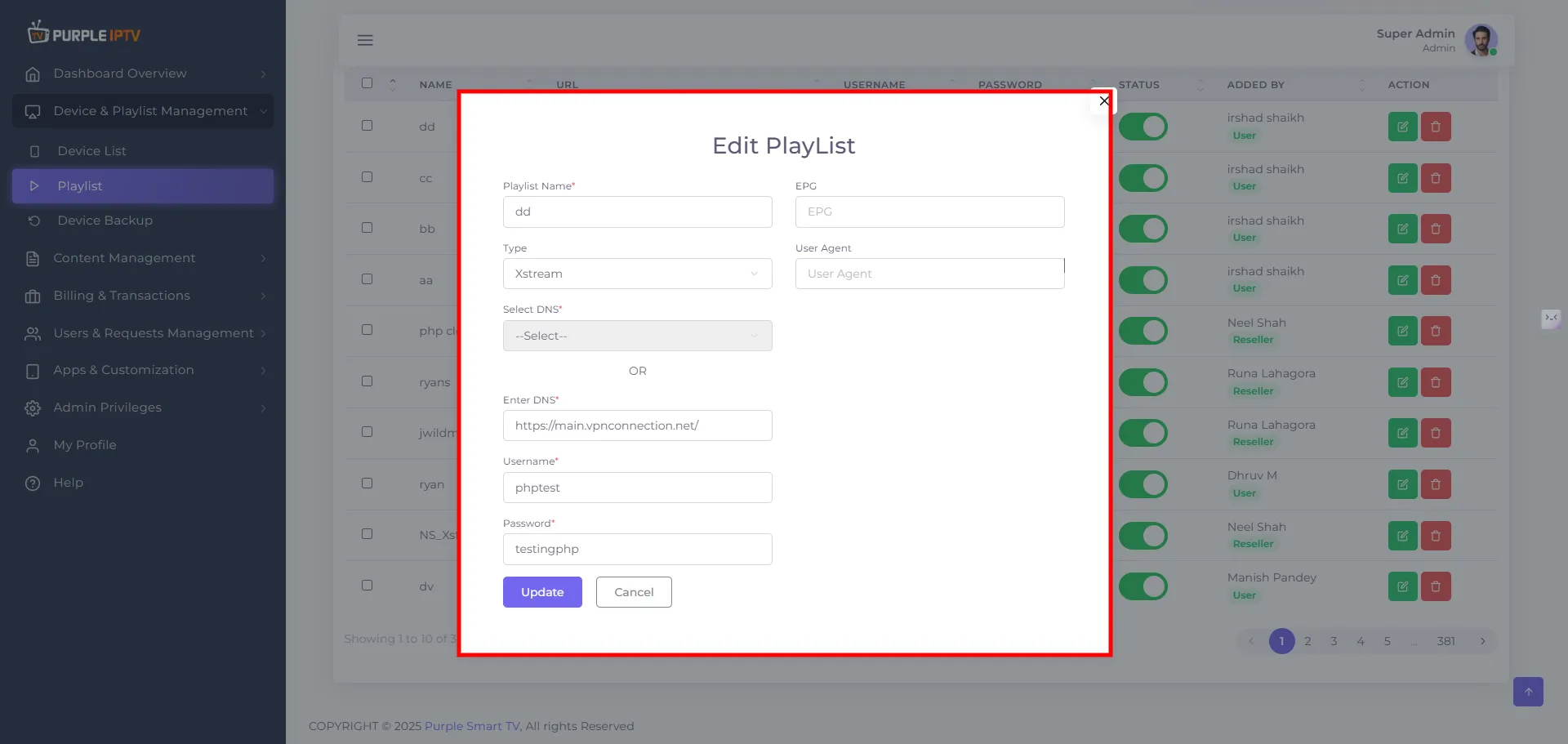
Step: 3 Edit Playlist
Edit the playlist -
Playlist Name - Enter or update the name of the playlist.
Type - Select the playlist type you want to edit -
- Xstream
- M3u
- OneStream
Select DNS
- Either select an existing DNS from the dropdown (Select DNS)
- Or manually type a DNS in Enter DNS.
Username - Update the login username associated with the playlist (for Xstream / OneStream).
Password - Update the login password associated with the playlist (for Xstream / OneStream).
M3u Url - For M3U playlists, paste or edit the full M3U URL (for example https://iptv-org.github.io/iptv/index.m3u).
EPG (optional) - If needed, provide or update the EPG URL (for example http://tvpanel.one/xmltv.php?username=...&password=...).
User Agent (optional) - Set or change a custom user agent string if required by your provider.
Note: Fields marked with * are mandatory and must be filled before saving.
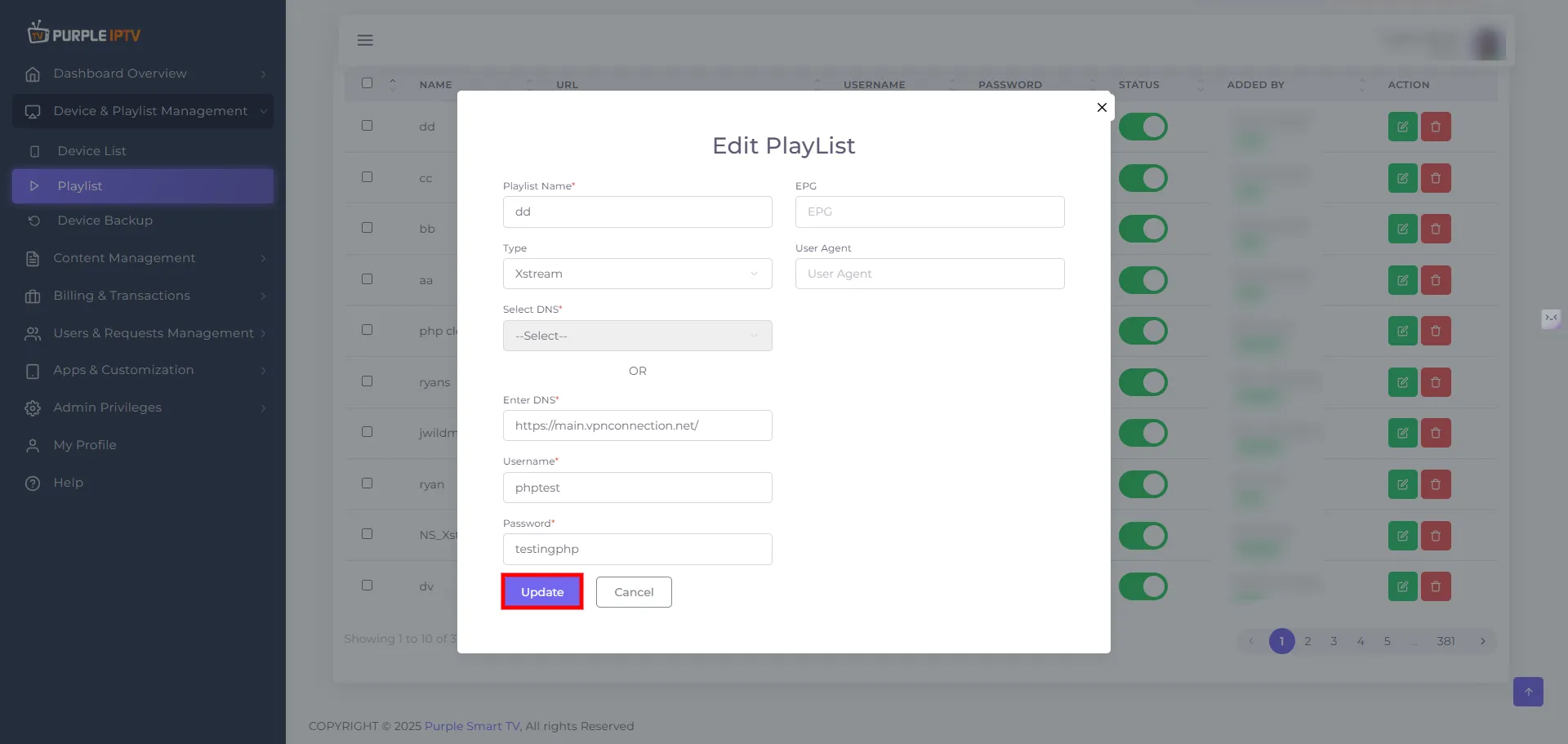
Step: 4 Update Your Changes
Click on the Update button to make the necessary changes, as seen in the below image.