How to Delete a Device
3 min
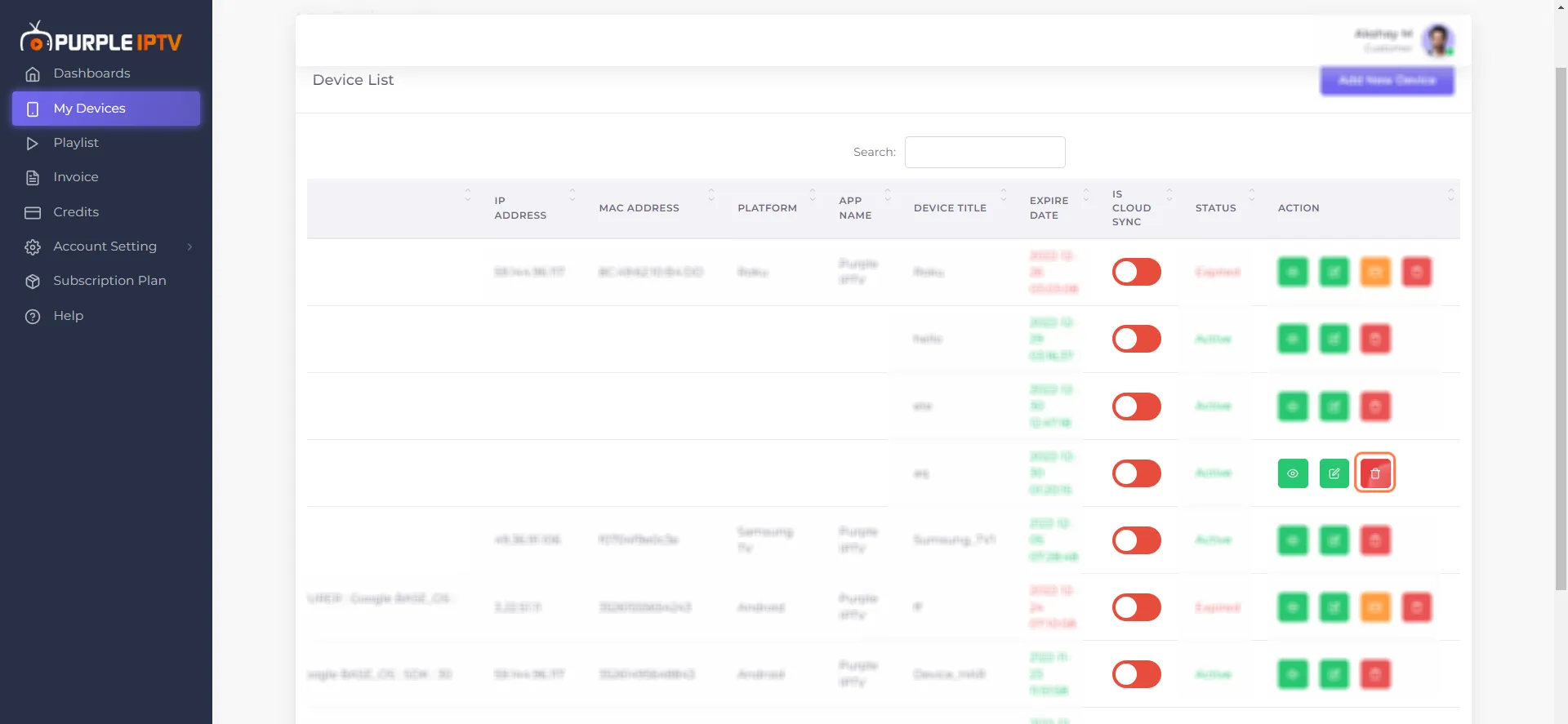
Step 1- Go to My Devices
Go to the last column of Action, Click on 'Delete Device'
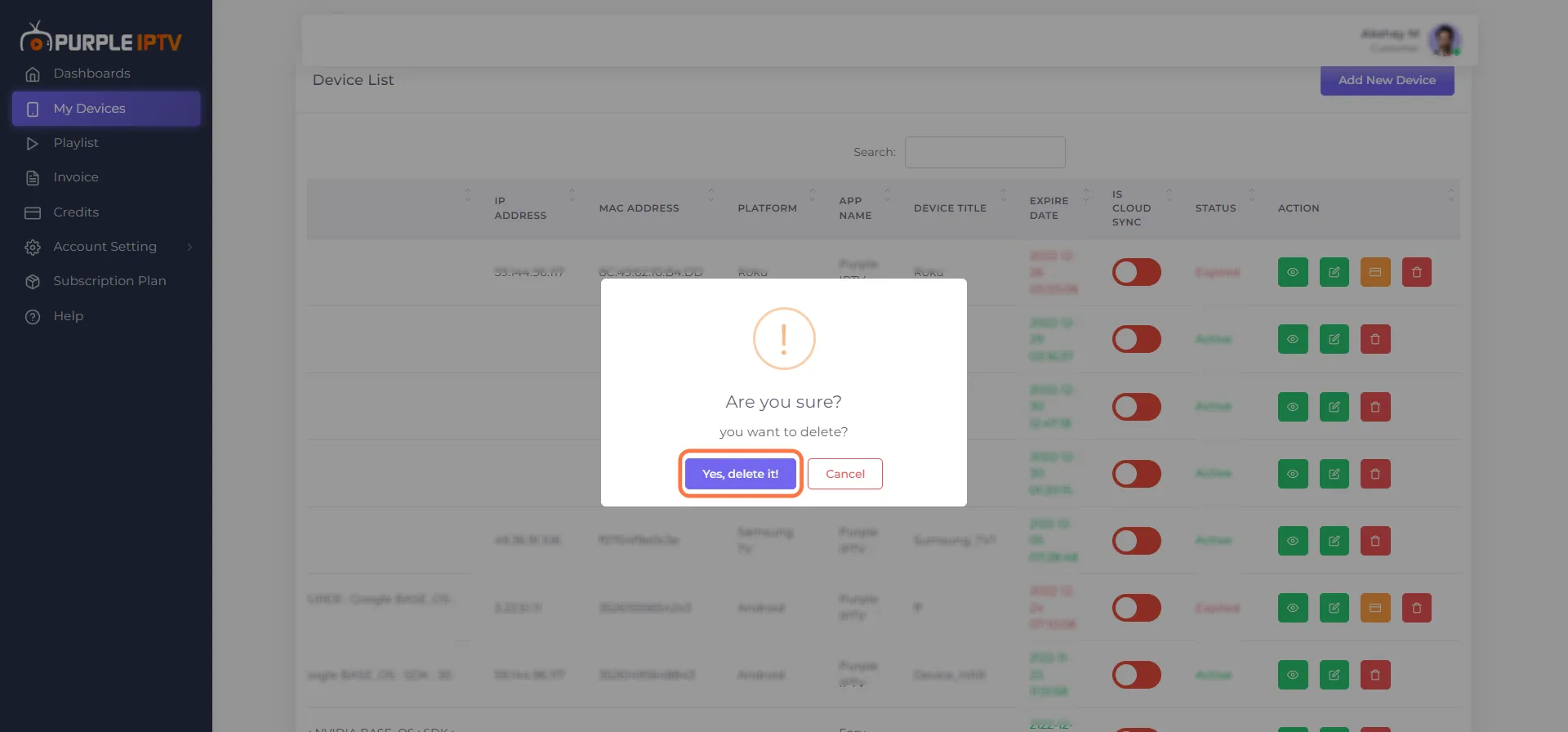
Step 2- Delete the Device
Select the device you want to delete from the list, then click 'Yes delete it'.

Go to the last column of Action, Click on 'Delete Device'
Select the device you want to delete from the list, then click 'Yes delete it'.