How to Browse Series Categories
2 min
Step 1: Open Series Categories
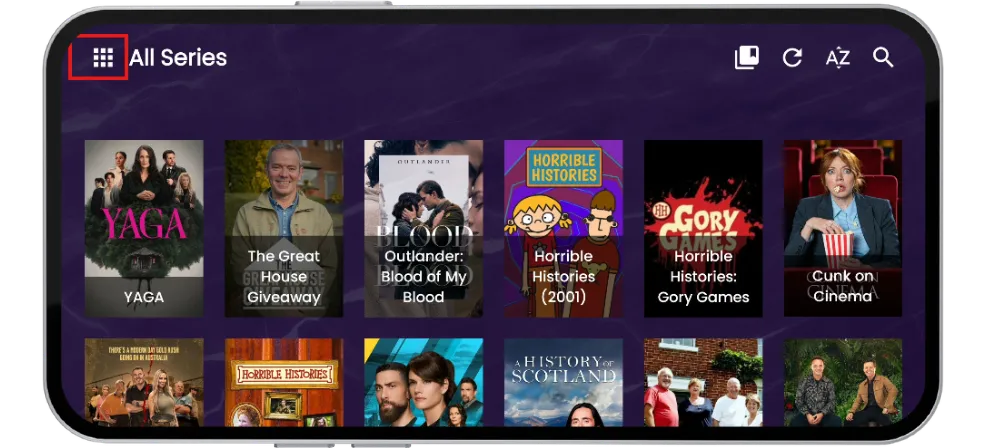
Tap the Categories icon in the top-left corner of the Series screen to access the category menu.
Step 2: Select a Series Category
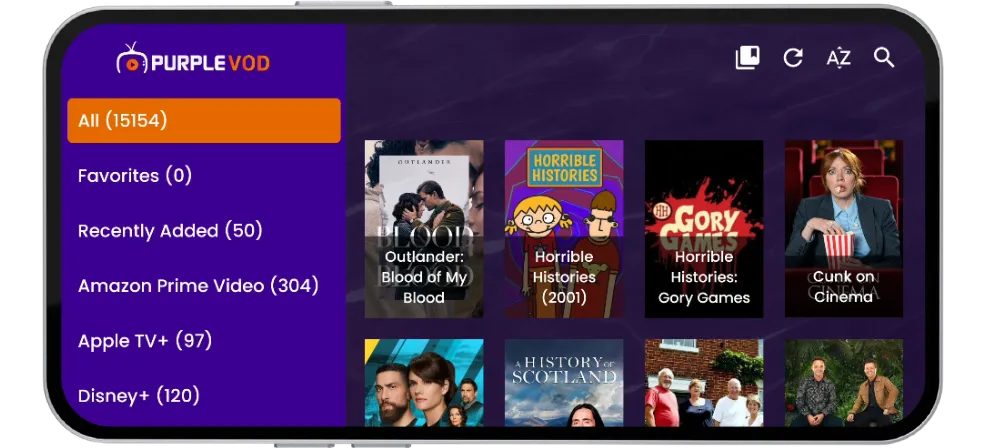
Browse the available categories, including All, Favorites, Recently Added, Amazon Prime Video, Apple TV+, and Disney+. Select your preferred category to view its available series.