K
β
Purple Suite of Apps
πΌ
Purple Panel
Purple IPTV Dashboard Overview
Device and Playlist Management
Content Management
Billing & Transactions
π£
Purple Admin Panel
π
Purple iOS Apps
π£
Purple Easy IPTV
π£
Purple V3 (iOS)
π£
Purple Player (iOS)
π±
Purple Android Apps
π£
Purple Video Player
π£
IPTV Smart Player
π£
Purple Lite Player
π£
Purple Player (Android Phone)
π£
Purple VOD Player
π£
Purple Simple Player
π
Purple Remote for TV
π
Purple Tools for Android
π
Purple DNS
π‘οΈ
Purple DNS - Cyber Security Solution
π‘οΈ
Purple DNS - Cyber Security Solution
π
DNS Connection
π
Refresh Data
β
Add DNS
π‘οΈ
DNS Status
π
Search
π‘οΈ
Premium DNS
βοΈ
Legal Policy
Privacy Policy
πΊ
Purple Tv Apps
π£
Purple Player (Samsung TV)
π£
Purple Launcher (Android TV)
π£
Purple Easy Player
π₯οΈ
Purple Desktop Apps
π£
Purple Palyer for macOS
π£
Purple Player for Windows
π£
Purple Web Player
π£
Purple Web Player
βοΈ
Legal Policy
Third Party Integrations
DMCA Policy
Disclaimer
Terms and Conditions
Privacy Policy
Copyright Complaints
π
Purple Cast Policy
Docs powered by
Β
Archbee
Purple Desktop Apps
Purple Player for Windows
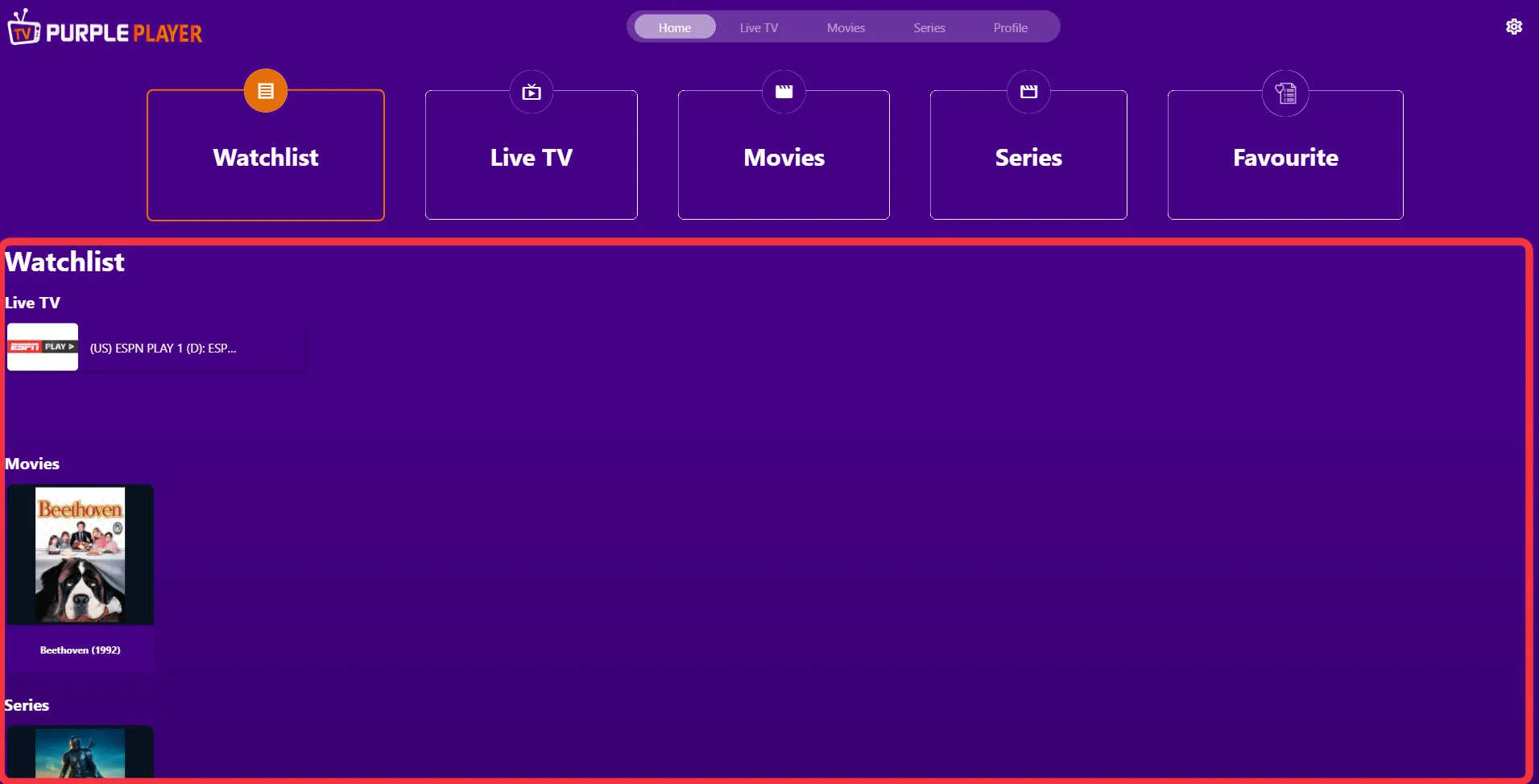
How to Access Watchlist (Recently Played)
0 min
under watchlist, users can find "recently played live tv, movies, and series" , as seen in the below images (marked in red)
PREVIOUS
How to Quickly Add Your Favorite Series
NEXT
How to Access All Your Favorite Lists in One Place
Docs powered by
Β
Archbee
Docs powered by
Β
Archbee
