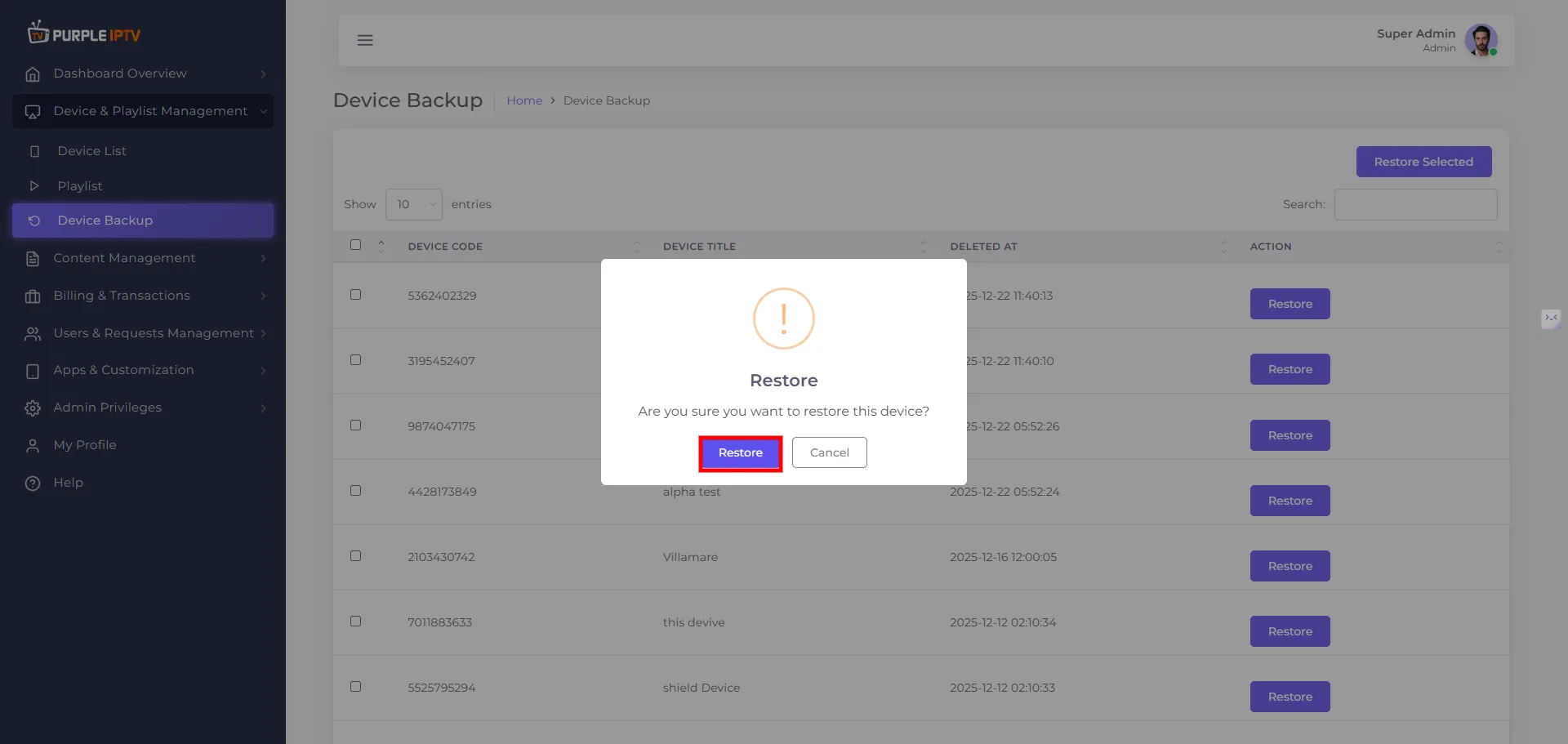
How to restore device
4 min
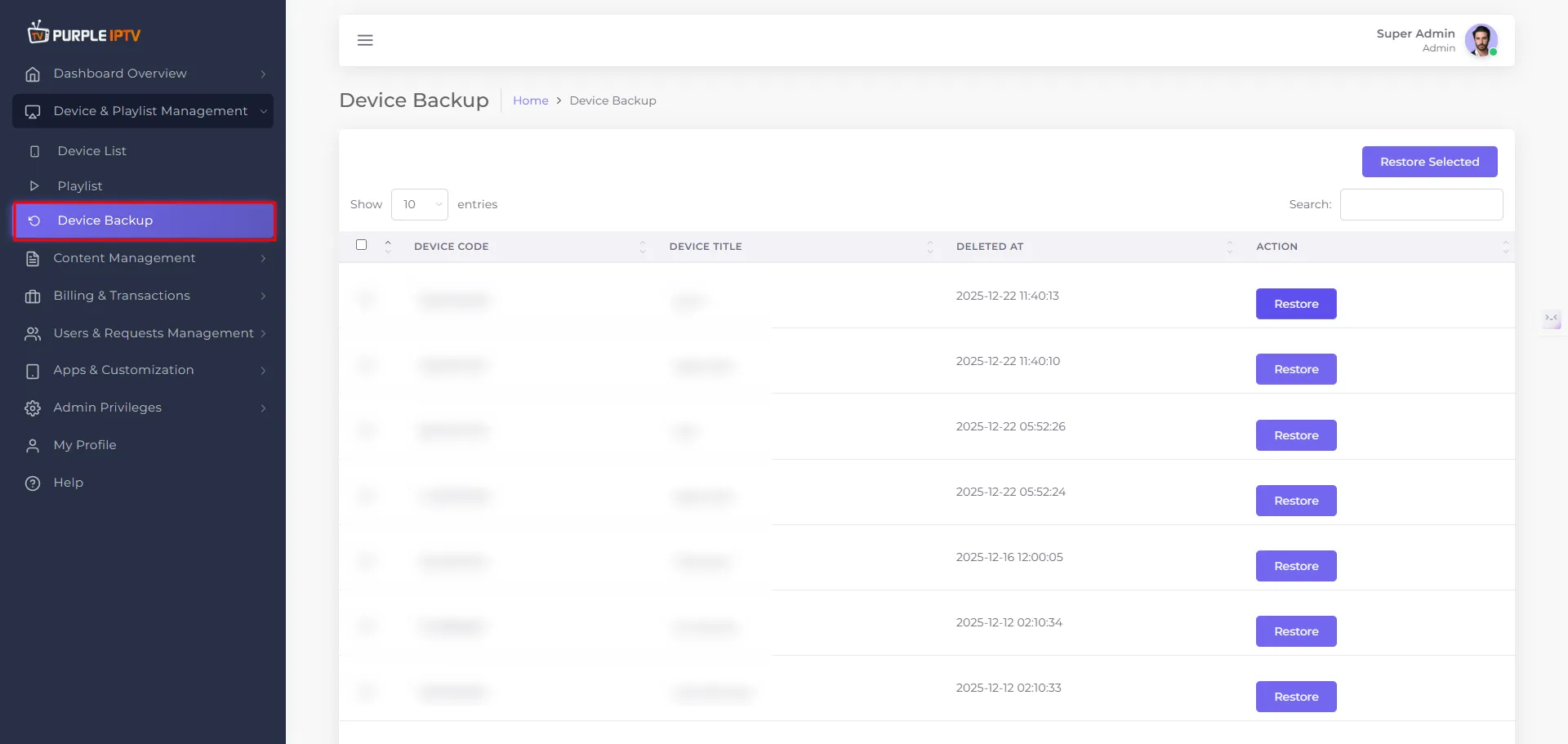
Step: 1 Go to Device
Go to my 'Device Backup' tab under the Dashboard section.
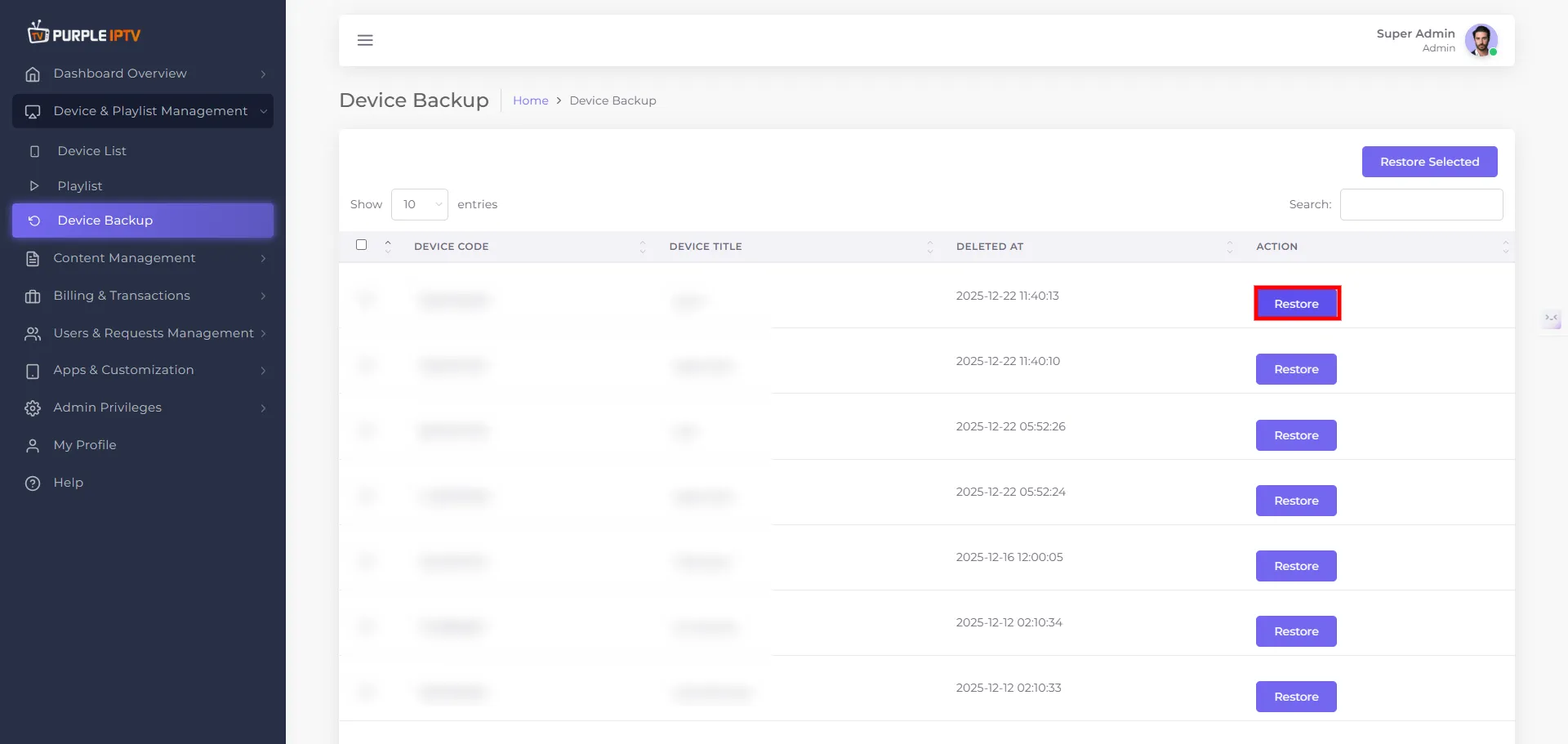
Step: 2 Restore Icon
Click on the "Restore Icon" to restore the device.
Step: 3 Restore Device
A prompt will ask, "Are you sure you want to delete the device?" Click "Yes, delete it."