Getting Started
6 min
Step 1: Device Type
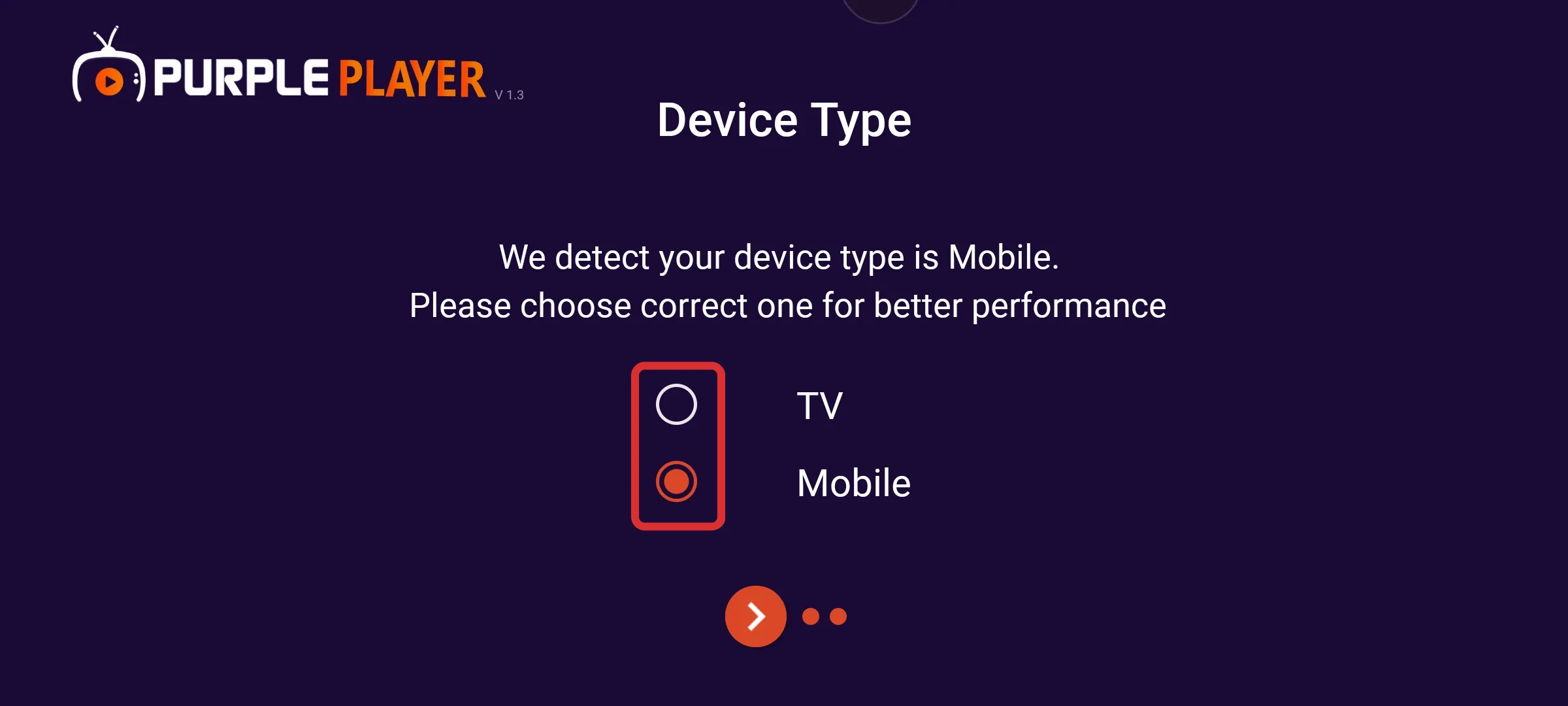
After successfully installing the application, When launching IPTV Purple Easy Player on your device, choose your Device Type.
- If you have installed the app on your mobile device, select "Mobile" as the device type.
- If you have installed the app on your TV, choose "TV" as the device type.
Step 2: Select Language
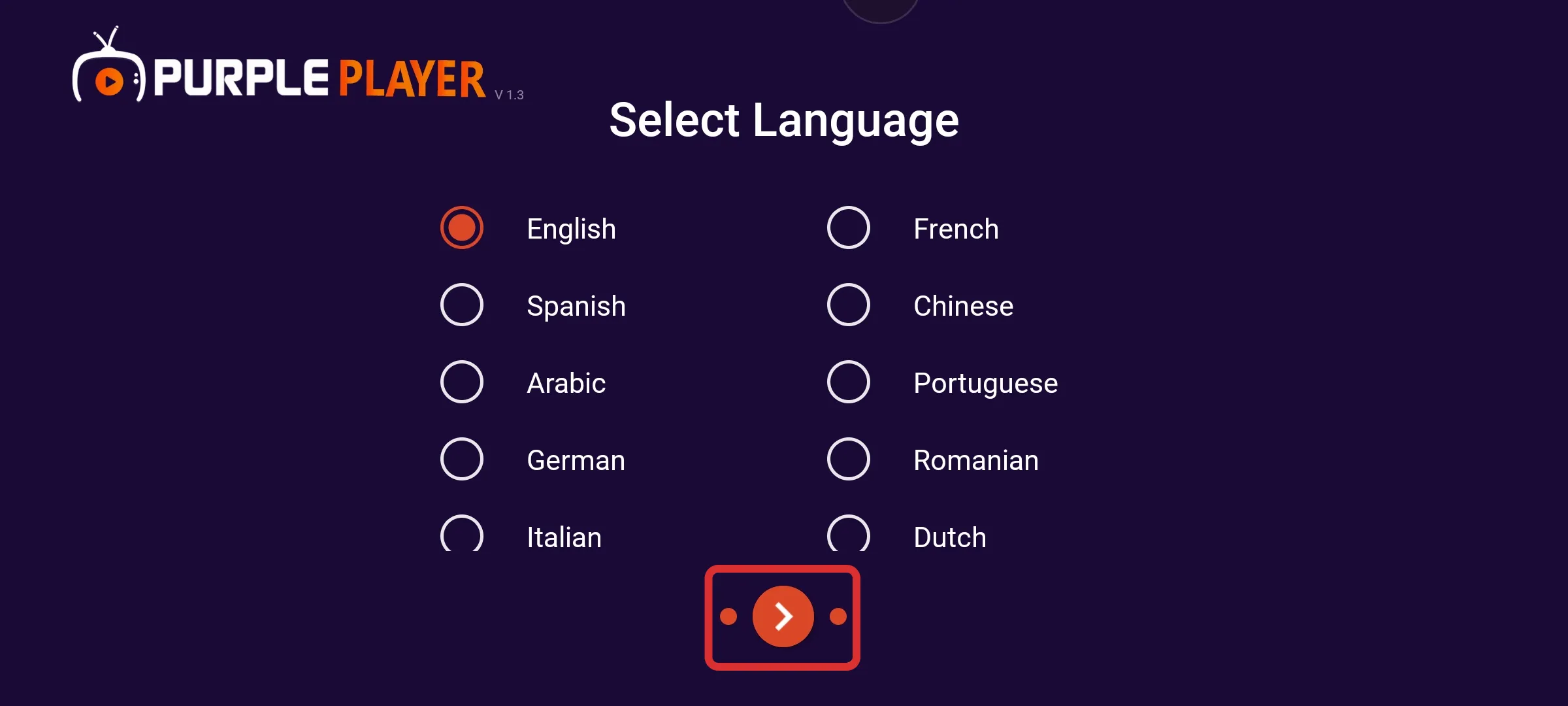
Users can choose between different languages according to their preferences
Step 3: Privacy Consent
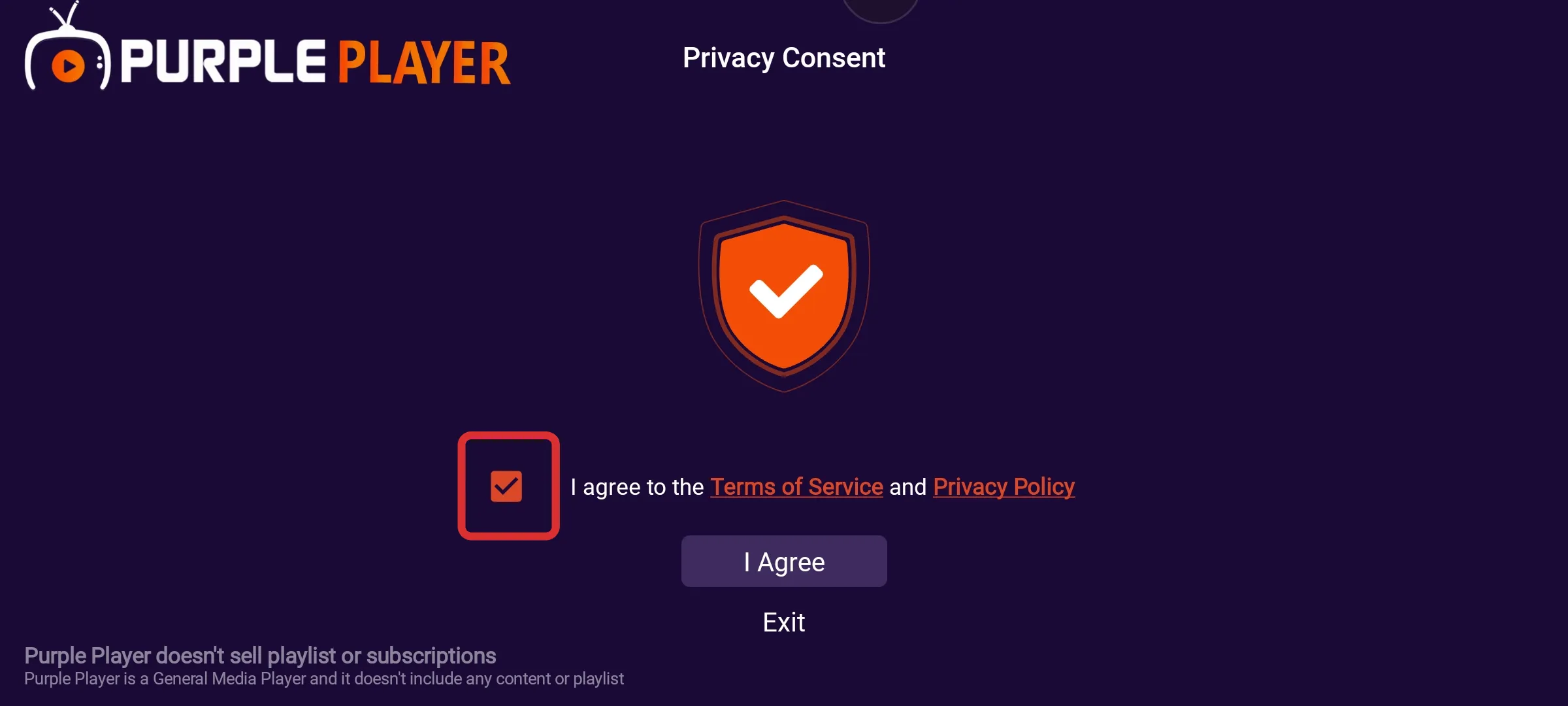
Click on the box of Terms of Service, as seen in the below image (marked in red)
Step 4: I Agree
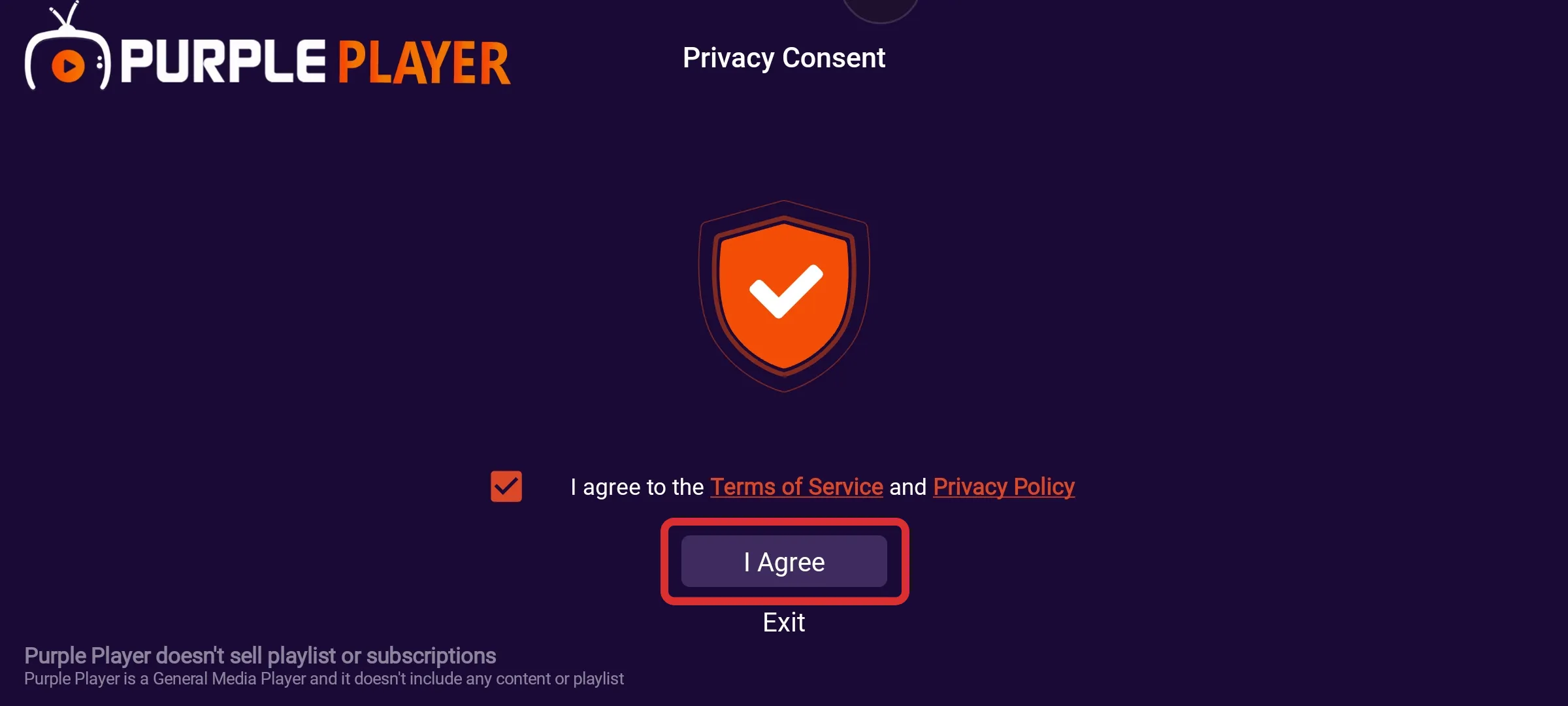
After ticking the box, click on I Agree, as seen in the below image (marked in red)
Step 5: All set
After completing the above steps you will redirected to the Login Page of Easy Player.