How to Refresh Data
2 min
Step 1: Open Settings
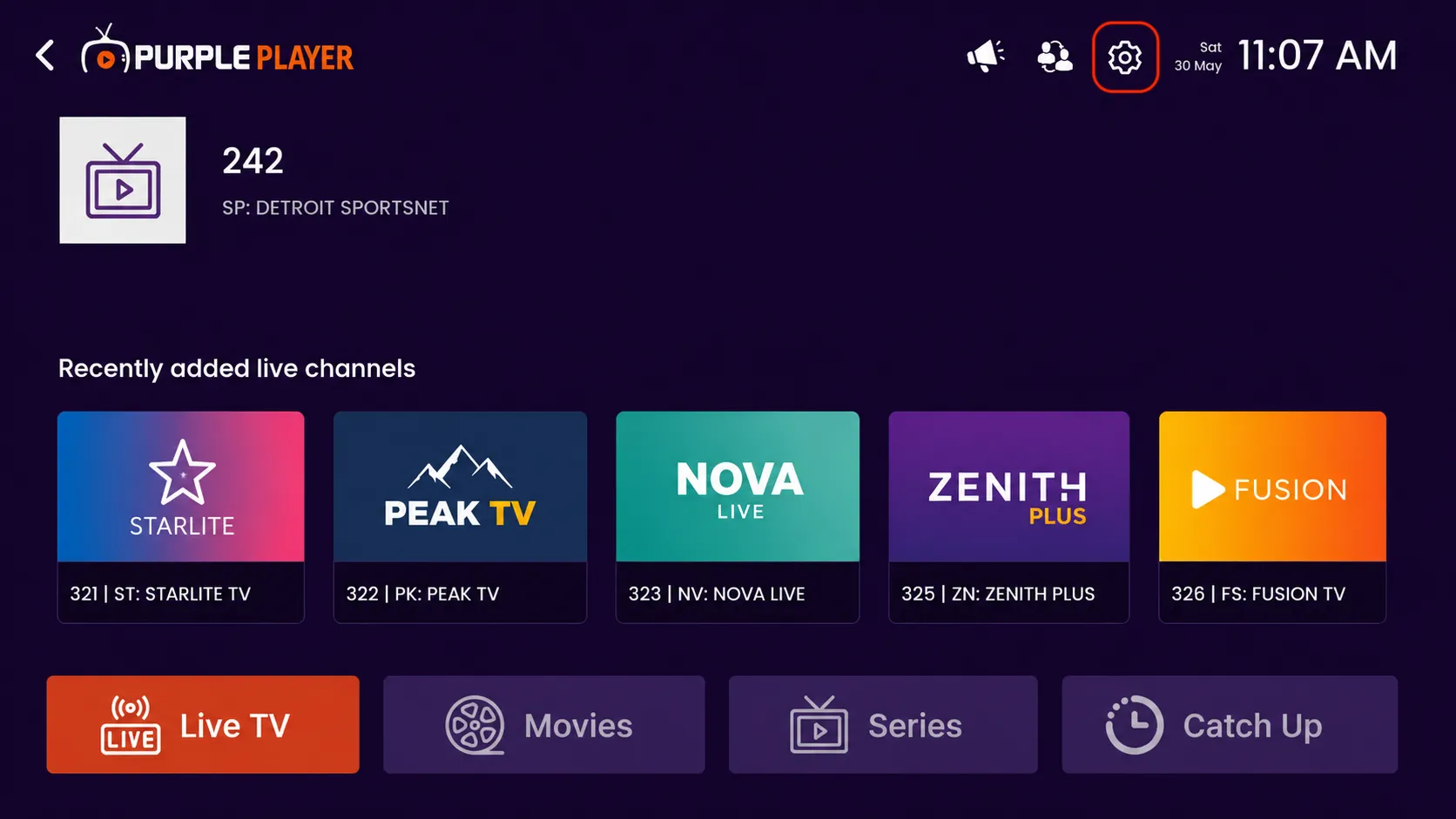
Click on the highlighted settings icon from the top-right corner of the home screen to access the app settings and customization options.
Step 2: Click on Refresh Data
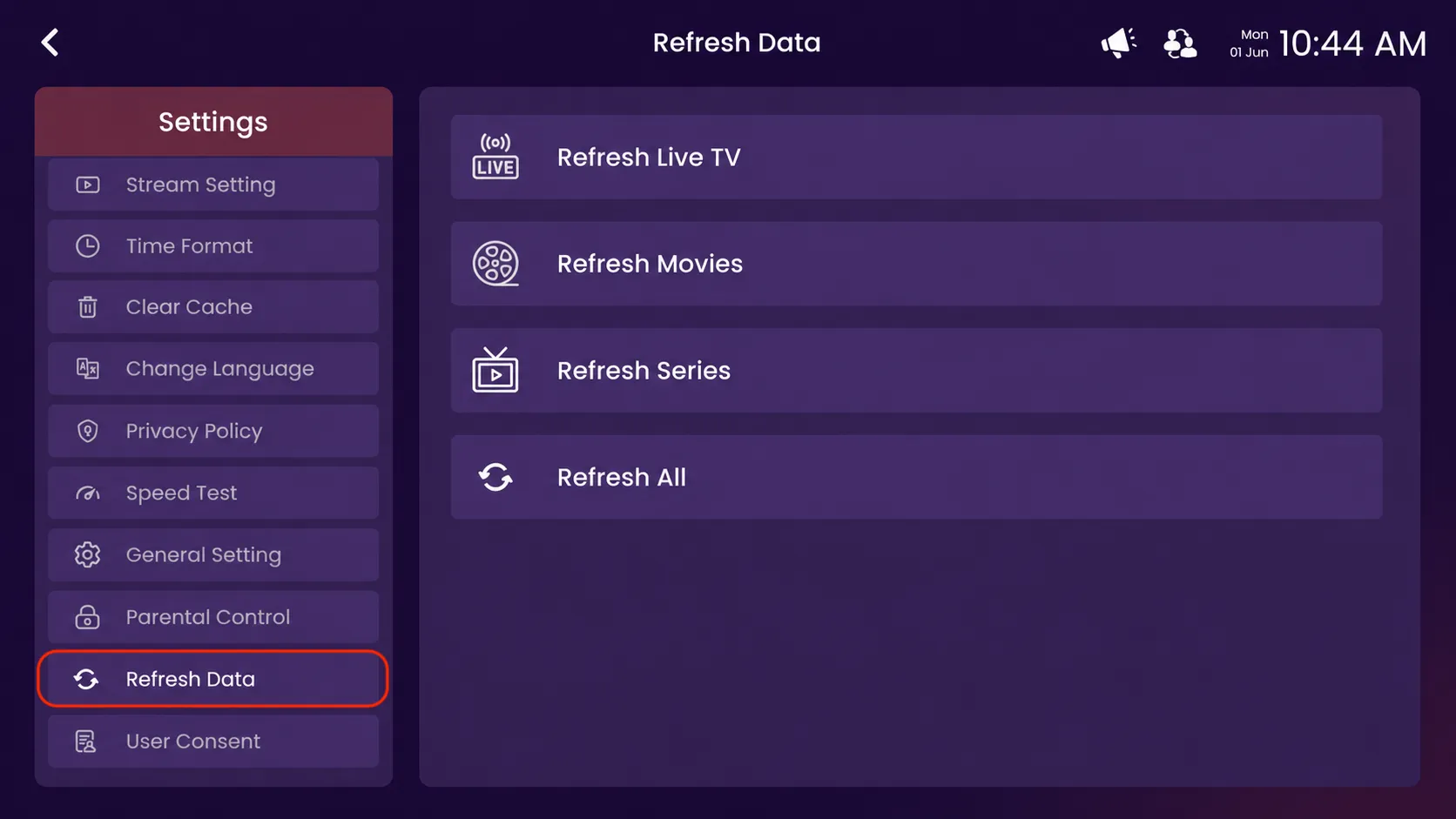
Click on the highlighted Refresh Data option from the Settings menu.
Step 3: Select a Refresh Option
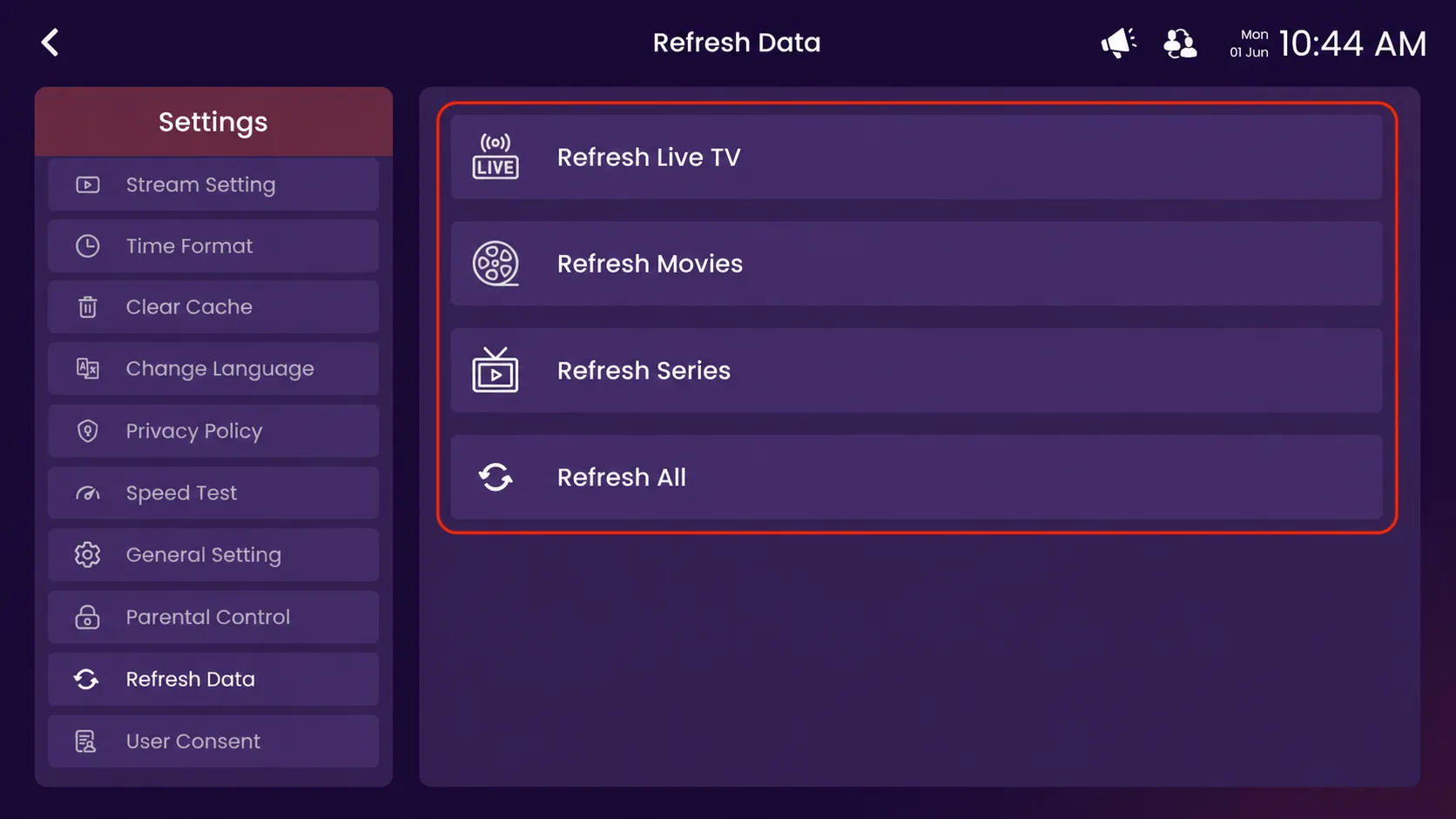
After opening the Refresh Data section, you can choose any available refresh option, such as Refresh Live TV, Refresh Movies, Refresh Series, or Refresh All, to update the latest content and playlist data.