How To Set up Parental Control In Purple Player
5 min
Step 1: Set Parental Pin
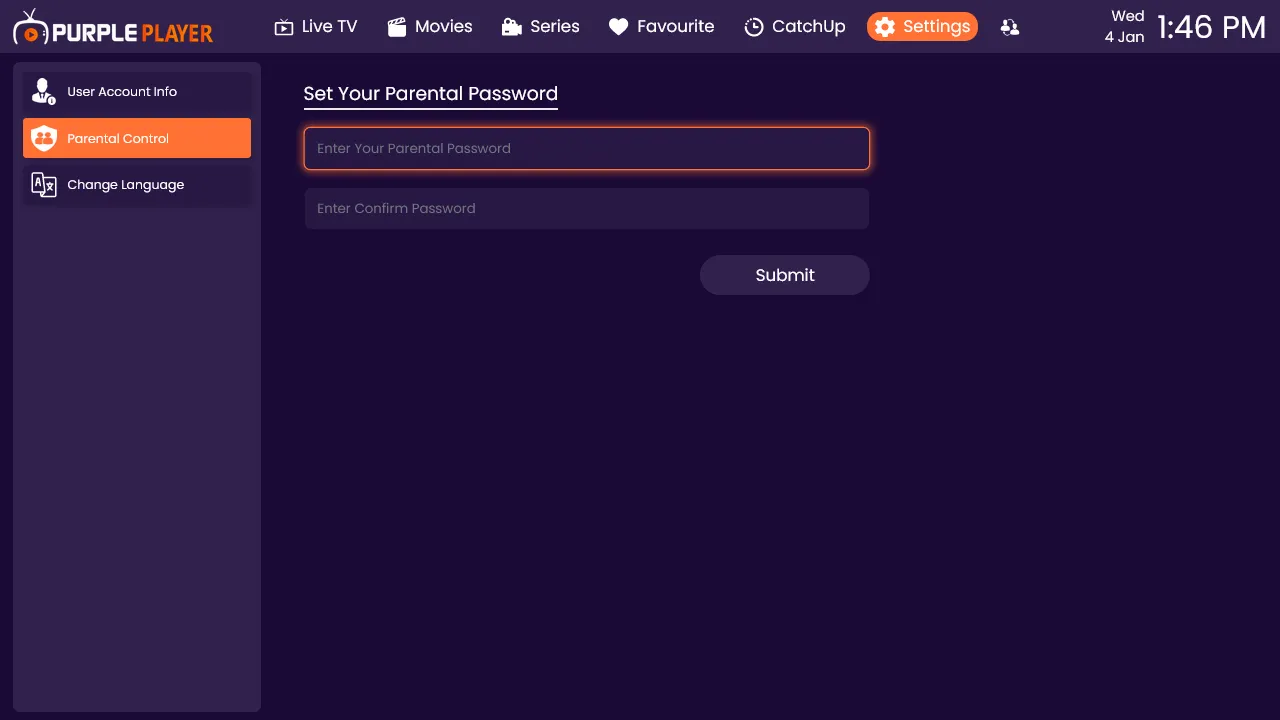
Click on Parental Password, enter the desired Pin, confirm the Pin again, and click on Submit
Note: - (No Alphabetical passwords are allowed, Only Numerical Pin should be entered)
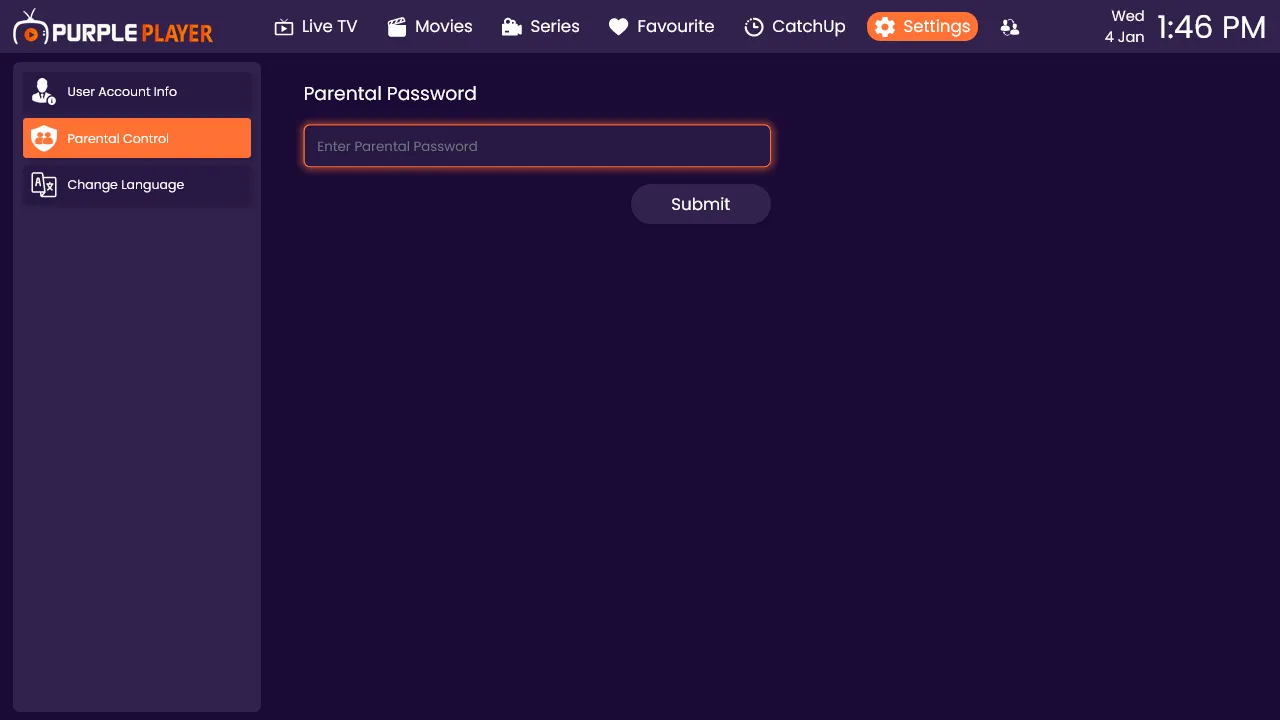
Step 2: Enter the Password
After Setting the Pin then Enter the same Four-Digit Parental Pin and Click Submit
Step 3: Live
Select the Live TV, To Put a Parental Lock On Them. (A lock icon will be displayed)

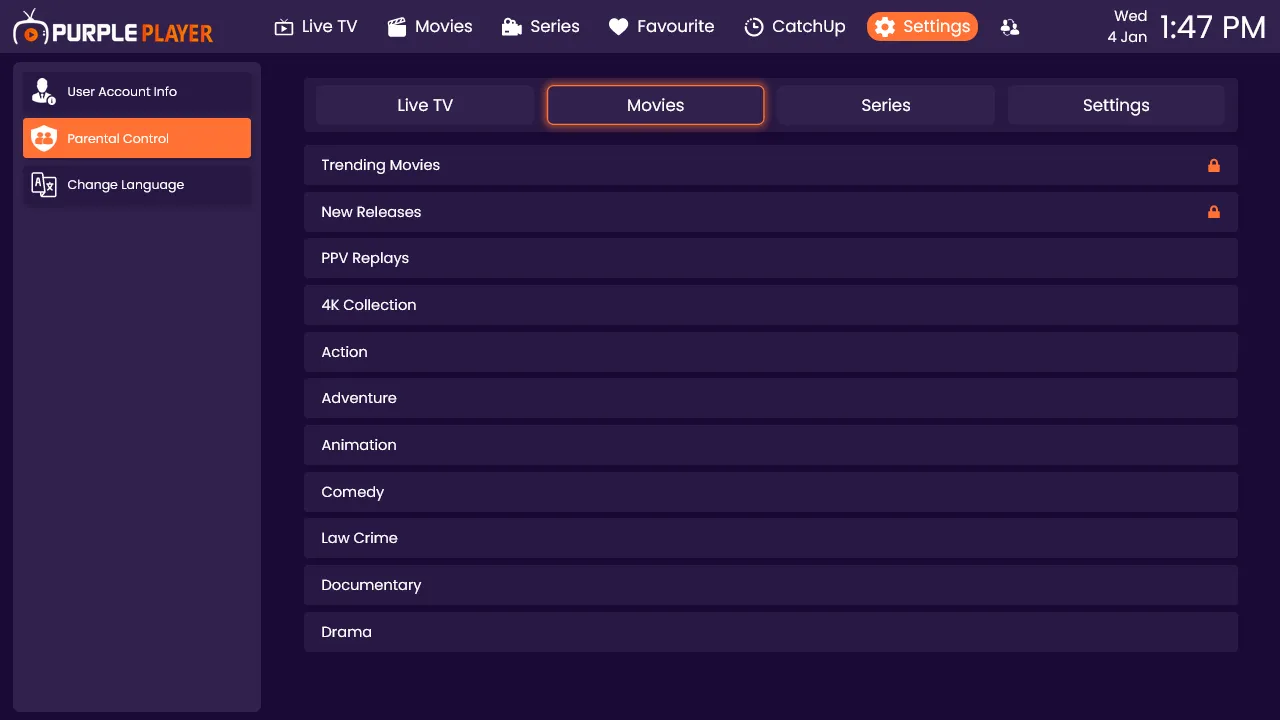
Step 4: Movies
Select the Movies, To Put a Parental Lock On Them. (A lock icon will be displayed
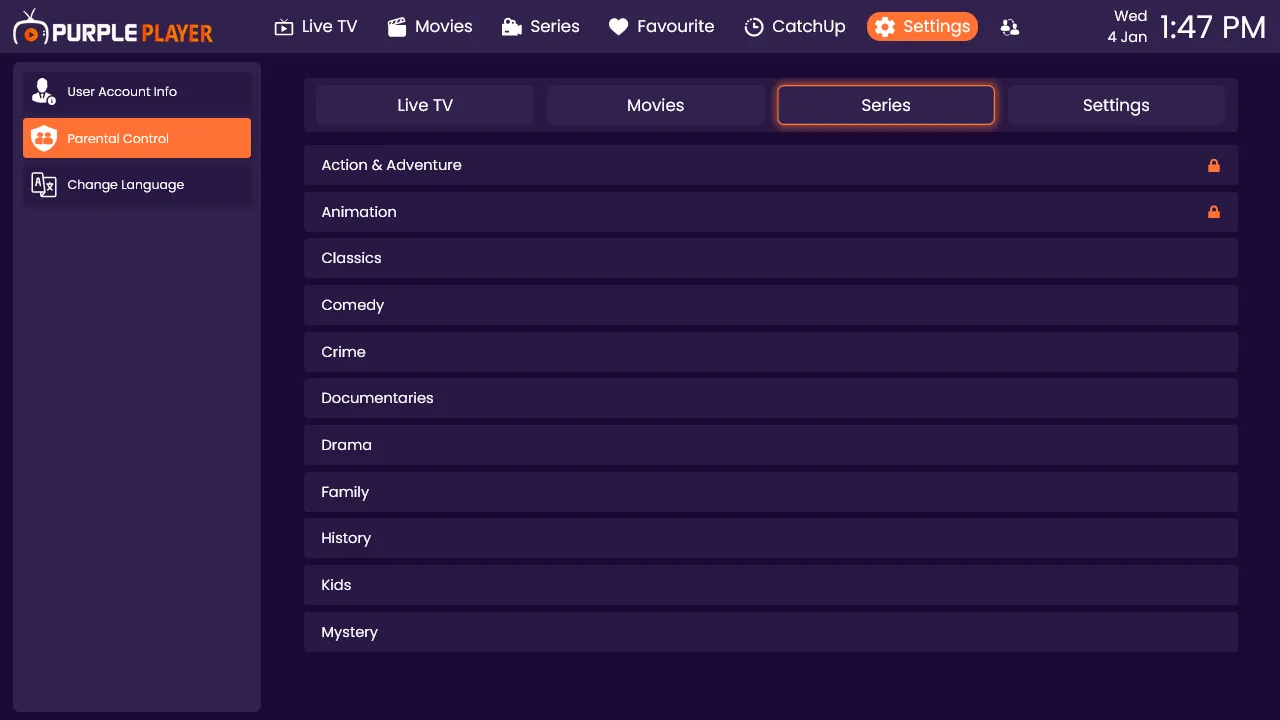
Step 5: Series
Select the Series, To Put a Parental Lock On Them. (A lock icon will be displayed)
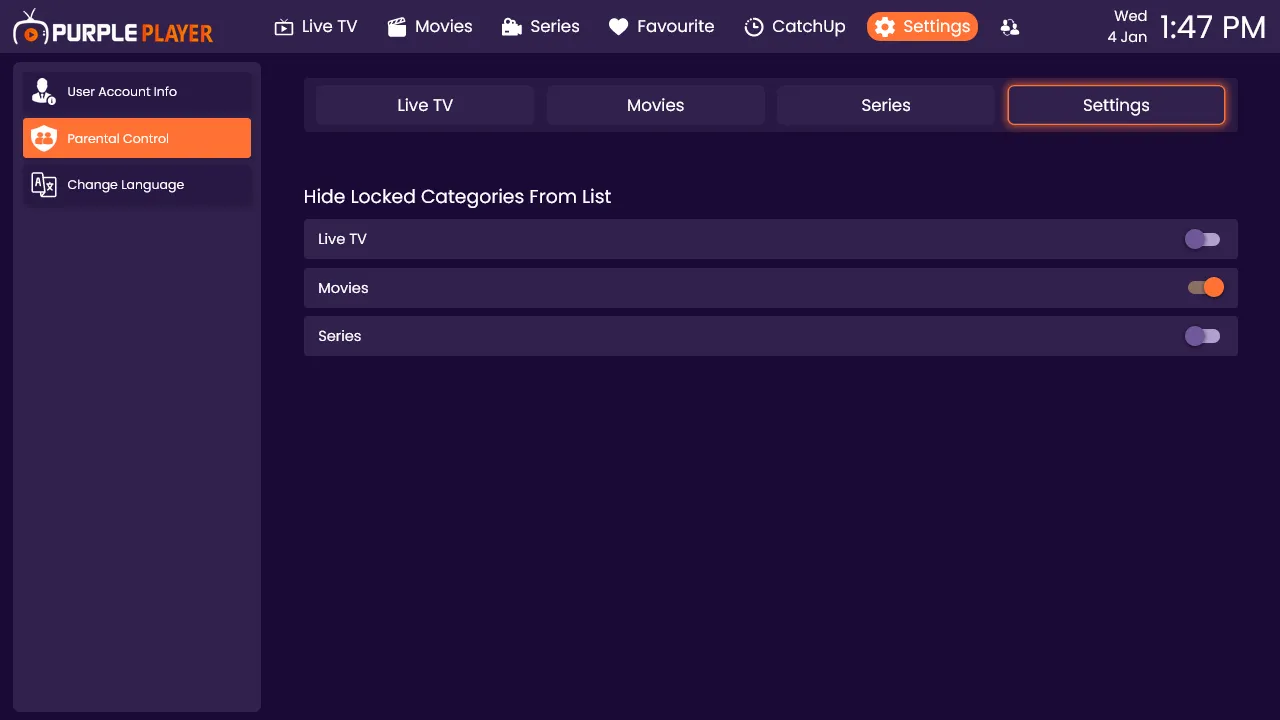
Step 6: Hide Categories
Users can select which categories to hide from the list.