
How to preview invoice
4 min
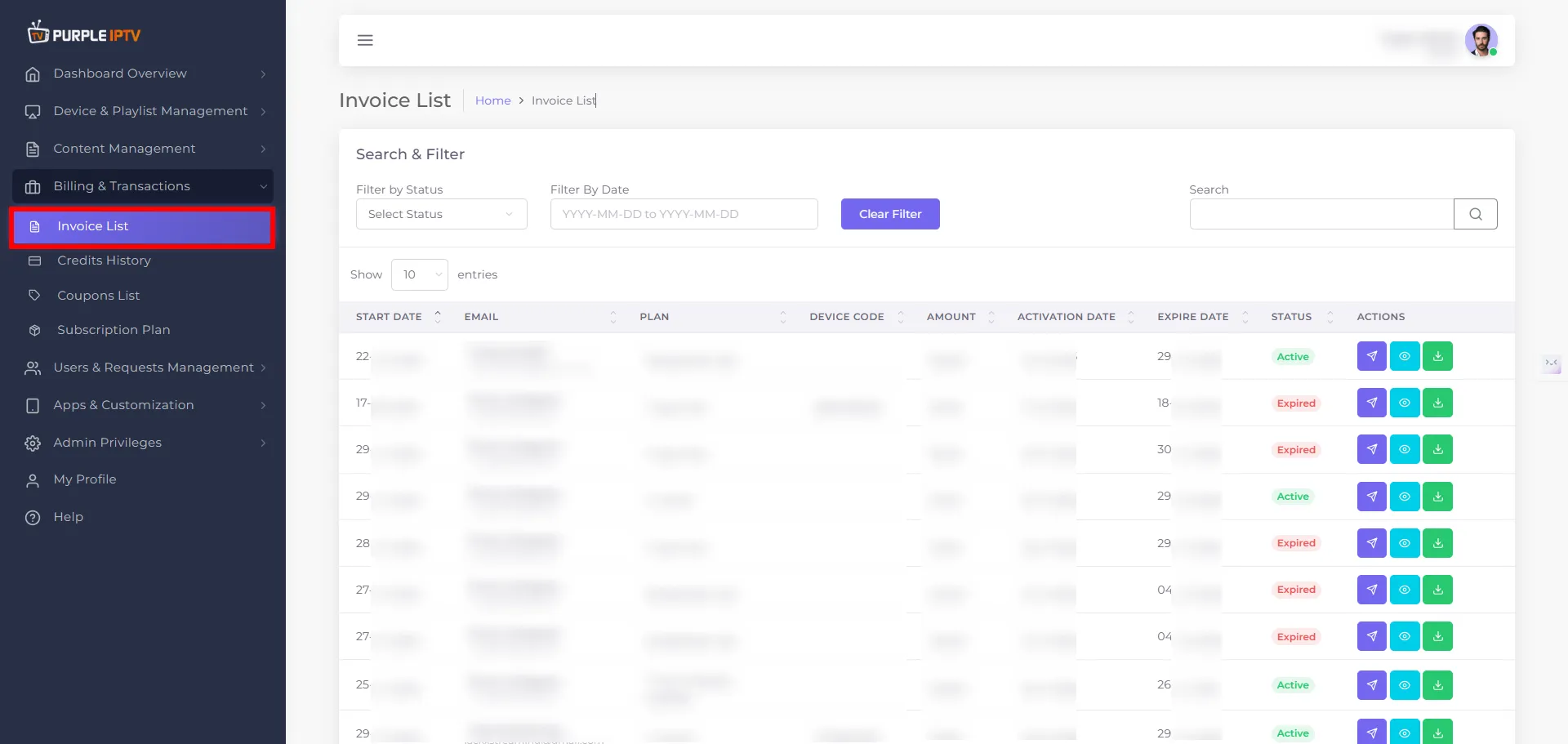
Step: 1 Go to the Billing & Transactions → Invoice List
After successfully Login into Purple Admin Panel, Click on "Billing & Transactions → Invoice List section", as seen in the below image.
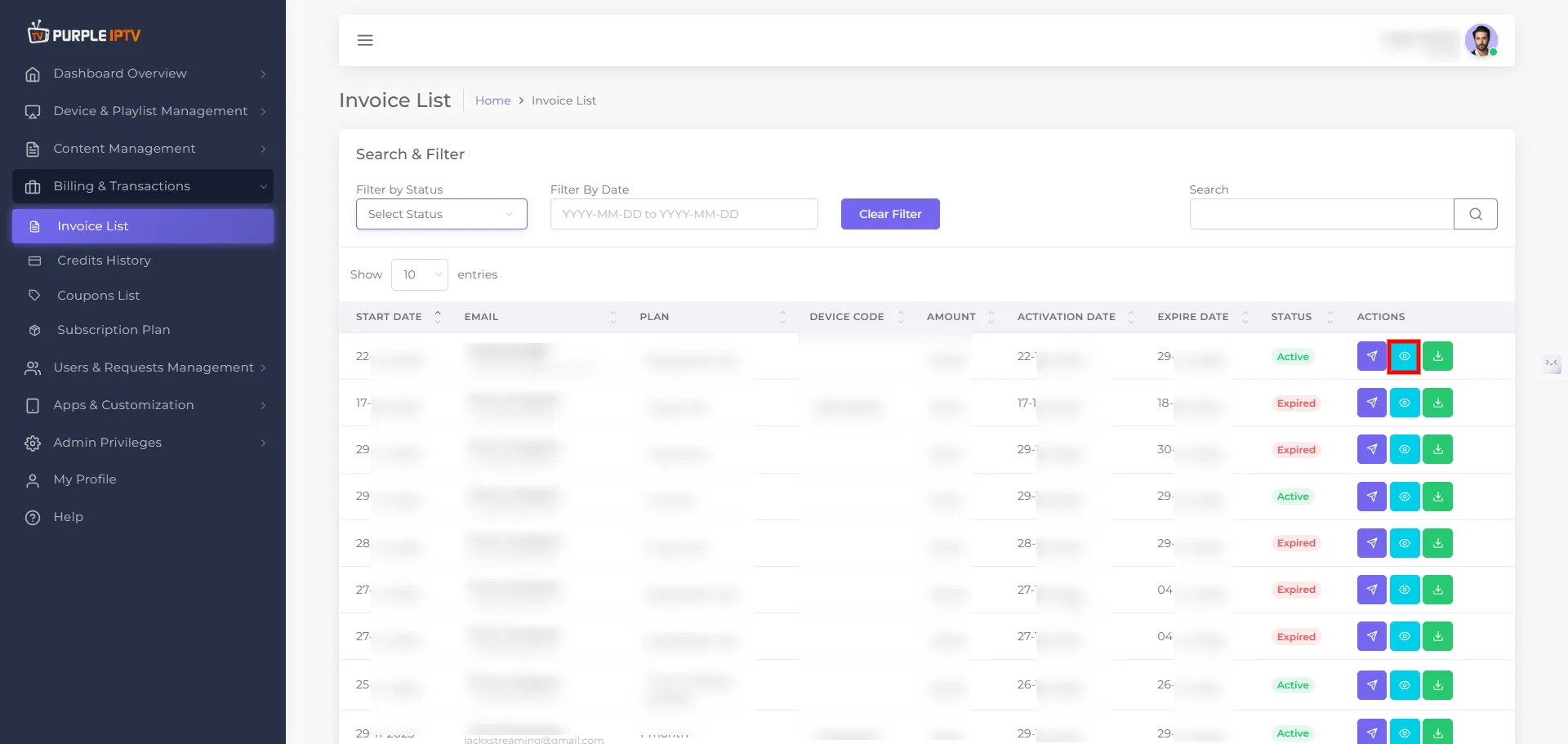
Step: 2 Preview Invoice
Click on "Preview Invoice" icon, as seen in the below image.
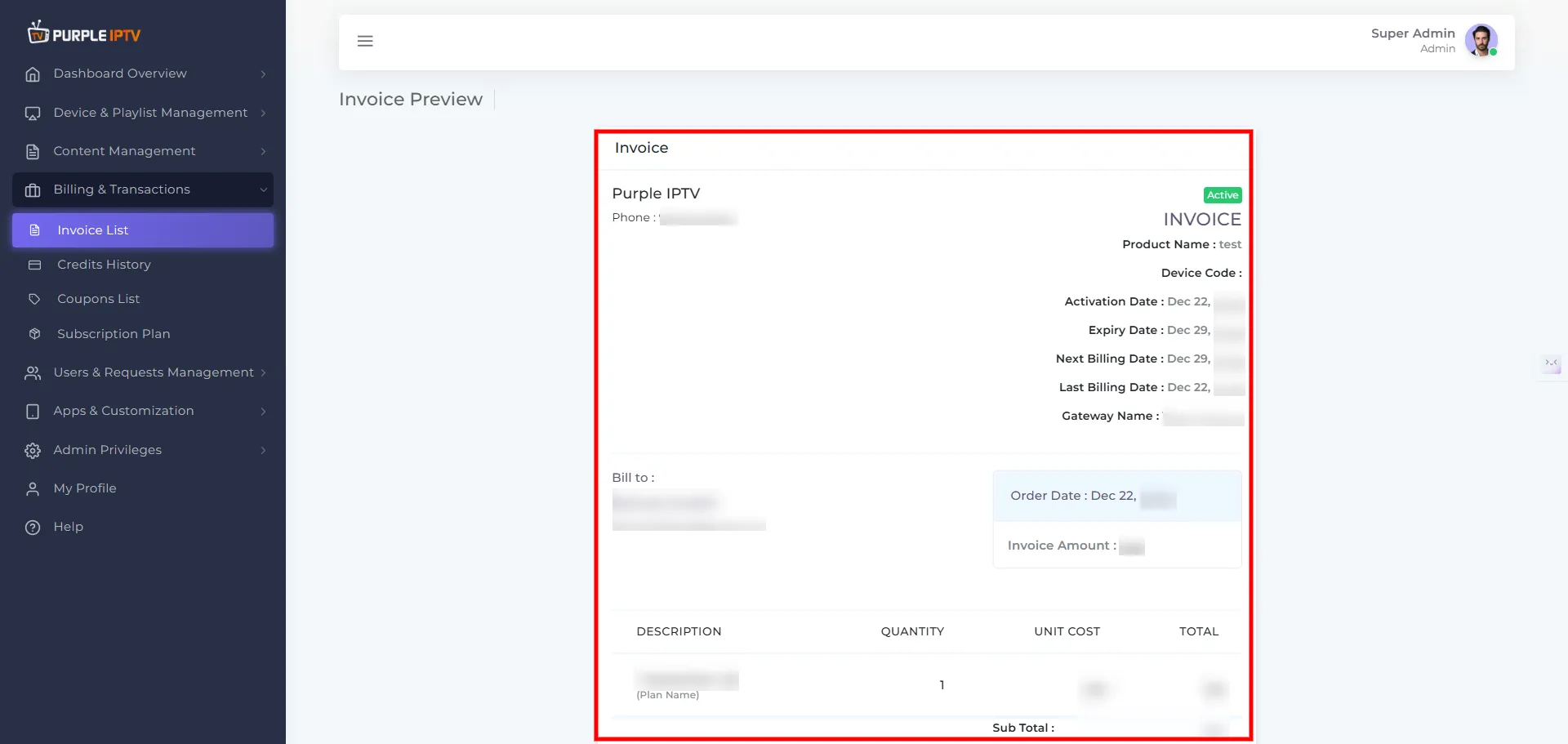
Step: 3 Invoice Sent
After clicking on Preview Invoice, a new tab will open where you can preview the invoice, as shown in the image below (marked in red).
Note: Purple Smart TV Products and services do not provide any content or playlists