How To Instantly Activate Purple App
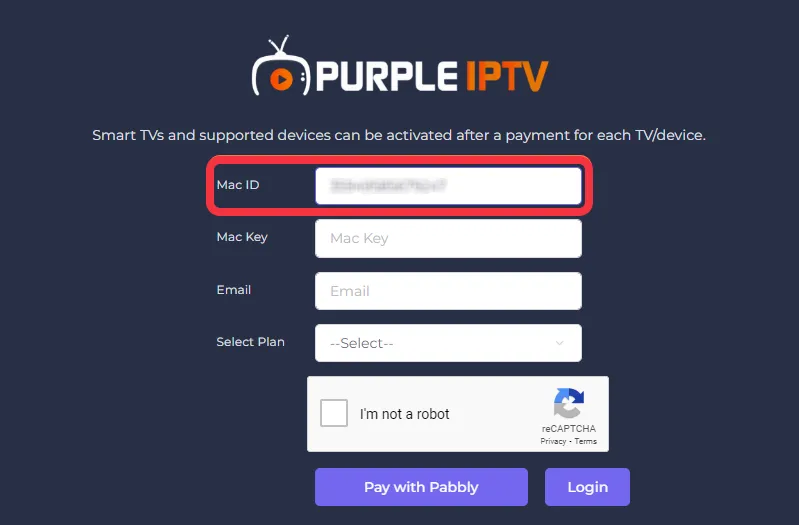
Step 1- Mac ID (Number)
Click on "Mac ID" and type the number of the accessing device, as seen in the below image (marked in red)
Step 2- Mac Key
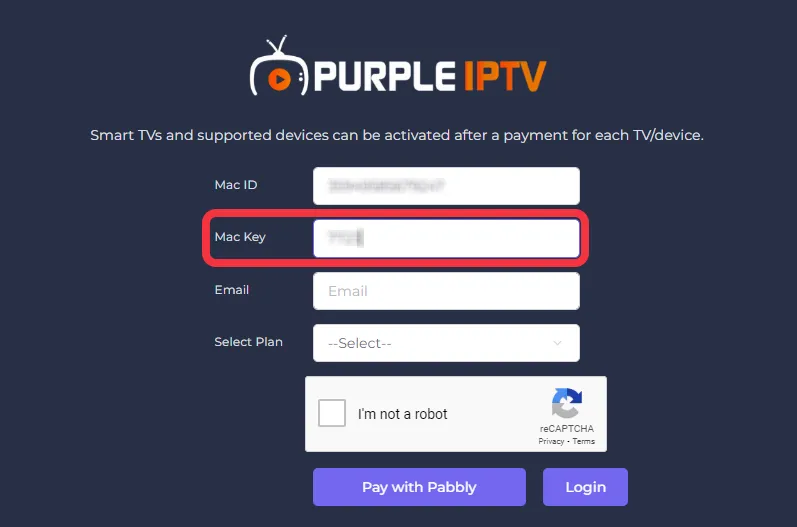
Click on "Mac Key" and type the key - number of the device, as seen in the below image (marked in red)
Note: The Mac Key will be a "Four-Digit Number"
Step 3- Email
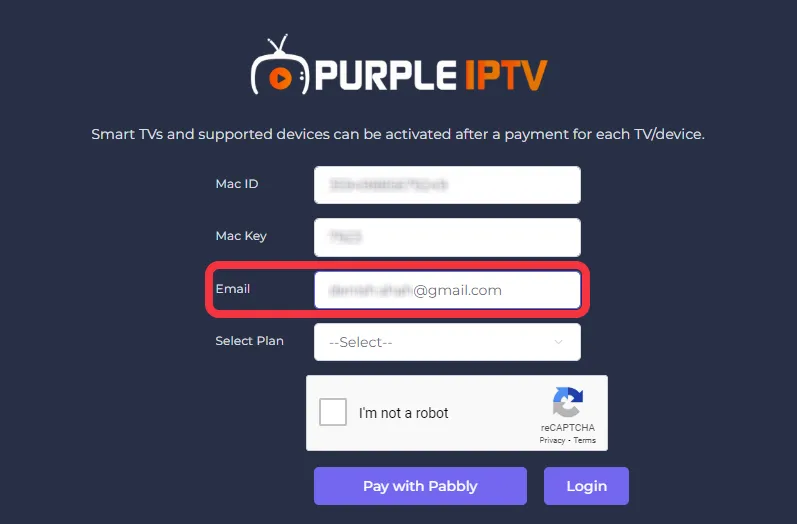
Click on "Email" and type "Valid" email id, as seen in the below image (marked in red)
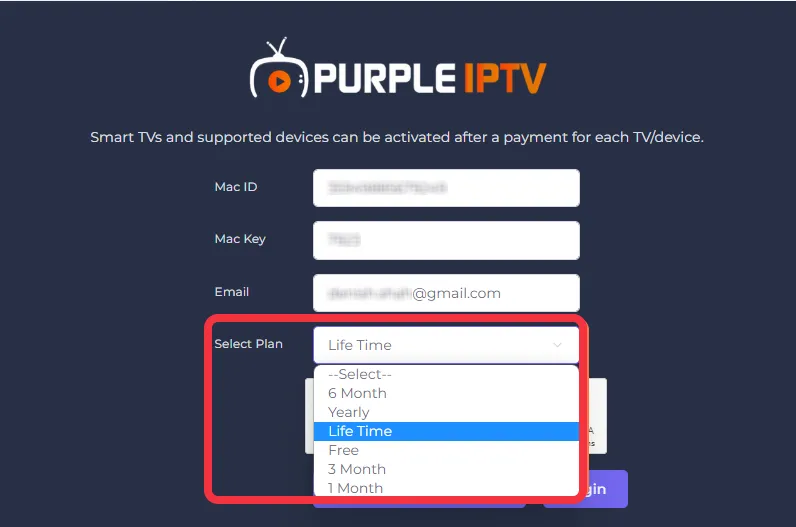
Step 4- Select Plan
Click on "Select Plan" and choose any desired plan from the drop-down-down menu as per your preference, as seen in the below image (marked in red)
Click Here to Know More Details About Subscription Plans
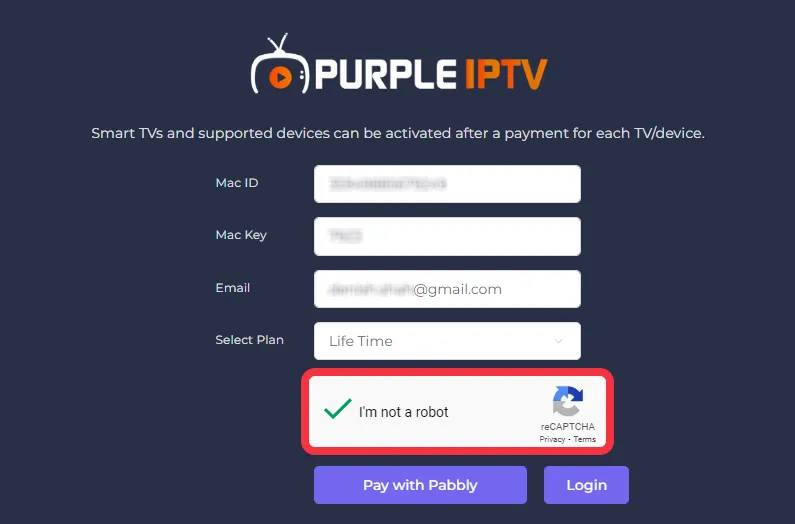
Step 5- Captcha
Click on "Captcha", as seen in the image below (marked in red)
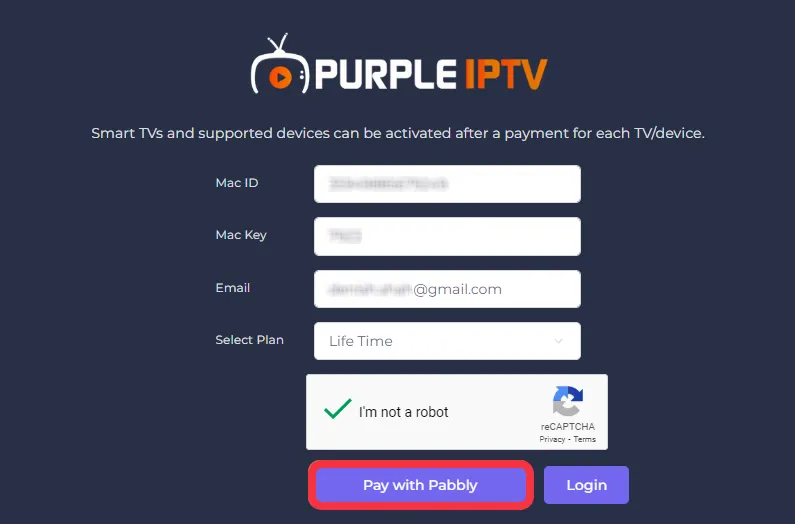
Step 6- Checkout
Click on "Pay with Pabbly", as seen in the below image (marked in red)
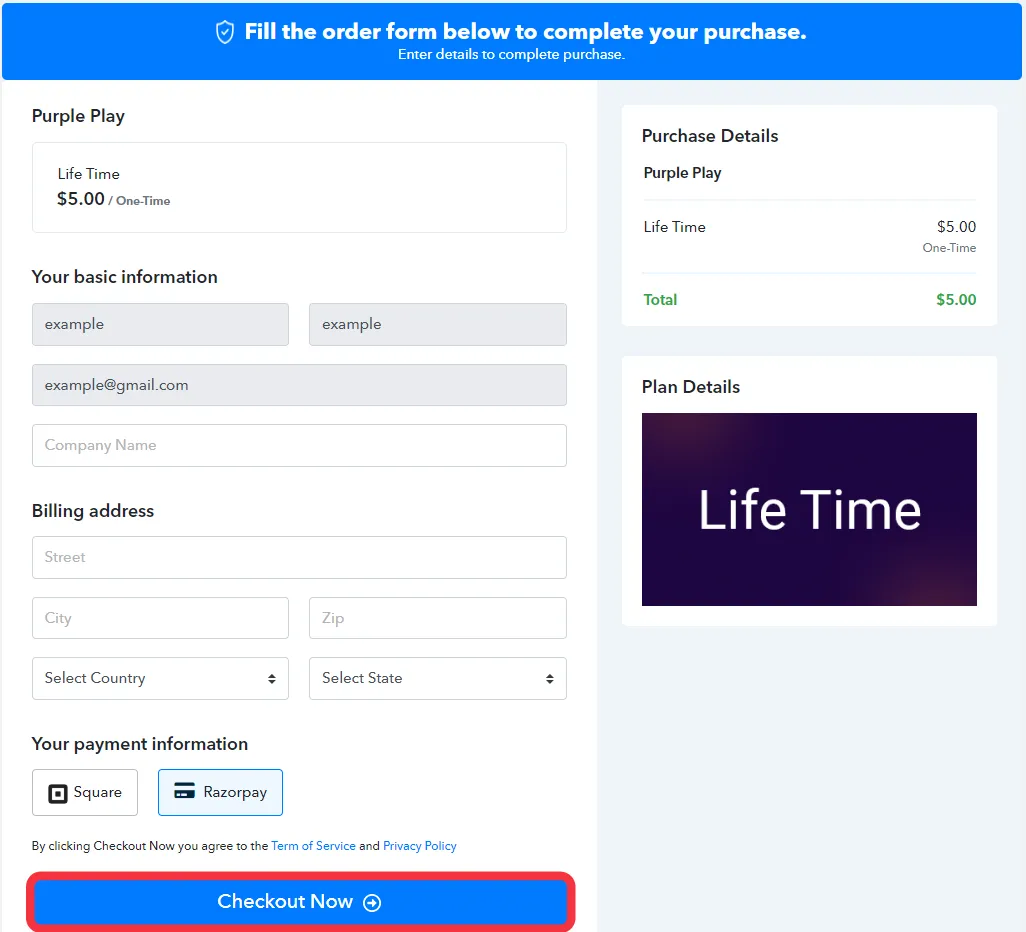
Step 7- Pabbly | Payment Page
Fill in the necessary details and click on "Checkout Now", as seen in the below image (marked in red)