
How to Find your (Device) Mac ID and Key
2 min
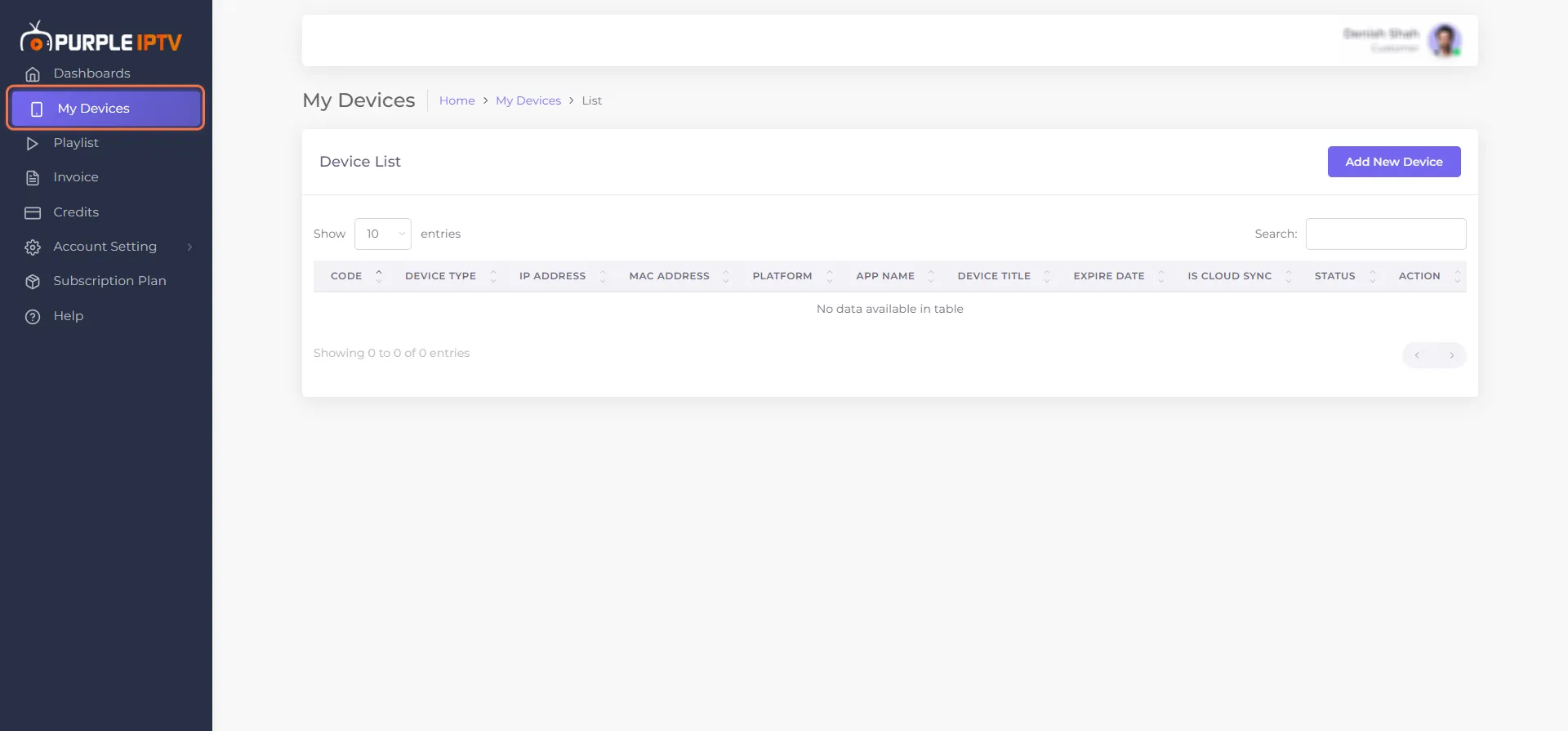
1. Go to my 'Devices' tab under the Dashboard section.
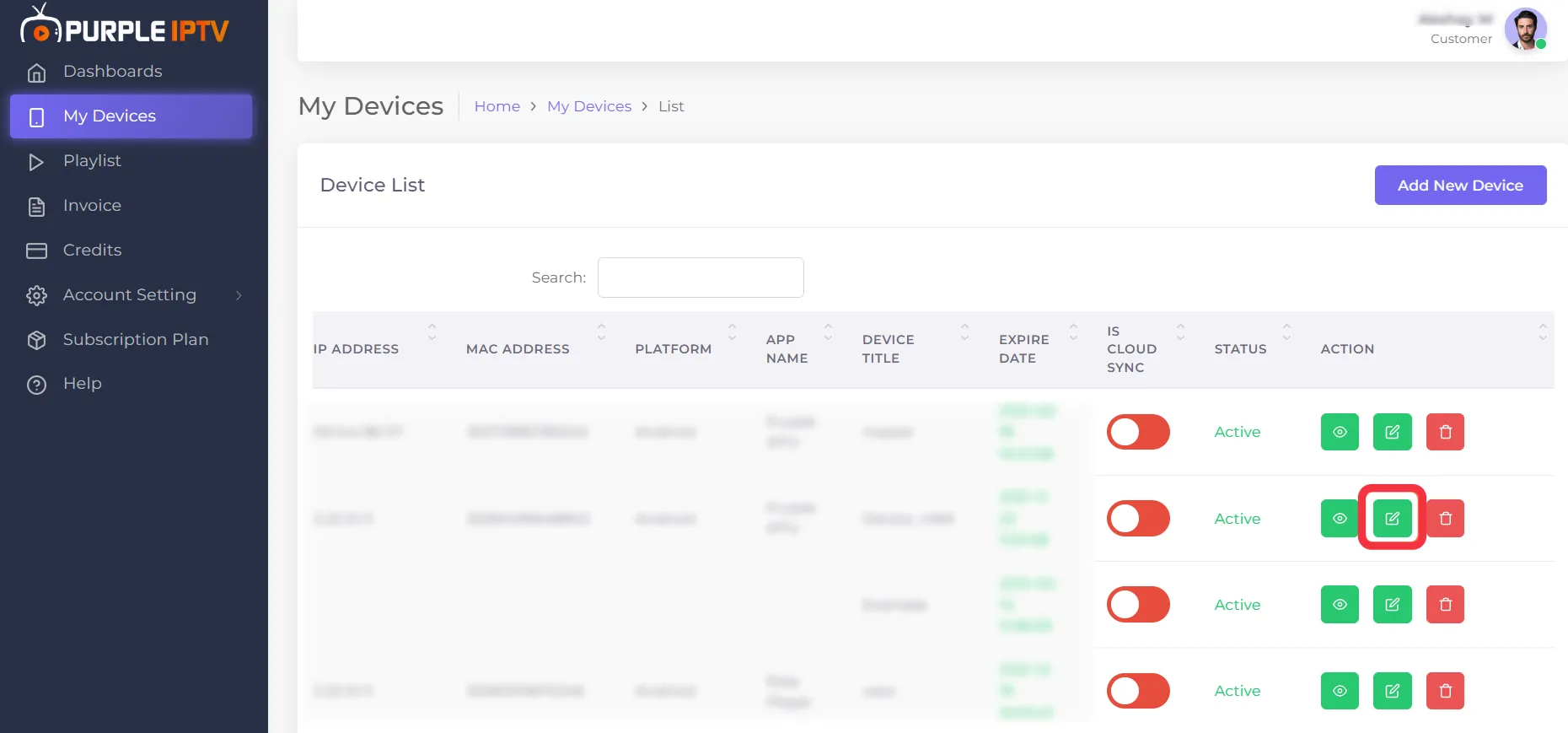
2. Select your device from the Device List, and then click "Edit Device", as seen in the below image (marked in red)
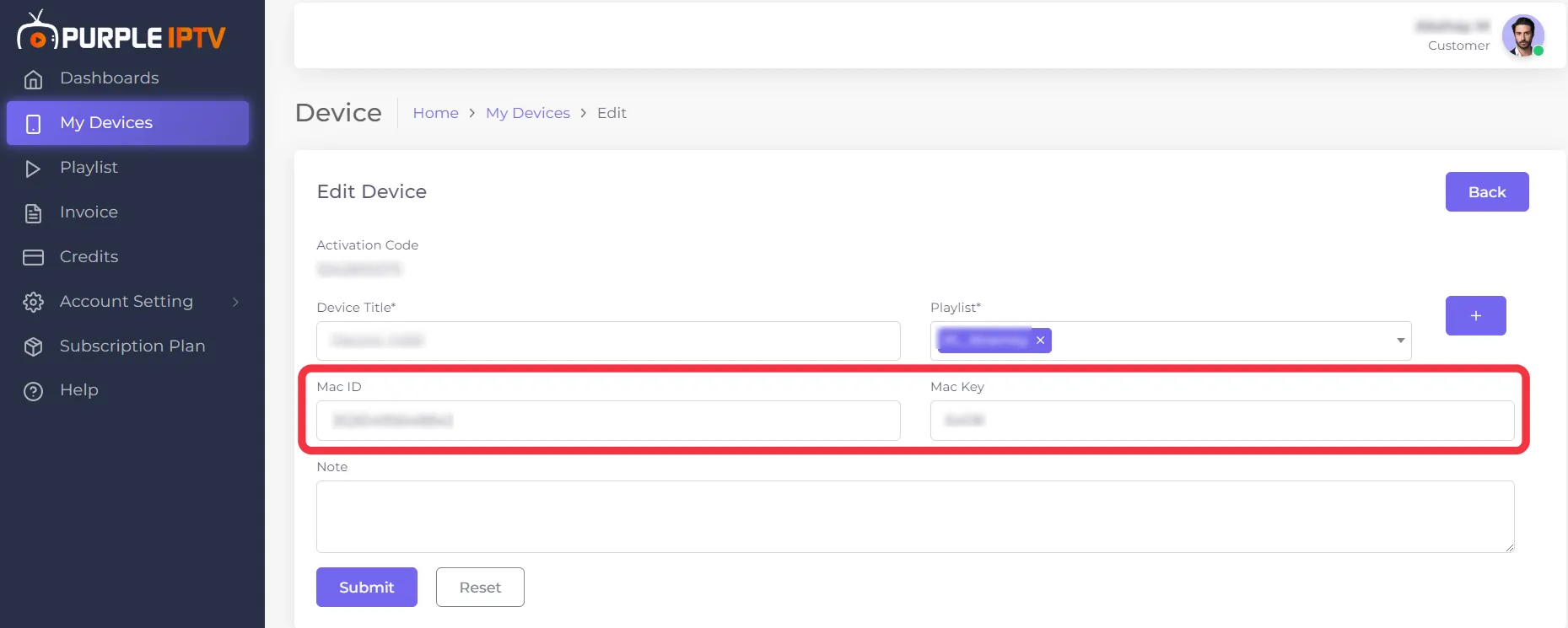
3. Clicking Edit Device will take you to the Edit Device page, here you can find your "Mac ID & Mac Key" as seen in the image below (marked in red)
/