How To Add Live TV Channels To Favorites List in Purple Player Lite?
5 min
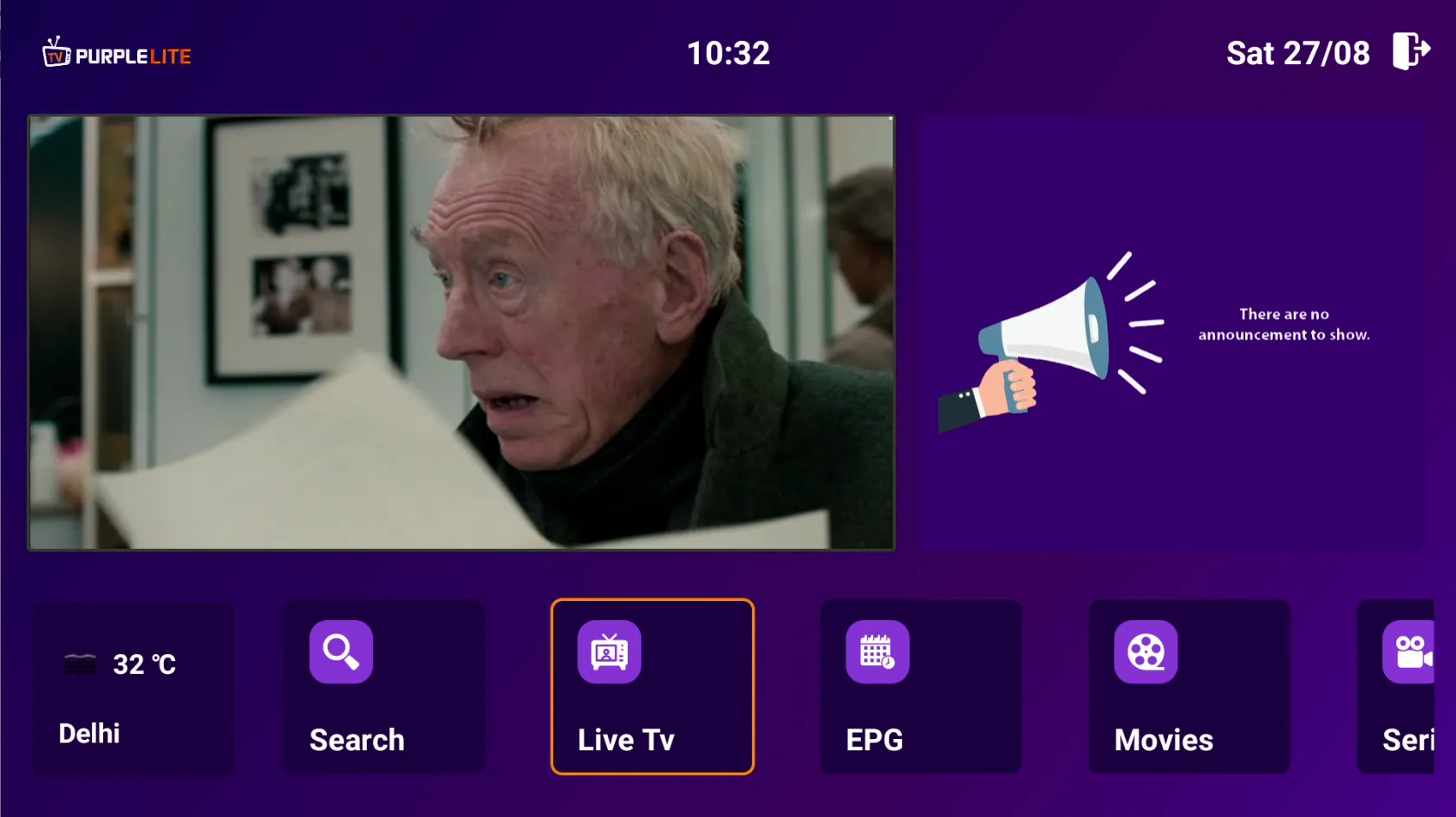
Step 1: Live- TV
After a successful installation of the Application, Select 'Live TV' from the Home Page
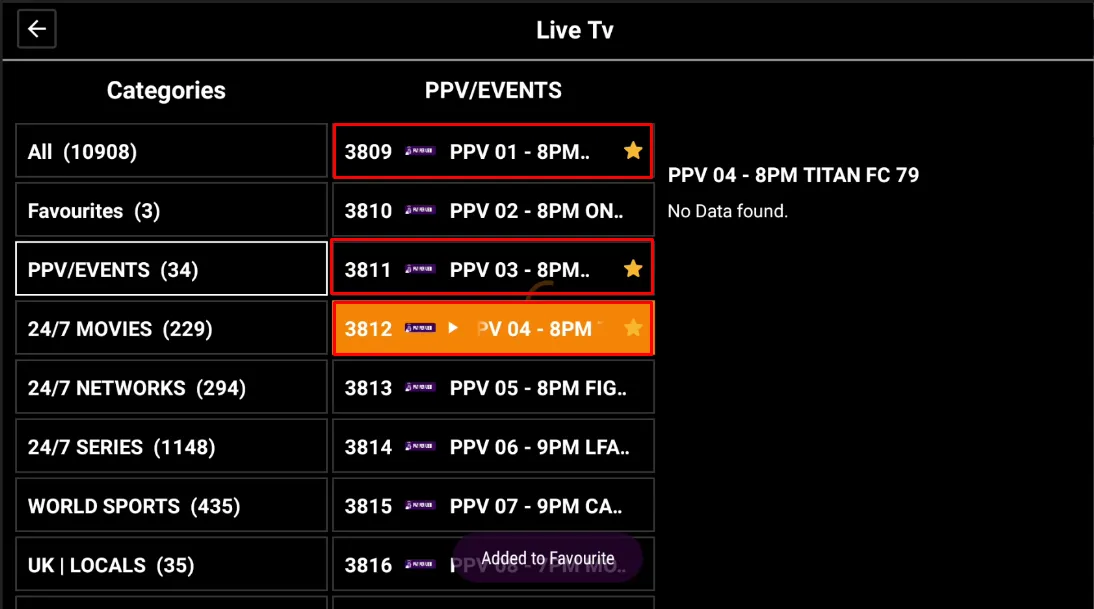
Step 2: Mark Channels
Double Click on the Live TV Channel to Mark And Add To Favorites List. All the Star-Marked Channels Are Marked As Favorites.
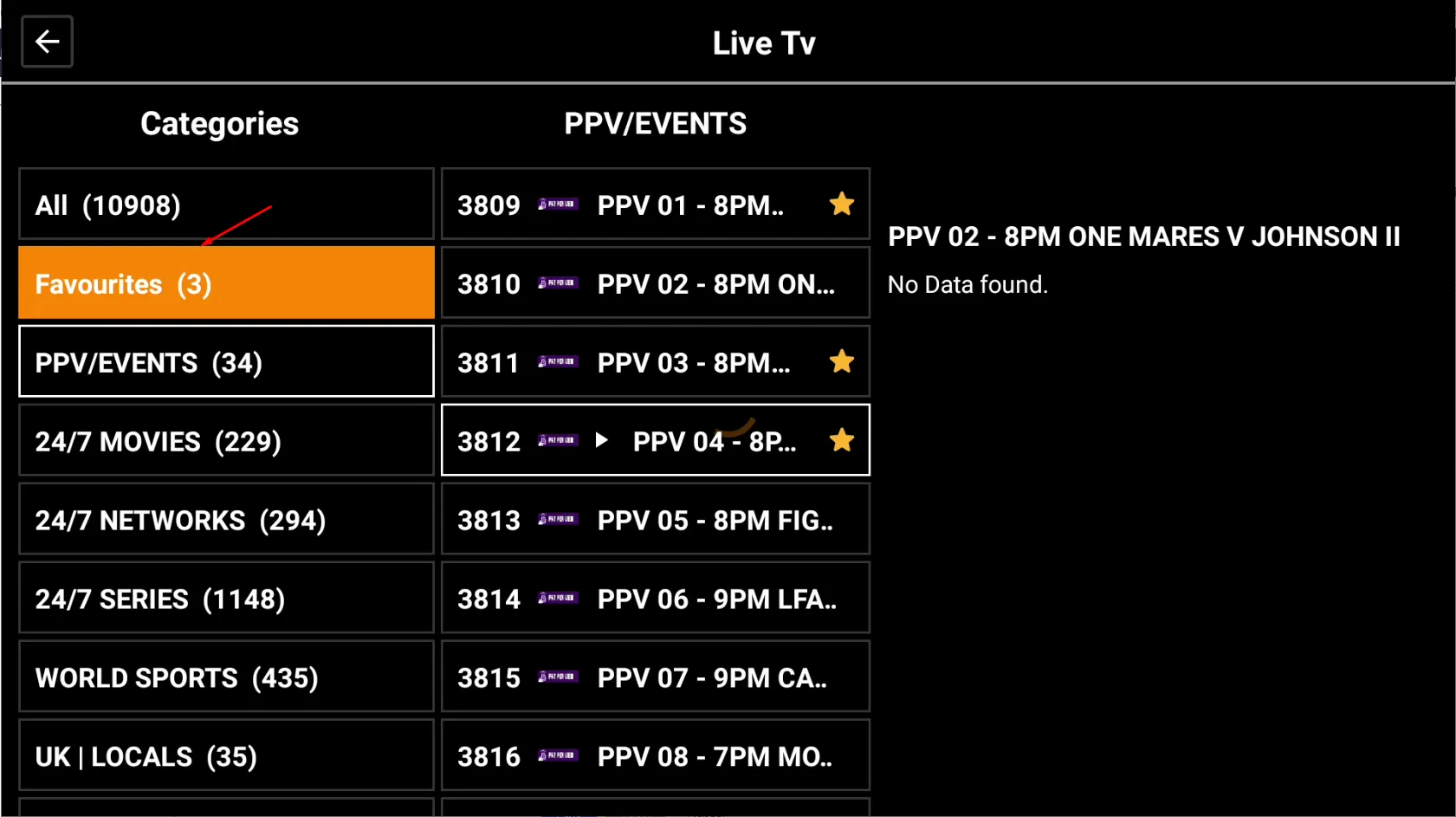
Step 3: Favorites
Click on the 'Favorites' Button
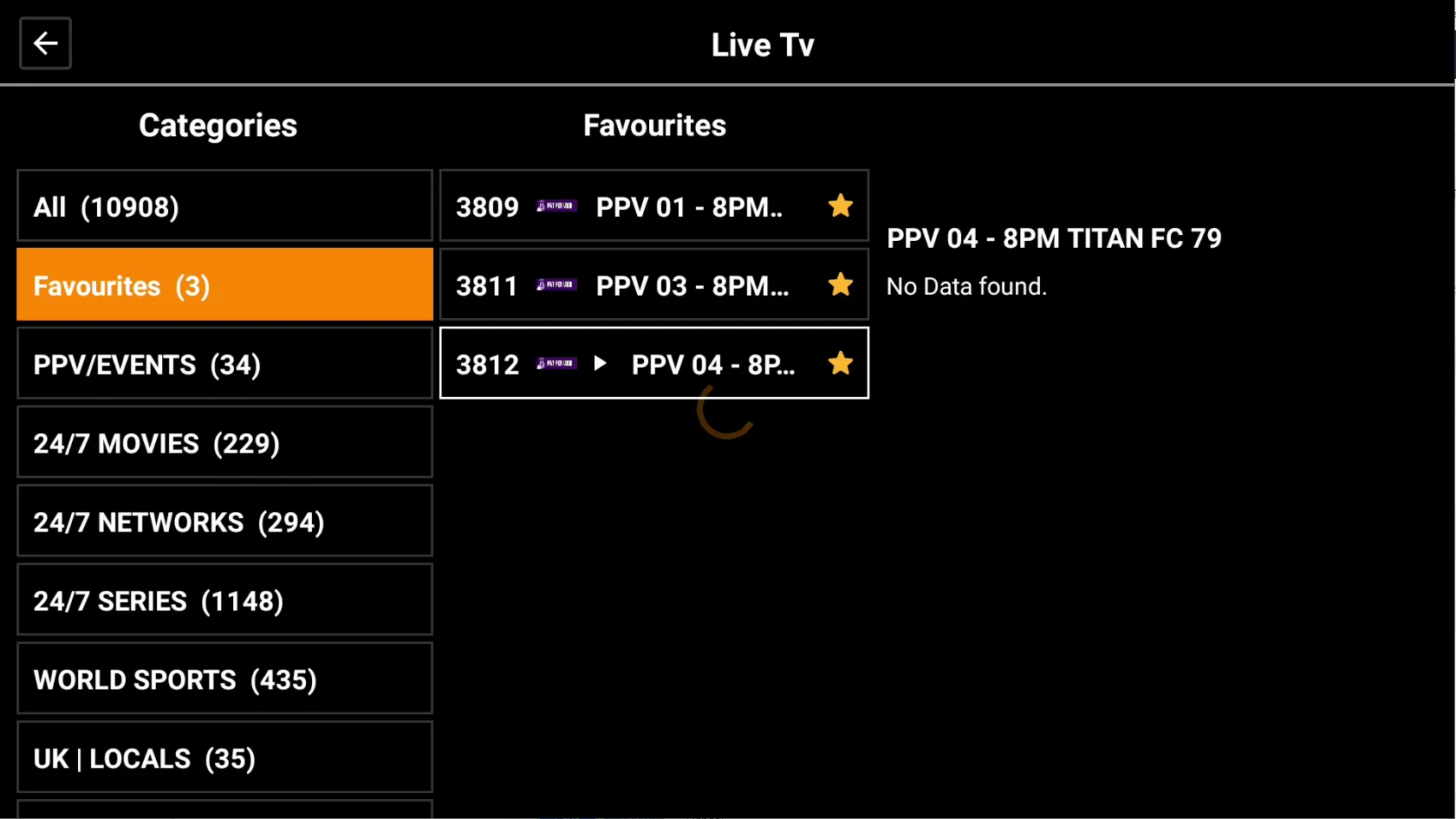
Step 4: Favorites List
You Can Find the List Of 'Marked Favorites' Live TV Channels List
Step 5: Play
Click To Play Any Of Your Favorites Channel

Step 6: Full HD View
Enjoy Watching the 'Live TV' Program(me) In Full HD View