How to access Developer Mode
1 min
1- After successfully installing the application, you will be welcomed by the" Home Screen" of Purple Tools.
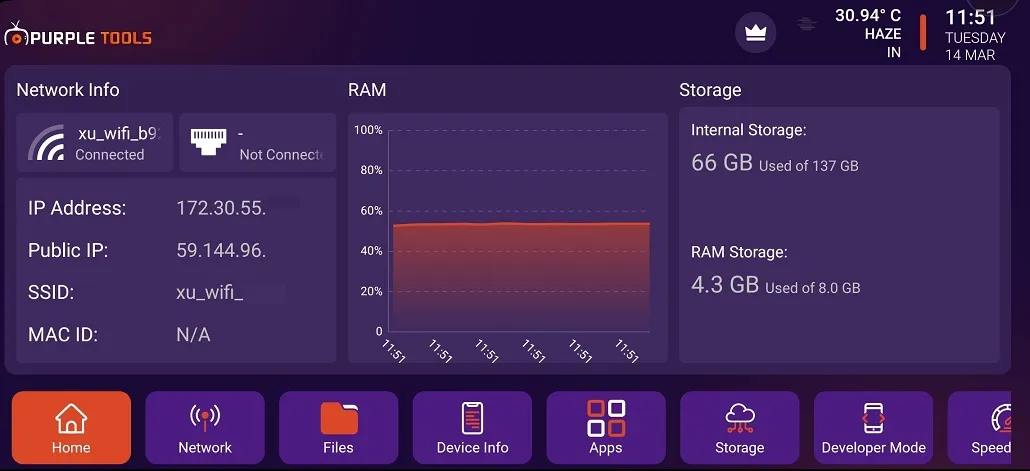
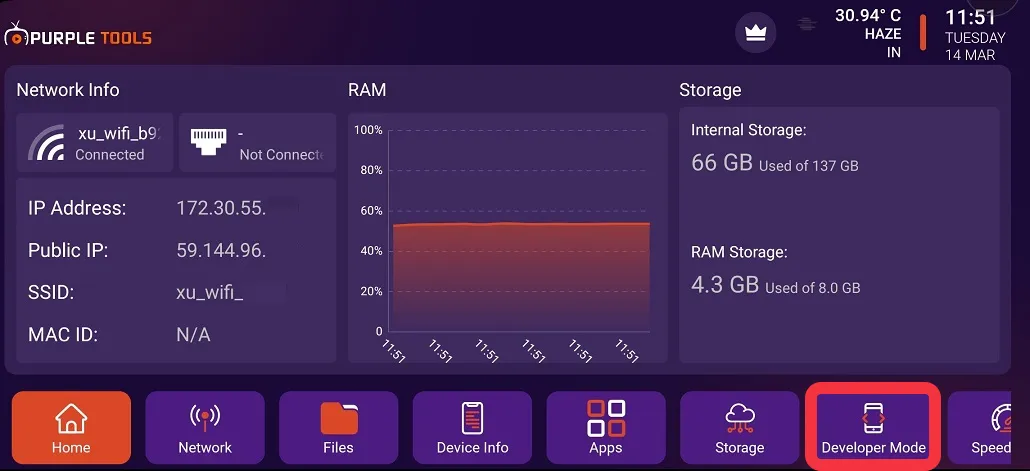
2- Click on "Developer Mode", as seen in the below image (marked in red)
3- Click on "Developer Mode" to switch it ON/OFF, as seen in the image below (marked in red)
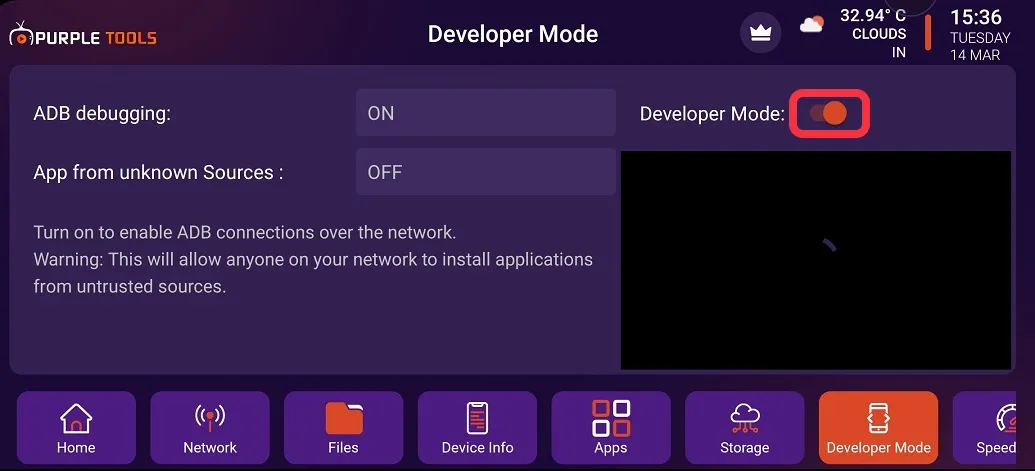
4- Click on "ADB debugging" to switch it ON/OFF, as seen in the image below (marked in red)
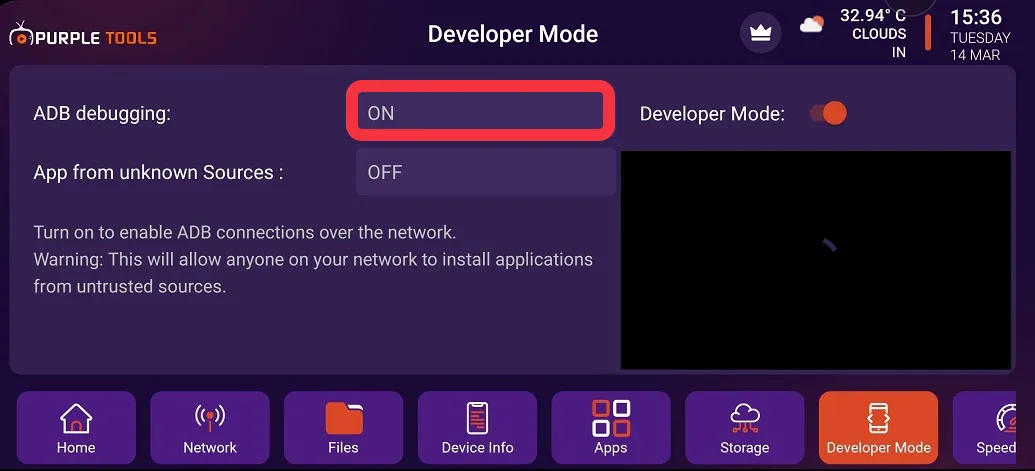
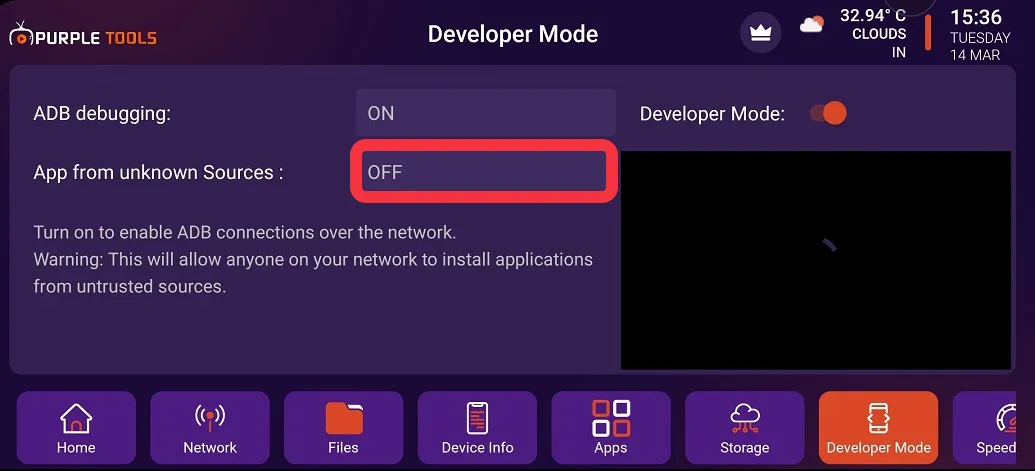
5- Click on "App from Unknown Sources" to switch it ON/OFF, as seen in the image below (marked in red)