
For IPTV Providers
1. Credits
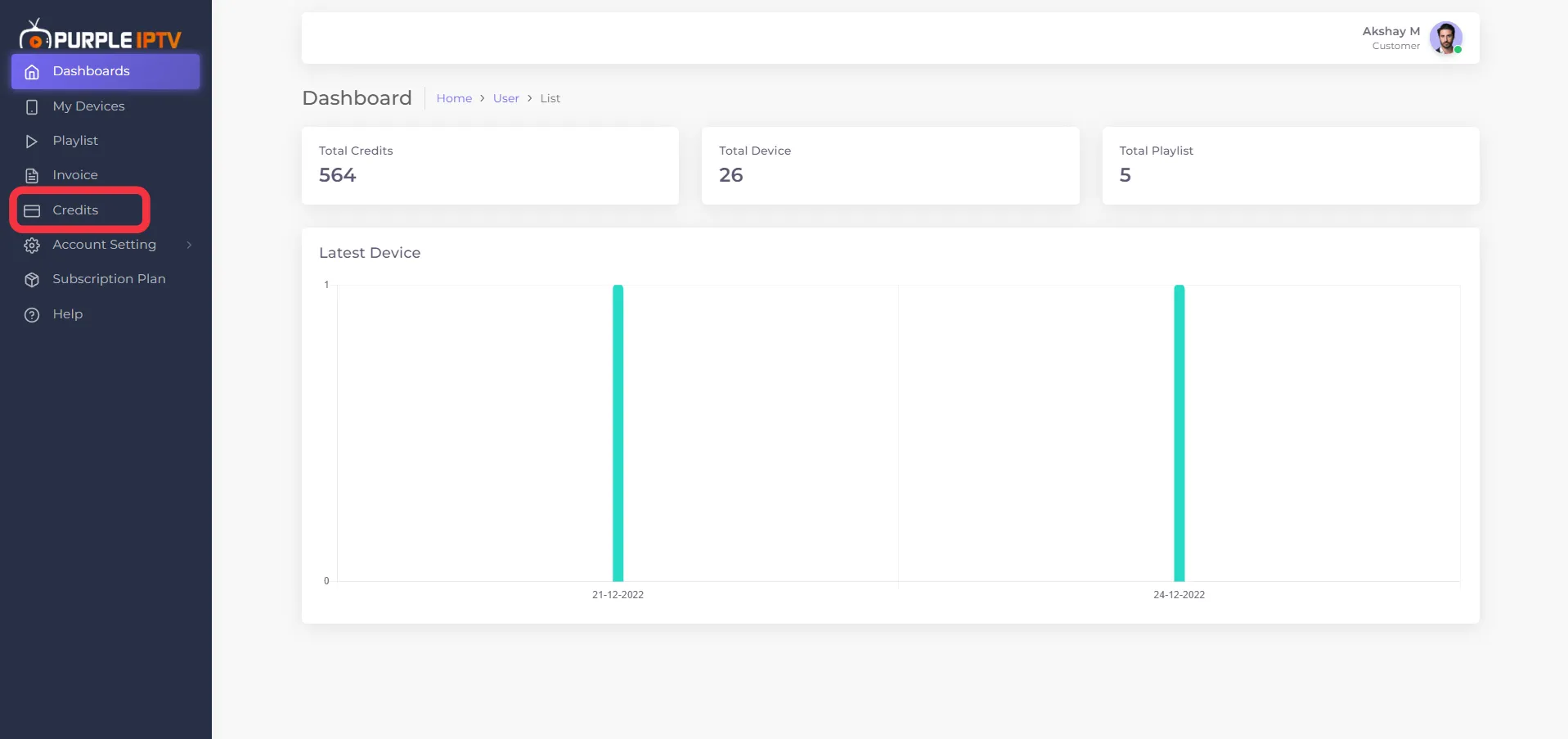
After successfully Login, click on "Credits" as seen in the below image (marked in red)
2. Add Credits
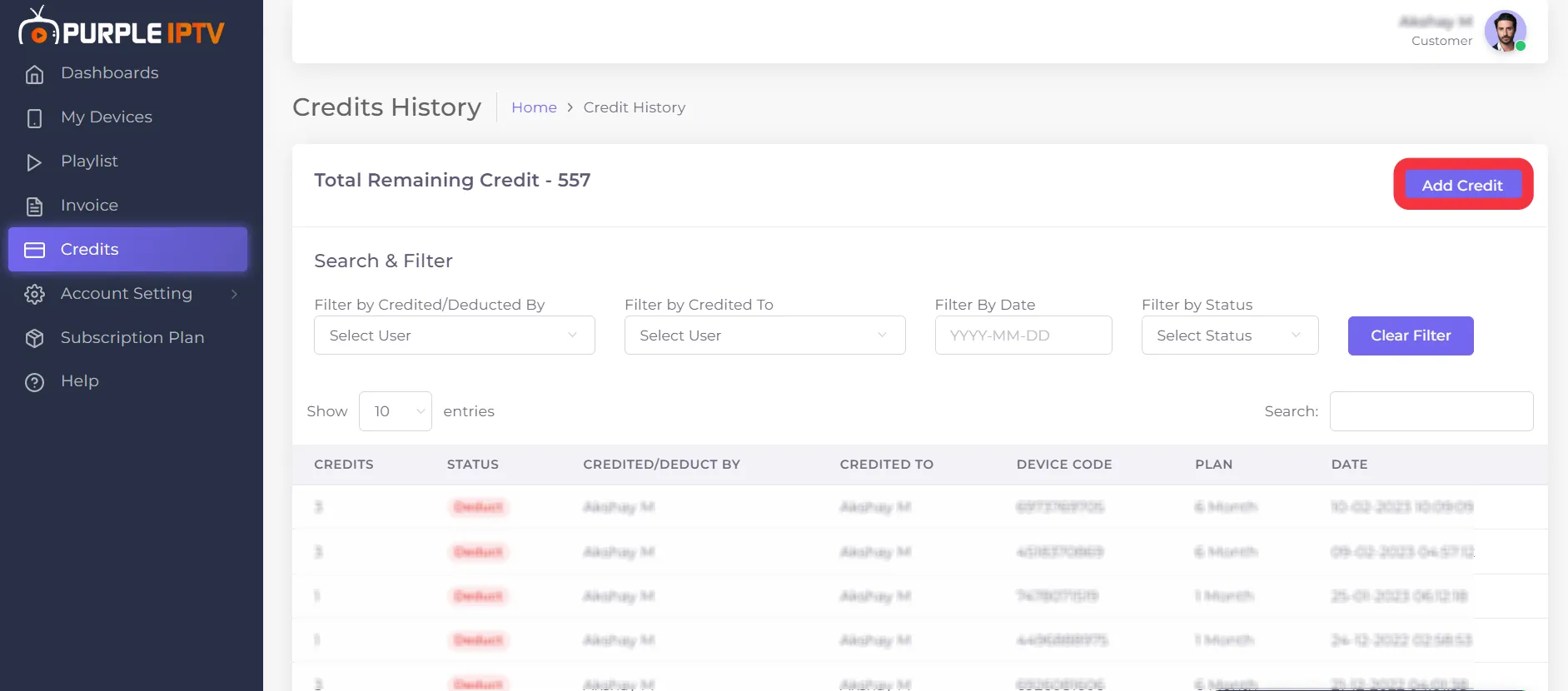
Click on "Add Credits" as seen in the below image (marked in red)
3. Select Plan
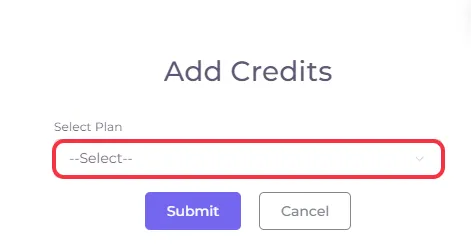
Click on "Select", as seen in the below image (marked in red)
4. Credit Plans
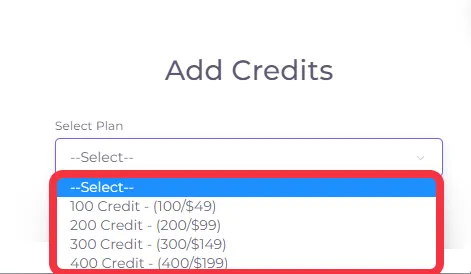
Different "Credit Plans" are available to IPTV providers based on their services.
5. Overview of Credits
[A brief overview of how "Credits are Deducted" from the Credit balance of the account]
(a) - IPTV Provider (e.g.) Provide services to his customers for "One Month" will be charged - "1/One Credit "
(b) - IPTV Provider (e.g.) Provide services to his customers for "Three Months" will be charged - "2/Two Credits "
(c) - IPTV Provider (e.g.) Provide services to his customers for "Six Months" will be charged - "3/Three Credits "
(d) - IPTV Provider (e.g.) Provide services to his customers for a "Year/12 Months" will be charged - "4/Four Credits "
(e) - IPTV Provider (e.g.) Provide services to his customers for "Life Time" will be charged - "5/Five Credits"
Note: Purple Smart TV Products and services do not provide any content or playlists